Track expenses, receipts & mileage
Expenses come off your profit and show in your Year-End Report by category.
1
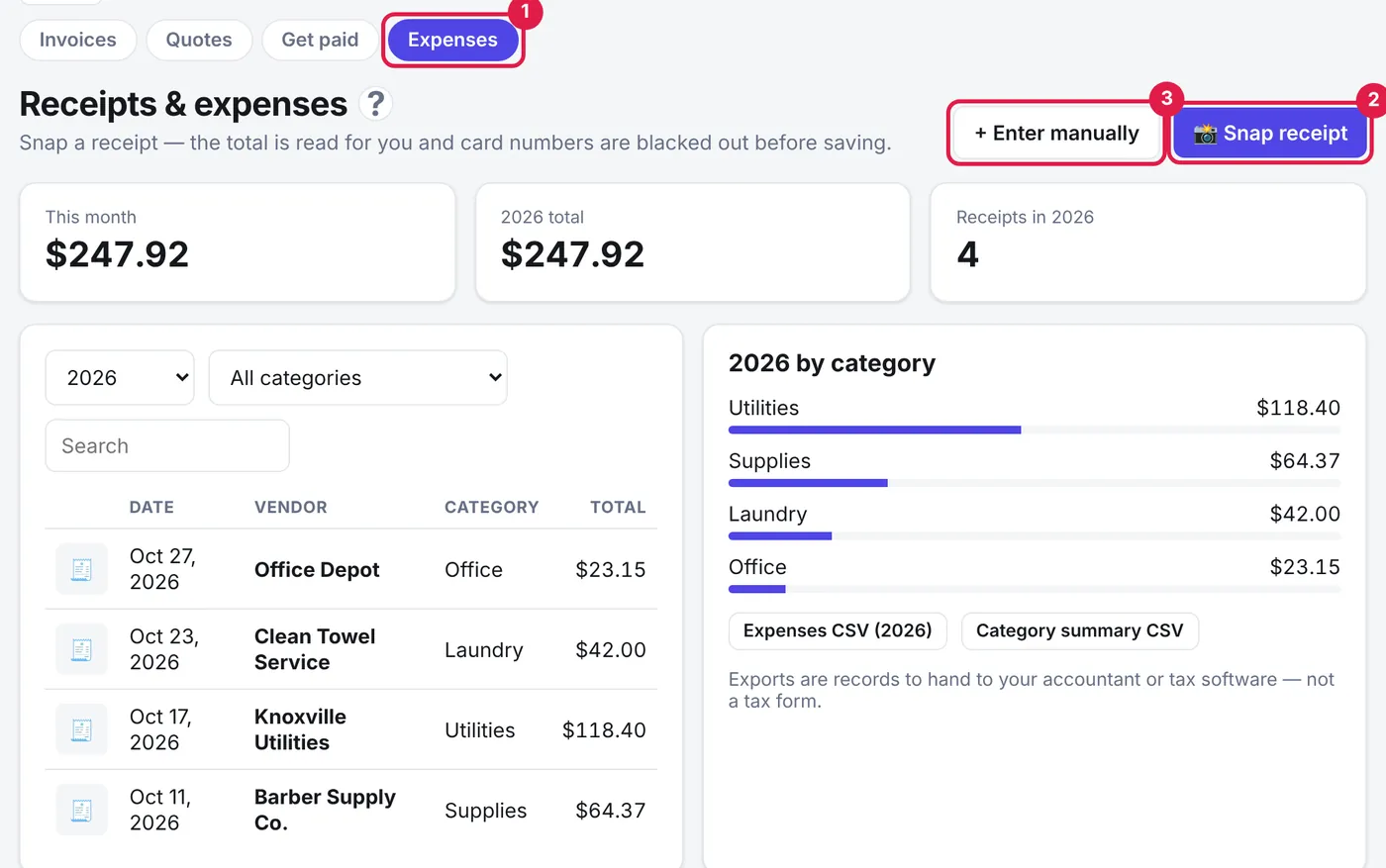
Open Money → Expenses and click 📸 Snap receipt
Take a photo of the receipt. BookTend reads the total and blacks out card numbers before saving. No photo? Click + Enter manually.
2
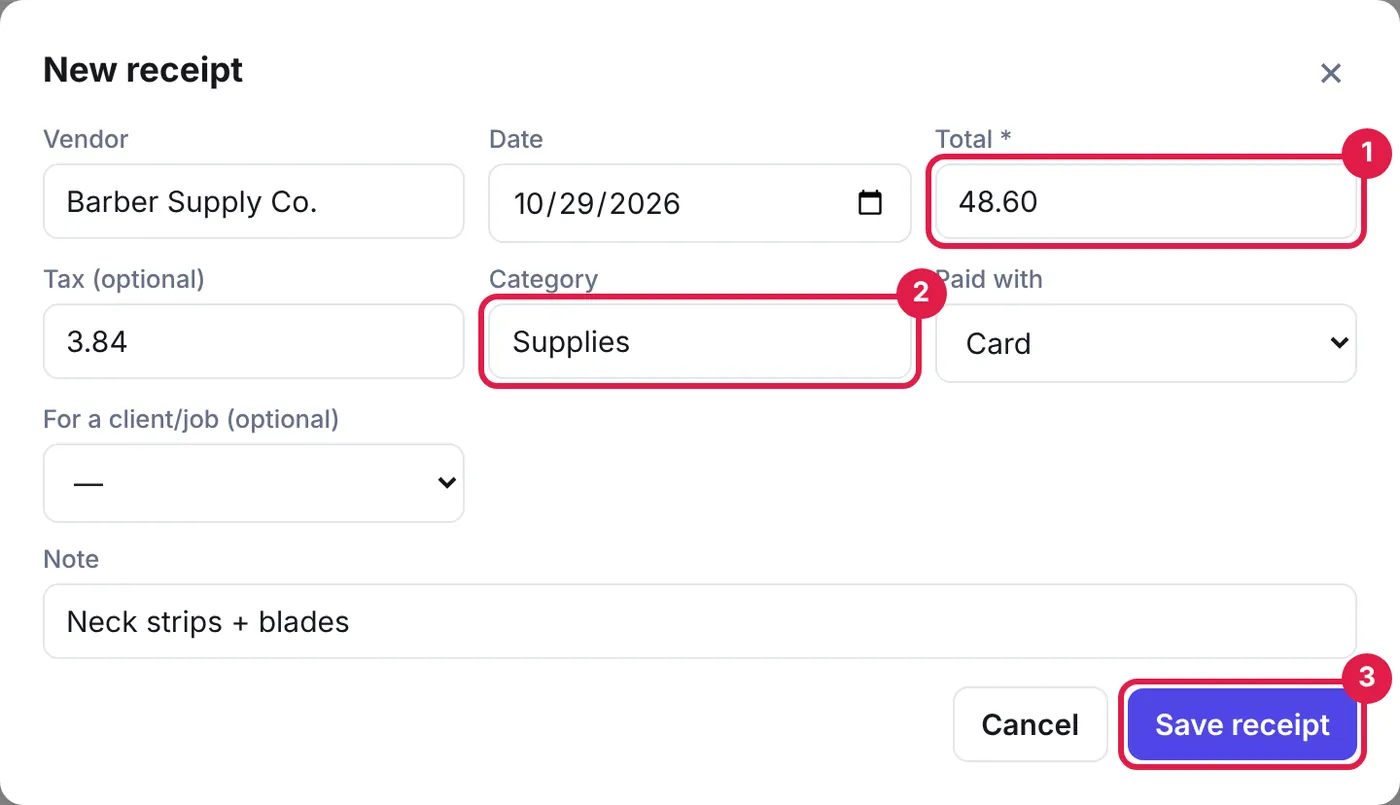
Check the total and pick a category
Click Save receipt.
3
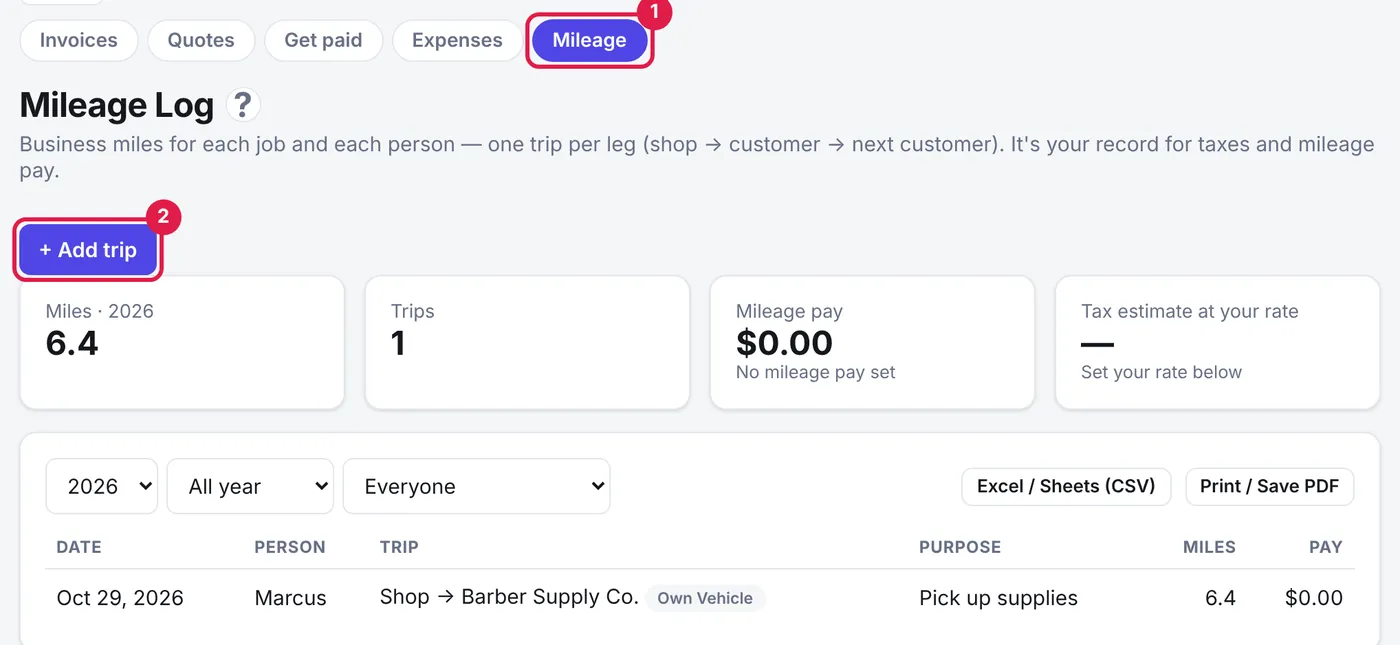
Log business miles: Money → Mileage → + Add trip
4
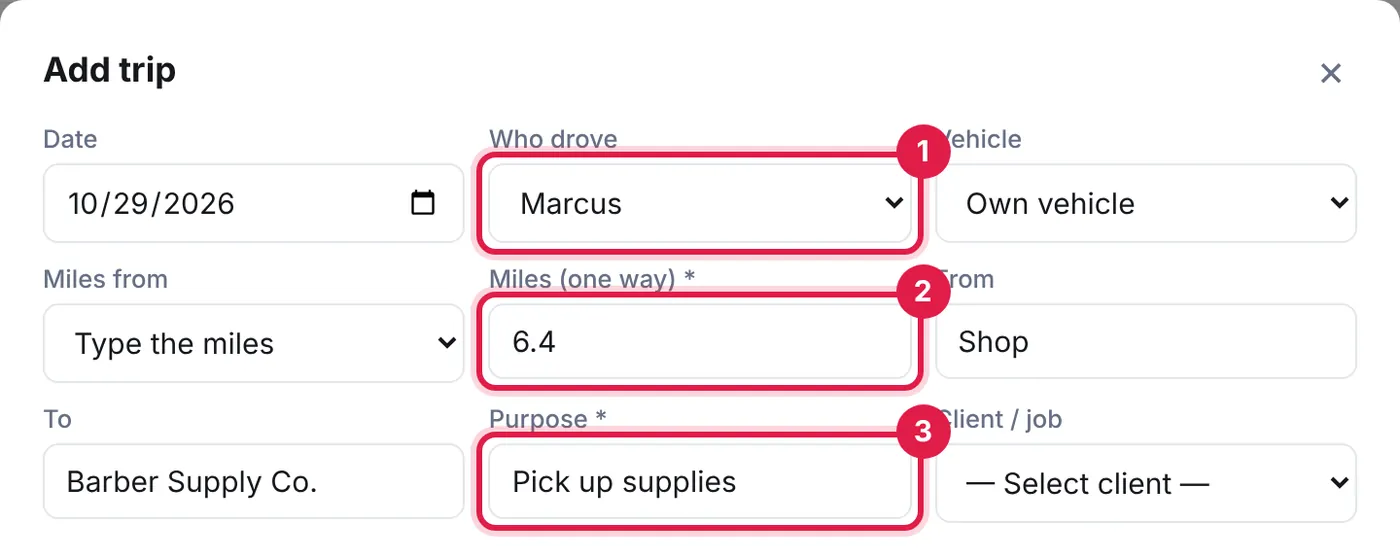
Who drove, how far, and why
One trip per leg — shop → customer → next customer.
5
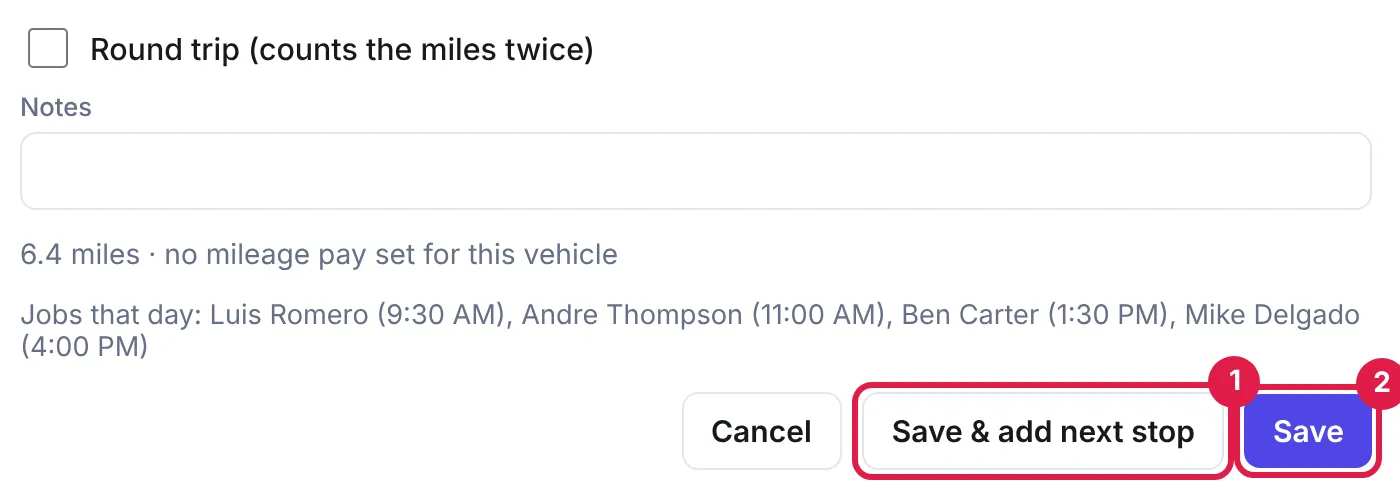
Save — or keep going
Save & add next stop starts the next leg where this one ended.
💡 Good to know
- Pay staff for miles? Set Mileage pay to staff on the Mileage page. It shows in Staff pay, apart from wages.
- Download the year's expenses as a spreadsheet from the Expenses page for your accountant.
Pictures show the demo shop "Maple Street Barbers" on a computer. On a phone, the same pages are in the bottom bar and under Menu.
Still stuck? Email support@booktend.app · All guides · Privacy · Terms