Cancel your plan or close your account
Your records are yours. Cancelling keeps them safe on the free plan; deleting removes them for good.
First: download your records
Go to Settings → Account & data → 📦 Export everything and keep the download somewhere safe. You may need your records for taxes for up to 7 years (not tax advice — ask a tax professional).
Cancel a plan bought on booktend.app
In Settings → Plan & billing, click Cancel my plan. You'll be asked to download your records first. Monthly plans keep working to the end of the month you paid for (no refunds for part of a month). Yearly plans can get the unused part back — the window shows your exact numbers before you confirm.
Cancel a plan bought in the App Store
On your iPhone: Settings → your name → Subscriptions → BookTend. Apple handles those refunds. Deleting your BookTend account doesn't cancel it.
Close your account for good: Delete my account
In Settings → Account & data.
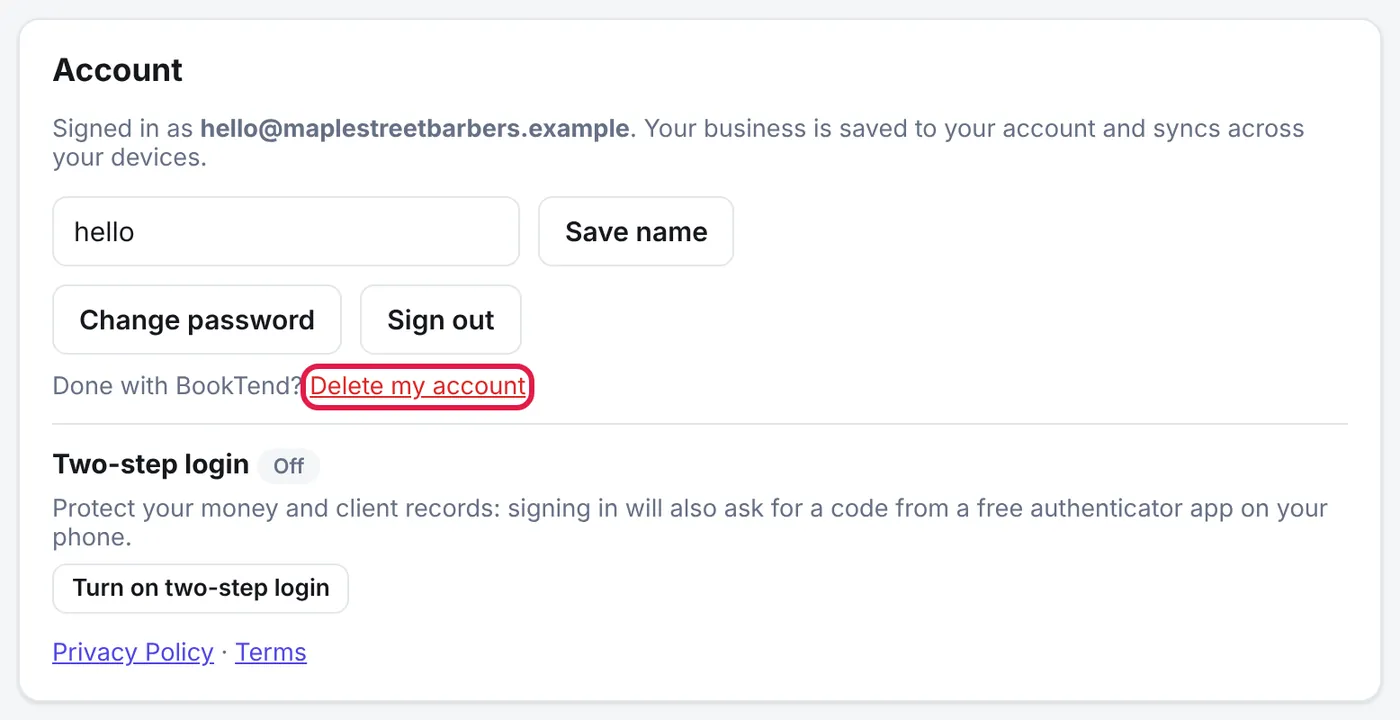
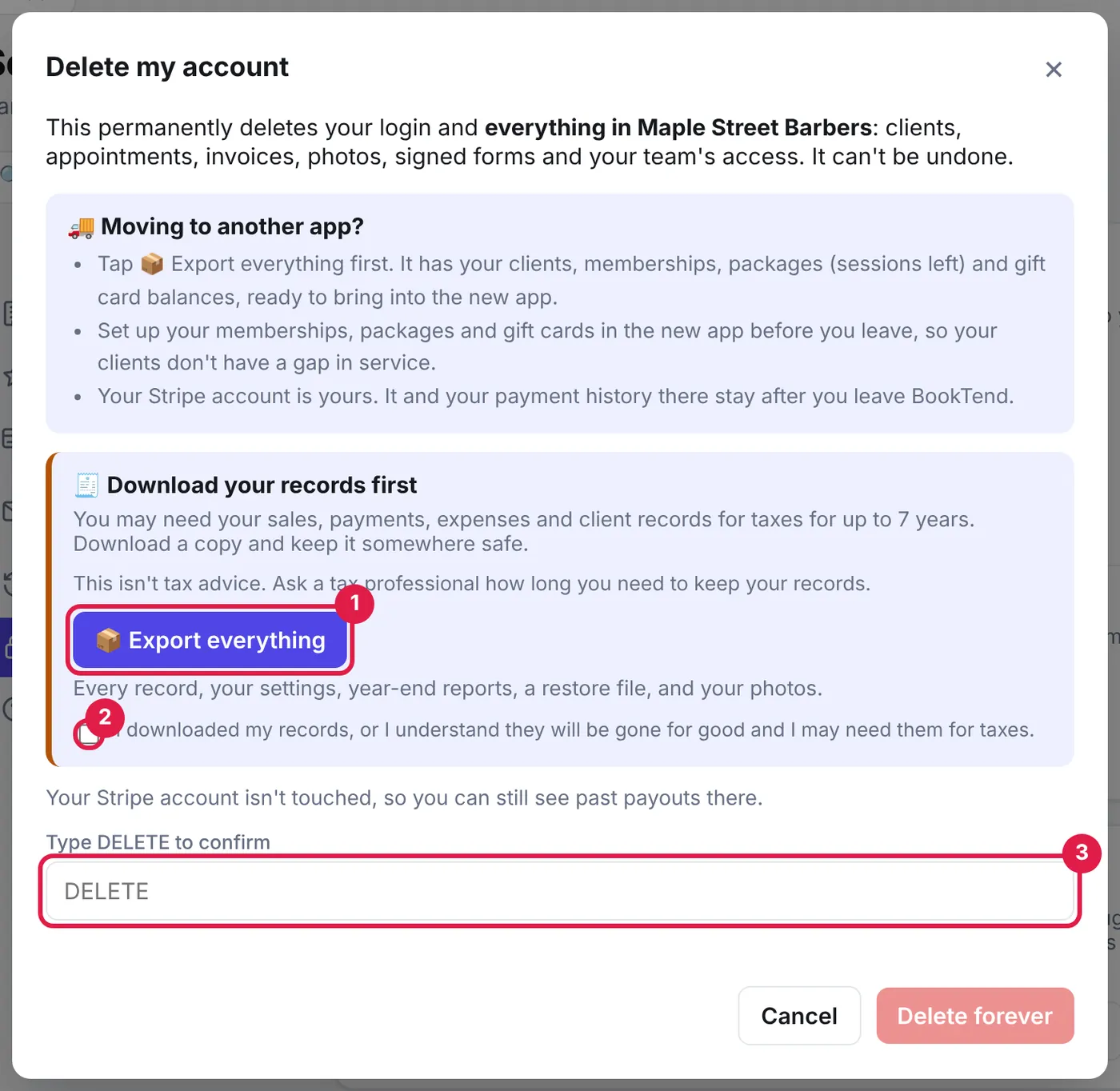
⚠️ Read it, download, tick, type DELETE
1 📦 Export everything · 2 tick that you downloaded your records · 3 type DELETE, then Delete forever. It can't be undone.
💡 Good to know
- Clients on a membership? BookTend asks you to ⏹️ Stop at end of period first. They keep what they already paid for and aren't charged again.
- Moving to another app? Set up your memberships, packages and gift cards there first, so your clients don't have a gap. Your Stripe account stays yours.
- Cancelling or deleting ends your founding price.
Pictures show the demo shop "Maple Street Barbers" on a computer. On a phone, the same pages are in the bottom bar and under Menu.
Still stuck? Email support@booktend.app · All guides · Privacy · Terms