Estimates & price changes
For jobs like a yard cleanup or a custom piece. A haircut is a fixed price — you don't need this.
Mark the services that are estimates
In Calendar → Online booking, tick Price can change under the price. Clients see "from $X (estimate)" when they book.
Set when the client must approve
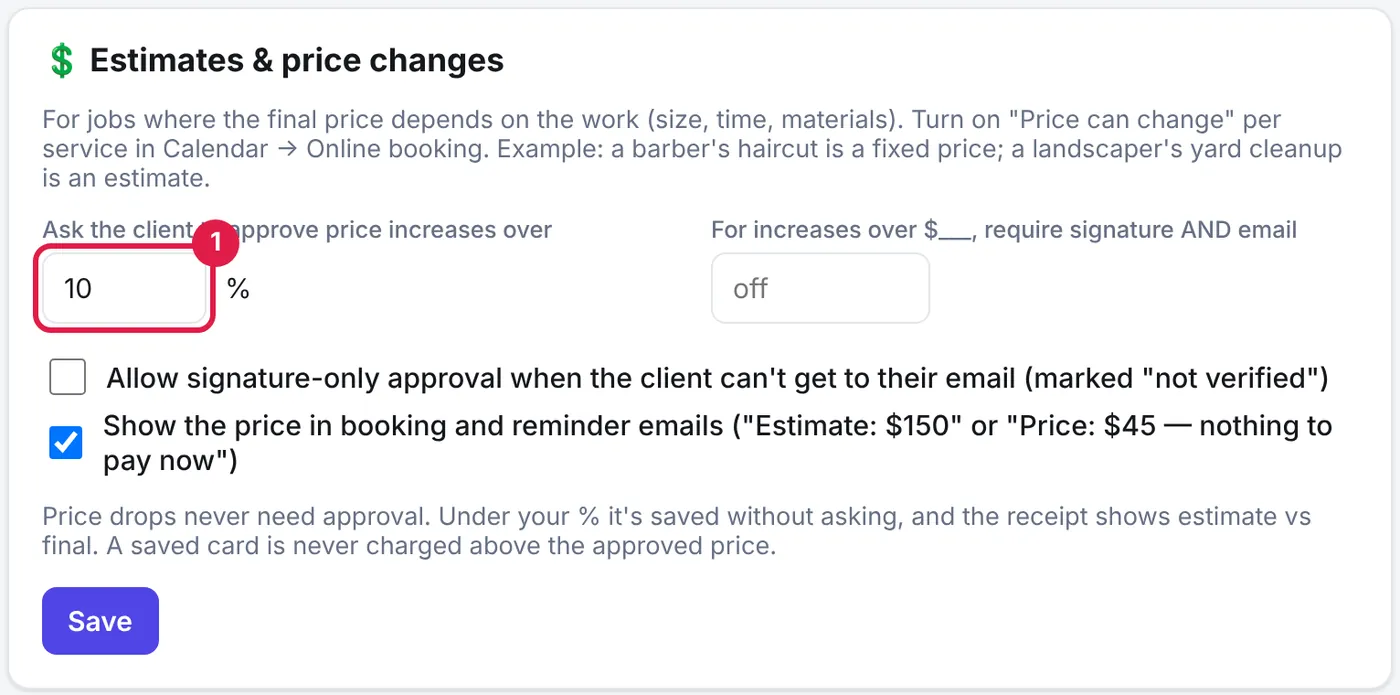
In Settings → Payments & tips → Estimates & price changes. Increases over this % need the client's OK (10% to start). Price drops never do.
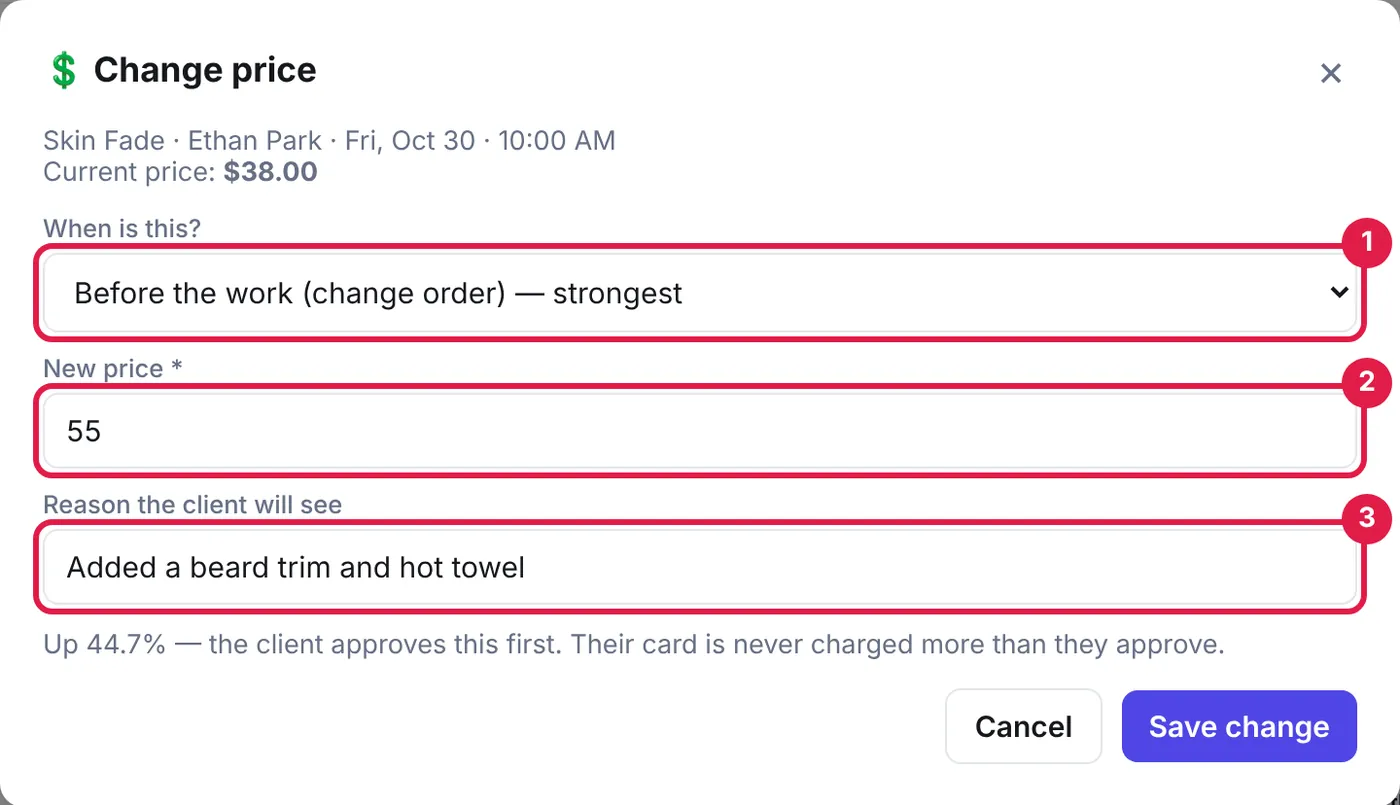
Price went up? Open the appointment and click 💲 Change price
Best: do it before the extra work.

Type the new price and the reason
Pick Before the work or After the job, type the new price and a reason the client will see. Click Save change.
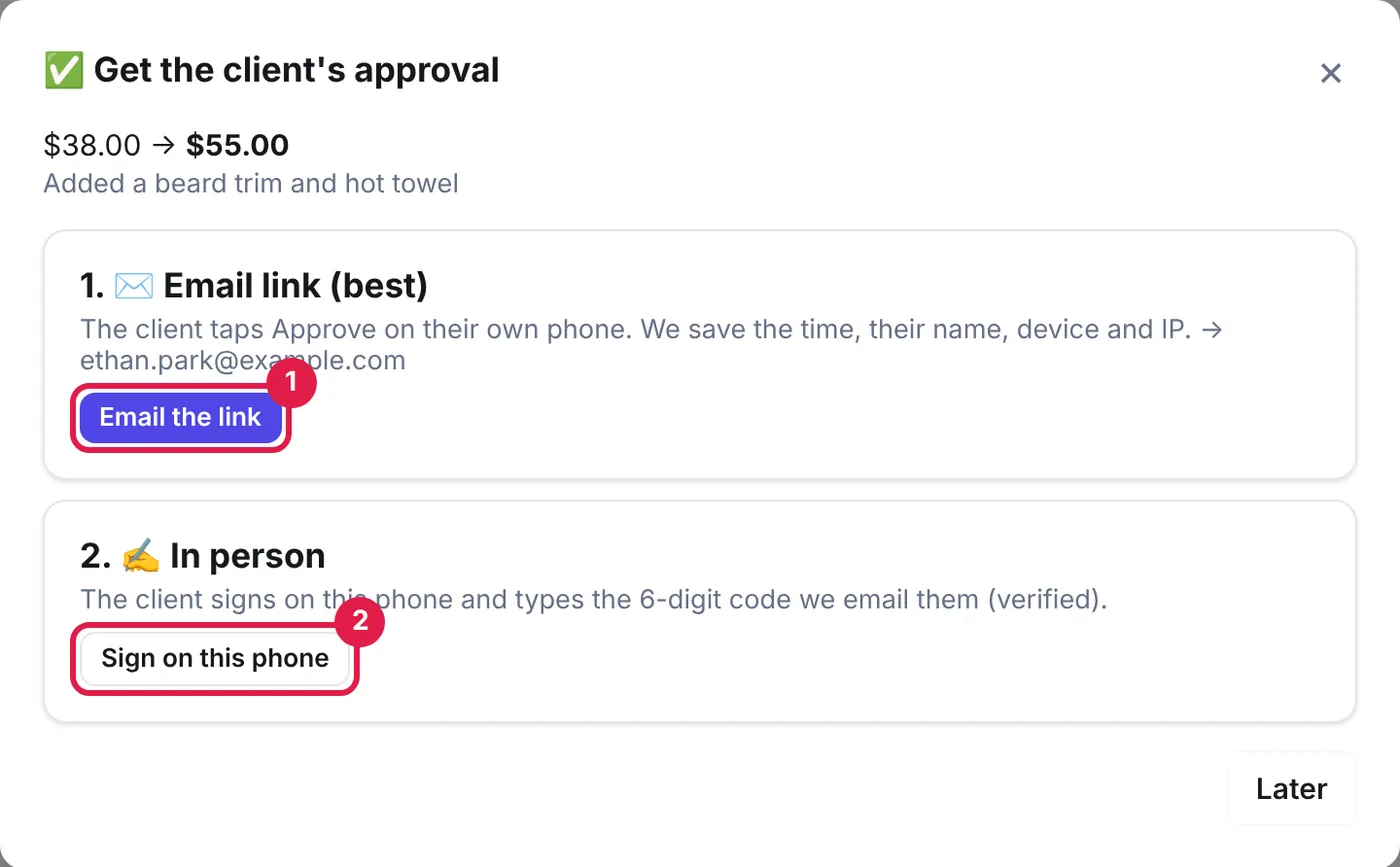
⚠️ Get their approval
1. Email the link — they tap Approve on their phone. 2. Sign on this phone — they sign and type a 6-digit code we email them.
It shows "Waiting for approval" until they answer
You get an email when they do. 🧾 Price history & proof prints a PDF of every change and approval.

💡 Good to know
- A saved card is never charged more than the client approved.
- Not legal advice: some states have rules for charging over an estimate (for example auto repair and home improvement).
Pictures show the demo shop "Maple Street Barbers" on a computer. On a phone, the same pages are in the bottom bar and under Menu.
Still stuck? Email support@booktend.app · All guides · Privacy · Terms