Refund a payment
Refunds are done from the invoice, so your records and reports stay right.
1
Open the invoice
In Money → Invoices, click the invoice. Its payments are listed at the bottom.
2
Paid online by card? Click Refund

3
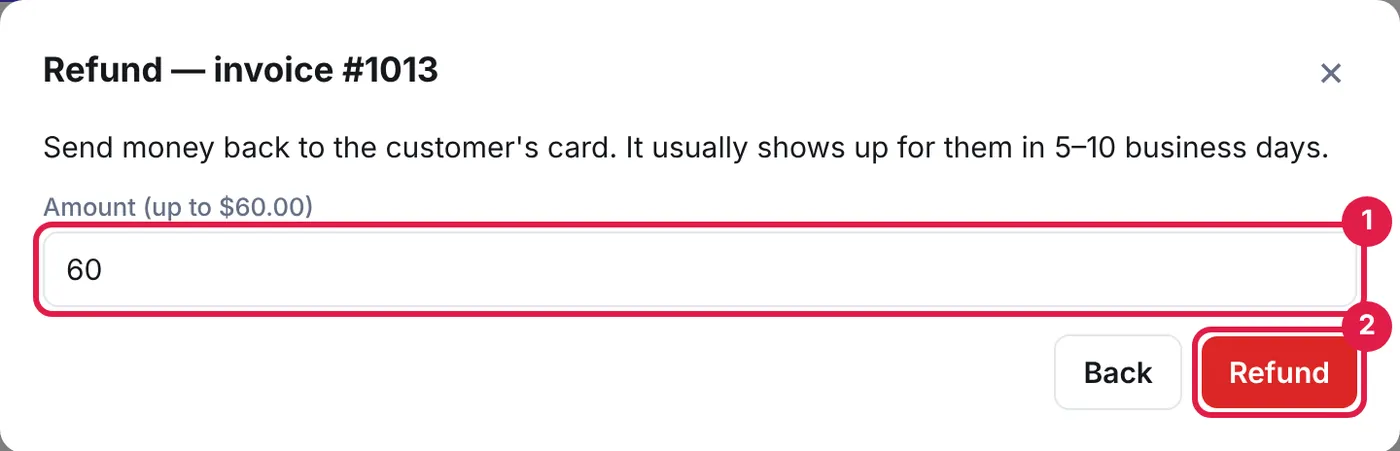
⚠️ Type the amount and click Refund
It goes back to the client's card. It usually shows up for them in 5–10 business days.
4
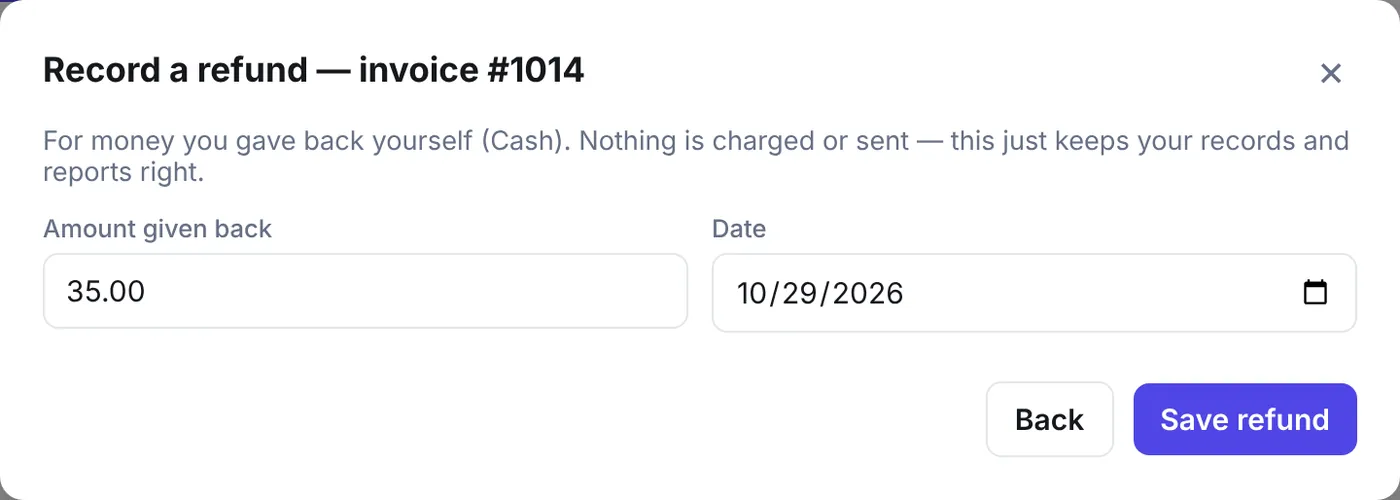
Gave cash back? Click Record refund
For cash, Venmo or anything you paid back yourself. Nothing is charged or sent — it just keeps your records right.

5
Type what you gave back, then Save refund
💡 Good to know
- Refunds come off your sales in Reports, Profit and the Year-End Report.
Pictures show the demo shop "Maple Street Barbers" on a computer. On a phone, the same pages are in the bottom bar and under Menu.
Still stuck? Email support@booktend.app · All guides · Privacy · Terms