See your sales
Your numbers come straight from your invoices, payments and expenses.
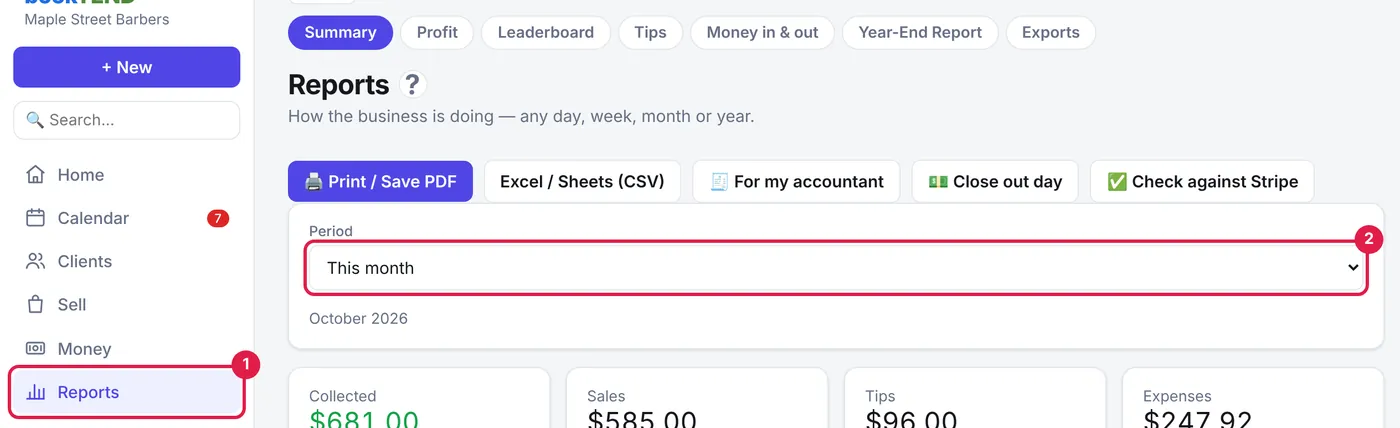
Open Reports and pick the period
Today, This week, This month, This year, a quarter or your own dates.
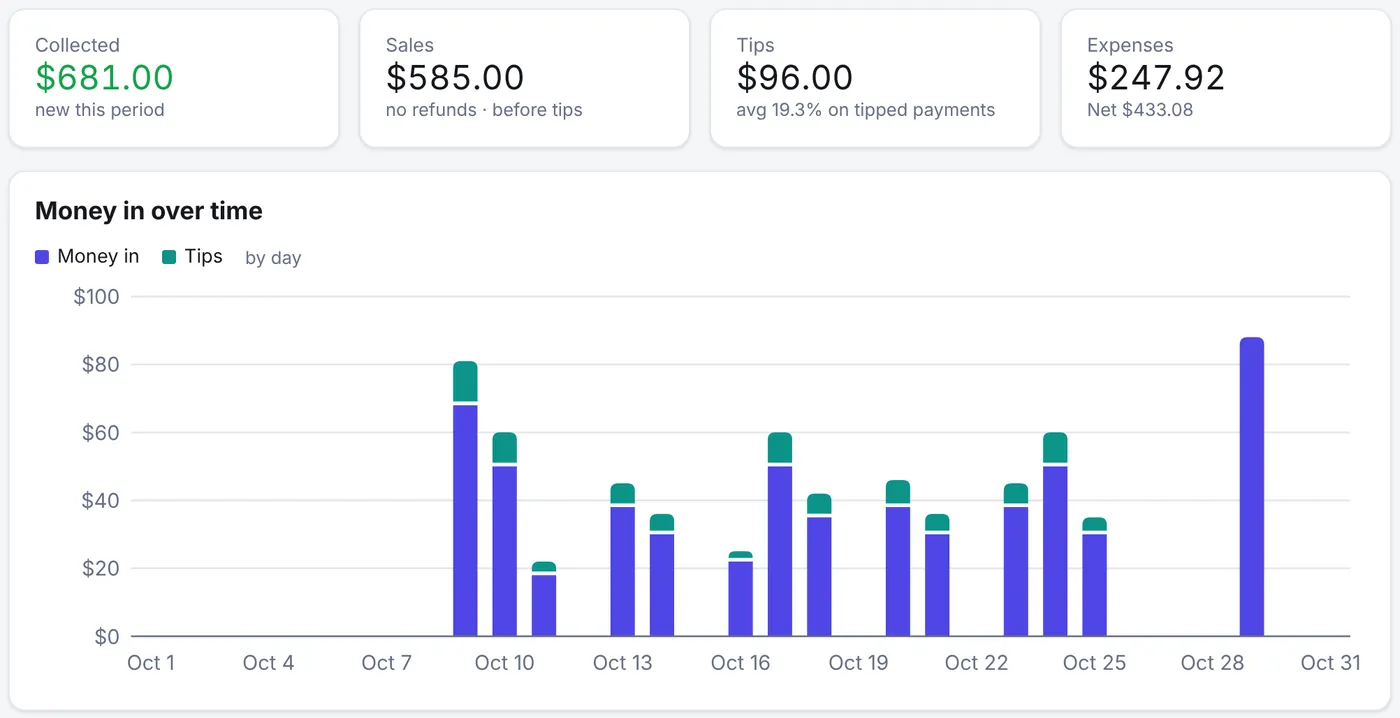
Read the top numbers
Collected is all money in. Sales is before tips. Expenses and Net come from your receipts.
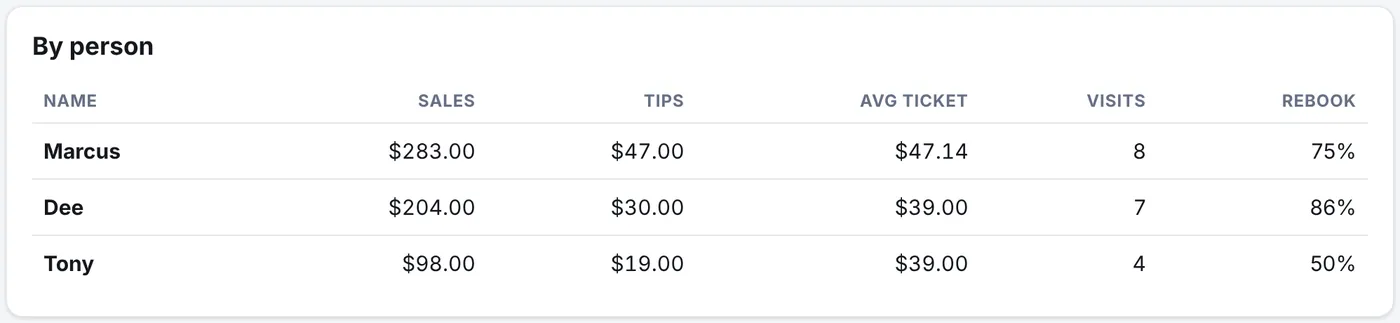
See each person
Scroll down to By person for each staff member's sales, tips and rebook rate.
Download or send to your accountant
1 Print or save a PDF, or download a spreadsheet. 2 For my accountant gives them what they need at tax time.

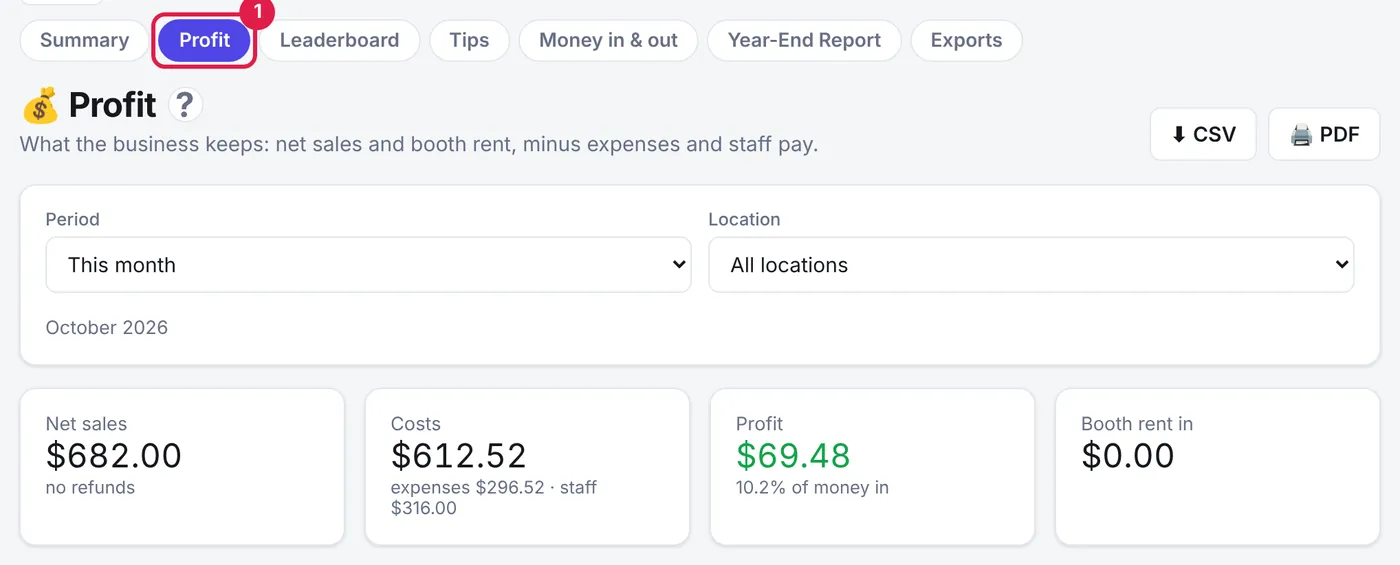
See your profit
The Profit tab shows what the business keeps: net sales and booth rent, minus expenses and staff pay — for all locations or one. Only the owner sees it.
💡 Good to know
- The other tabs: Leaderboard (sales per person and location), Tips, and Year-End Report and Exports — see Tax time.
- BookTend isn't tax advice — talk to a tax professional about your own taxes.
Pictures show the demo shop "Maple Street Barbers" on a computer. On a phone, the same pages are in the bottom bar and under Menu.
Still stuck? Email support@booktend.app · All guides · Privacy · Terms