Tax time: Year-End Report & accountant files
Everything here is a summary of your BookTend records — not tax advice. Share it with your accountant or tax professional.
Open Reports → Year-End Report and pick the year
Download it as a PDF or an Excel workbook.

Look over each section
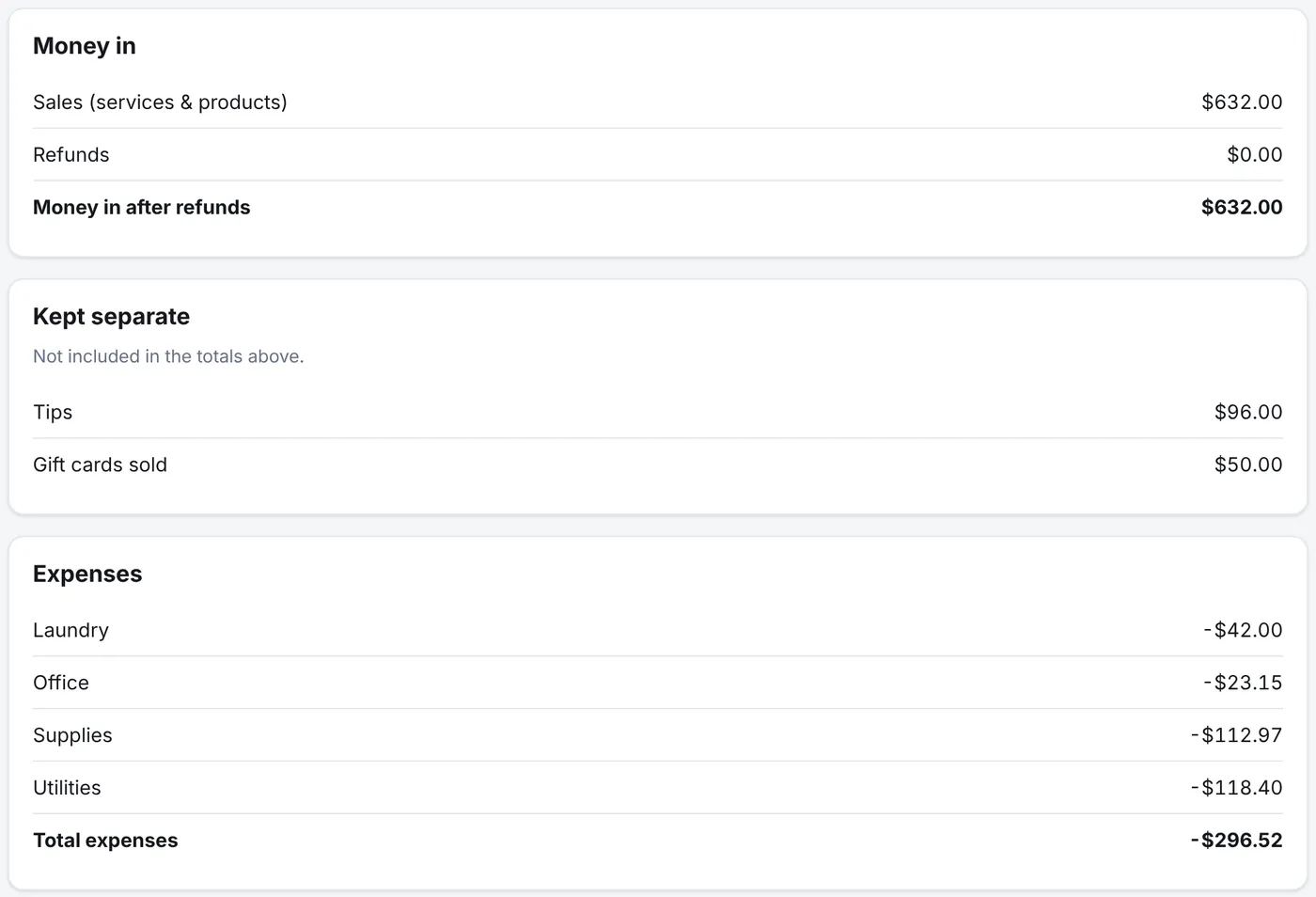
Money in, refunds, what's kept separate (tips, gift cards), expenses by category and business miles.
Optional: suggested Schedule C lines
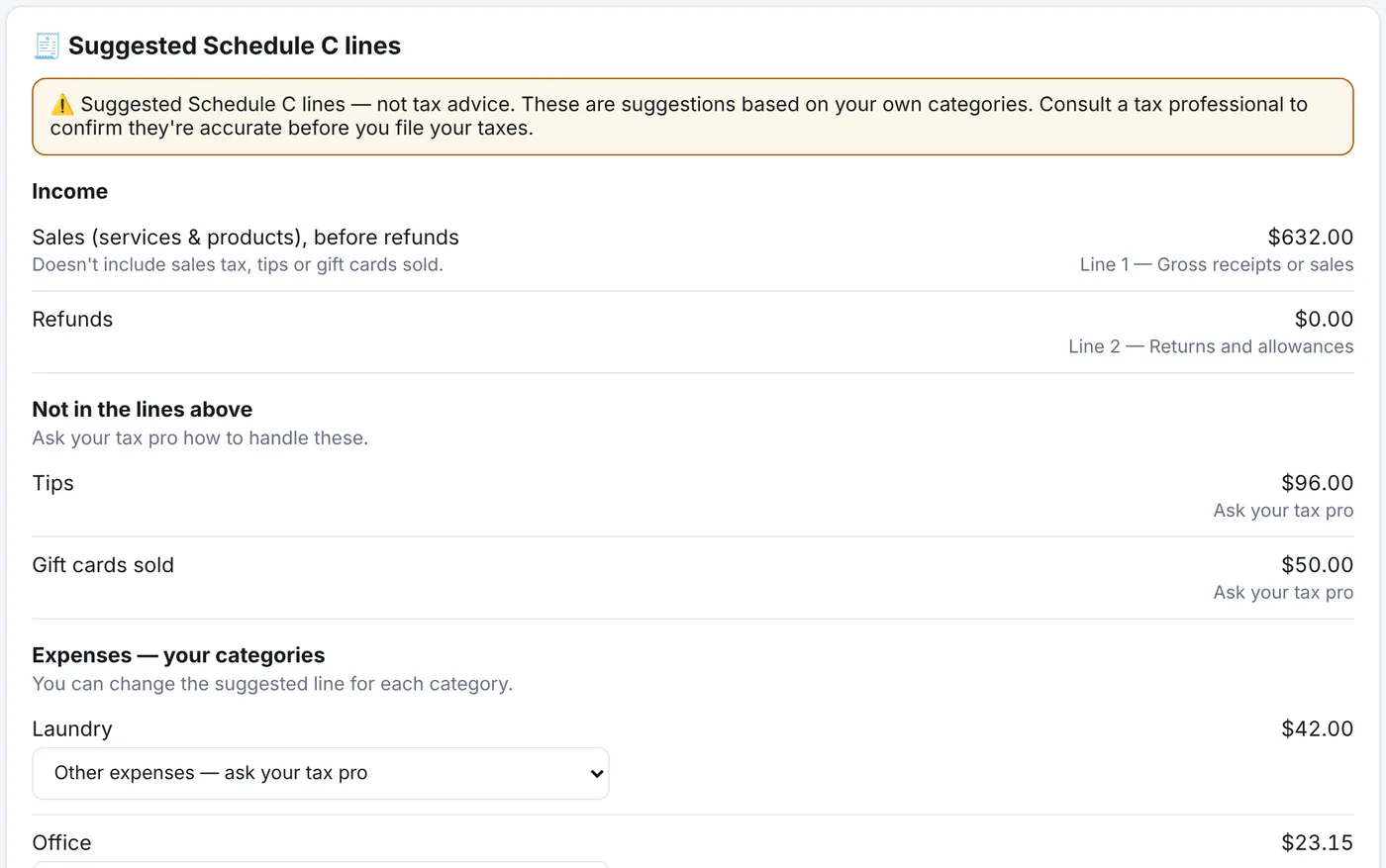
Click Show suggested Schedule C lines and agree that it's not tax advice. You'll see which IRS Schedule C line each total might go on. Have a tax professional confirm them.
⚠️ Files for your accountant or software
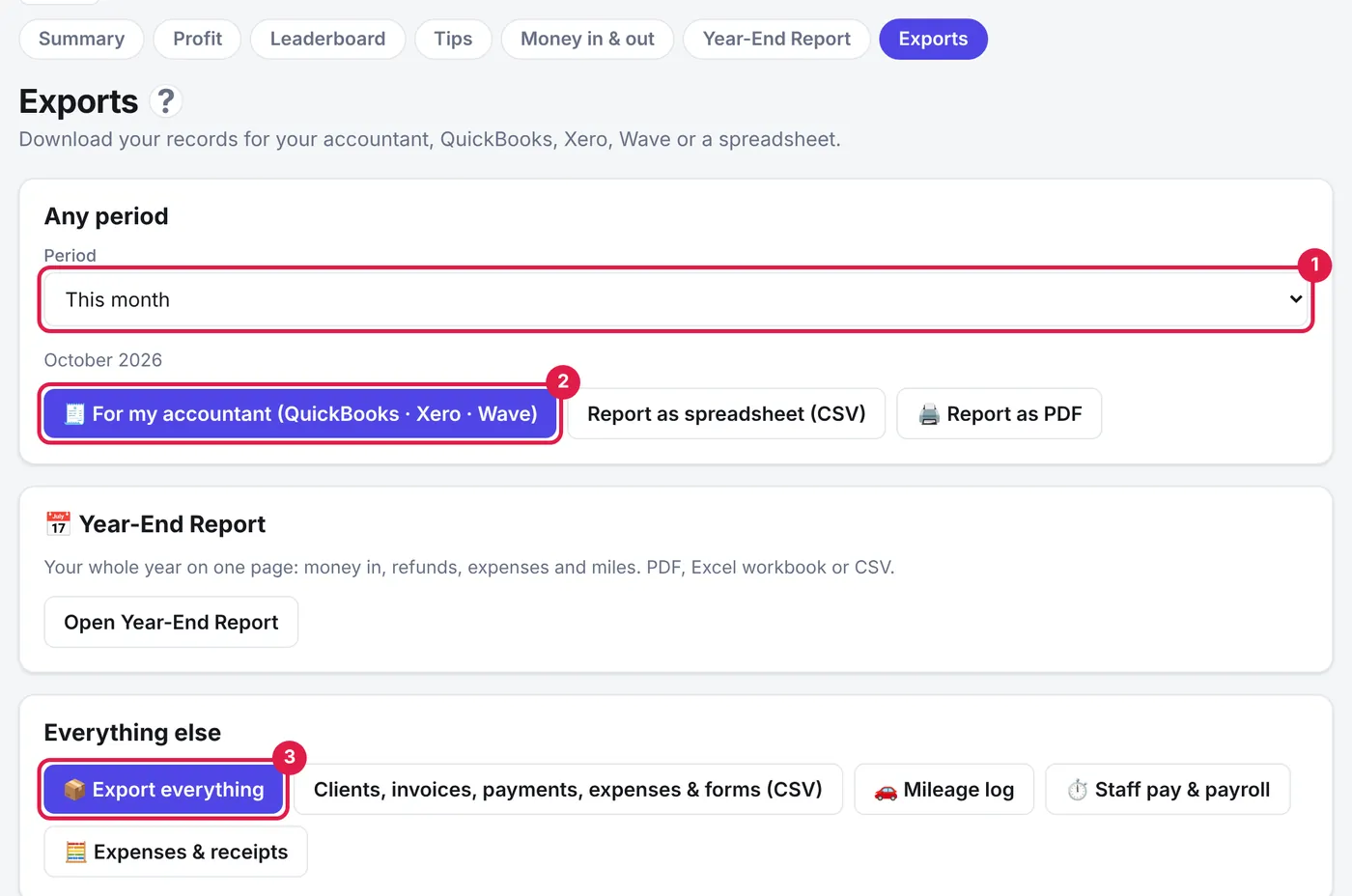
In Reports → Exports: 1 pick the period, 2 For my accountant makes files for QuickBooks, Xero and Wave, 3 Export everything downloads all your records.
💡 Good to know
- Your 1099-K for card payments comes from Stripe, not BookTend — look in your Stripe dashboard.
- How you were paid splits your money into three parts: Stripe payments (should match Stripe and your 1099-K), Imported payments (PayPal, Venmo, Cash App, bank) and Manually entered (cash, checks, cash tips, booth rent). Cash and other payments never go through Stripe, so BookTend's total is higher than Stripe's — that's expected. Each part has its own CSV, and the Excel button gives one tab per part.
- Import the files exactly as downloaded — don't open and save them in Excel first.
Pictures show the demo shop "Maple Street Barbers" on a computer. On a phone, the same pages are in the bottom bar and under Menu.
Still stuck? Email support@booktend.app · All guides · Privacy · Terms