Promo codes, review requests & loyalty
Everything here is in Marketing. Marketing emails only go to clients who agreed to hear from you, and every one has an unsubscribe link.
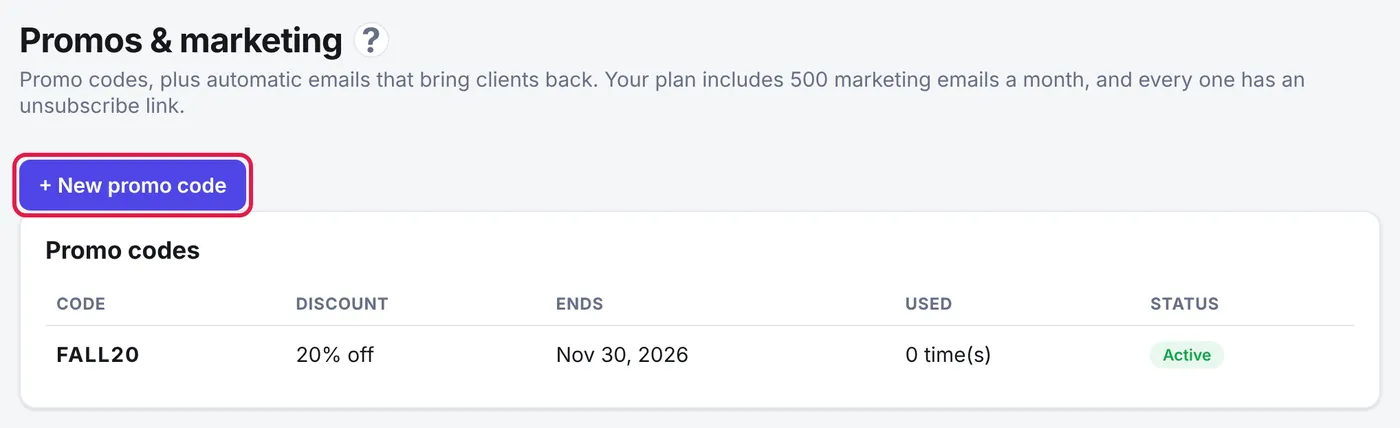
Click + New promo code
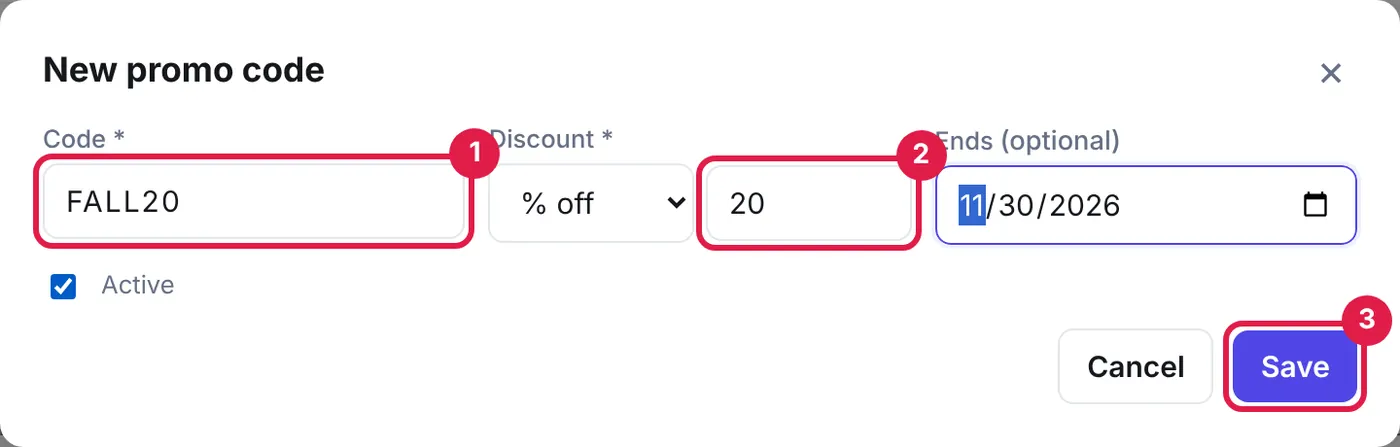
Type the code and the discount
Pick % off or $ off and an end date if you want one. Click Save. Use it on any invoice with the 🏷️ Promo code button.
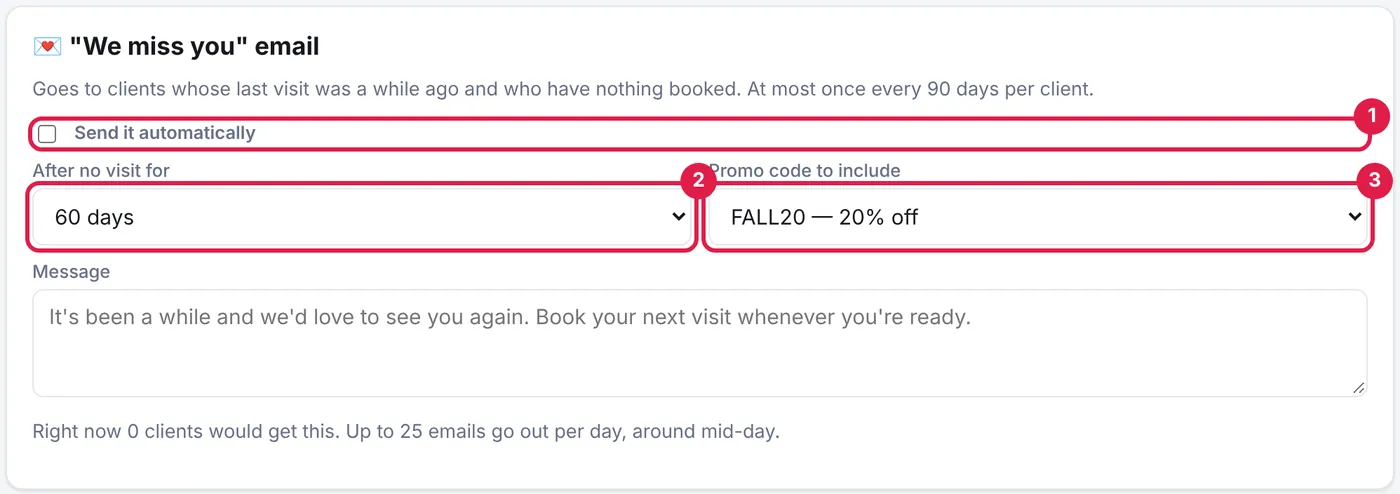
⚠️ Turn on "We miss you" emails
Tick Send it automatically, pick how long without a visit, and add a promo code if you like. "Time to rebook" and birthday emails work the same way.
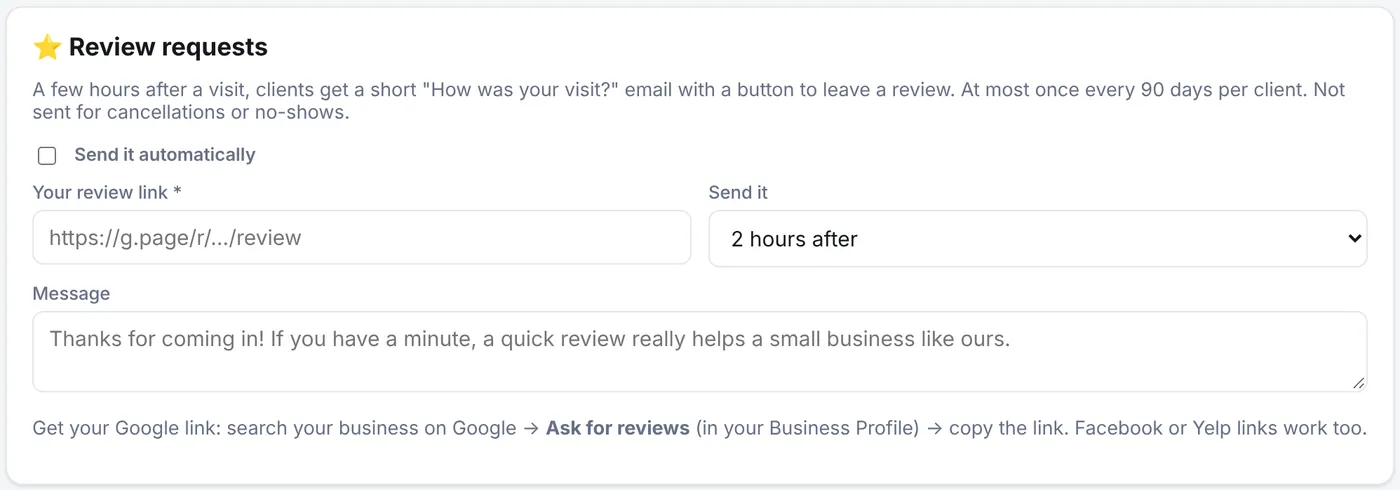
Ask for reviews
Tick Send it automatically and paste your Google, Yelp or Facebook review link. Clients get a short "How was your visit?" email a few hours later.
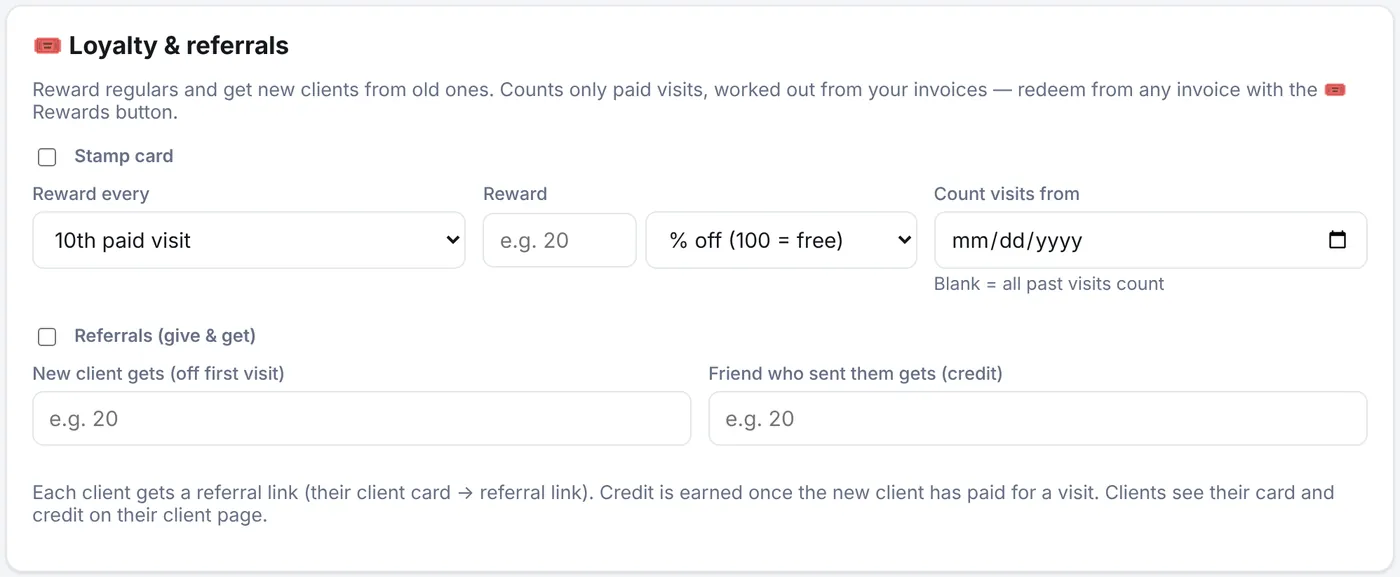
Reward regulars and referrals
Turn on a Stamp card (like every 10th visit free) or Referrals (credit for the friend who sent them). Redeem with the 🎟️ Rewards button on an invoice.
💡 Good to know
- Changes on this page save on their own.
- Each card shows how many clients would get that email right now.
Pictures show the demo shop "Maple Street Barbers" on a computer. On a phone, the same pages are in the bottom bar and under Menu.
Still stuck? Email support@booktend.app · All guides · Privacy · Terms