Sell products & open an online shop
Products are things you sell besides your services — like pomade, aftercare or merch. Stock goes down by itself when you sell.
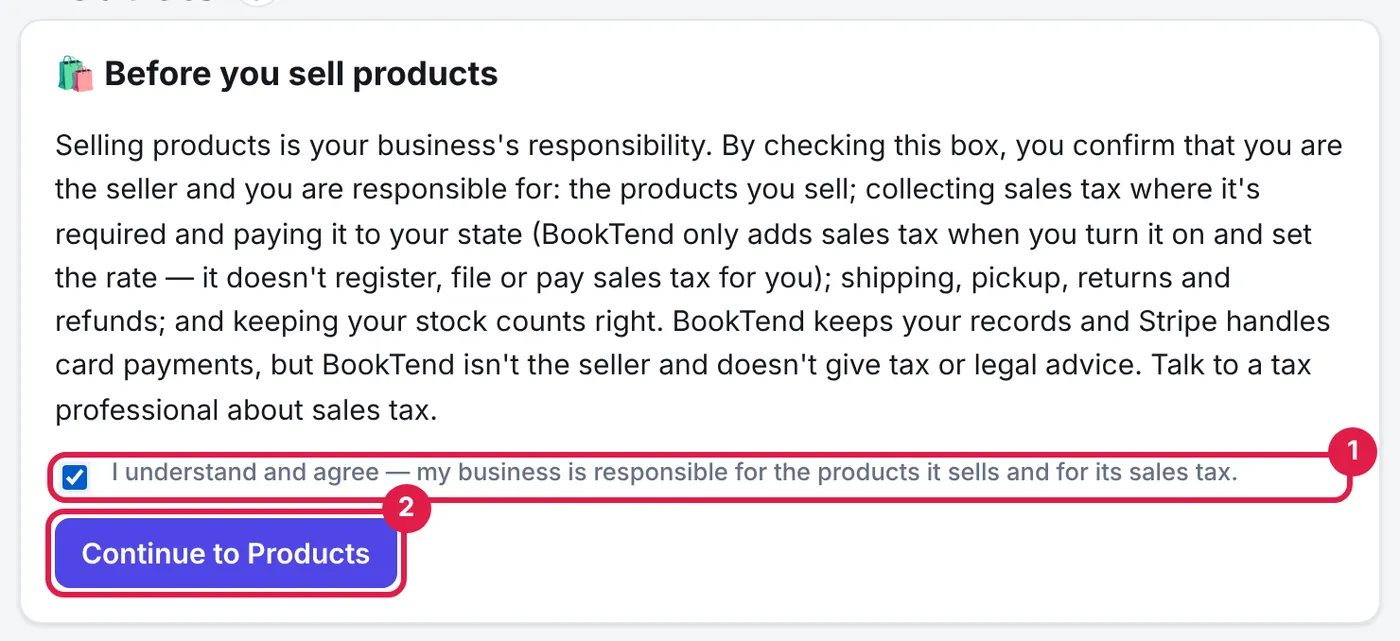
The first time: tick the box and Continue
Before Products opens, the owner confirms the business is the seller — responsible for its products, shipping, returns and collecting sales tax where it's required. BookTend only adds sales tax when you turn it on.
Click + New product
In Sell → Products.

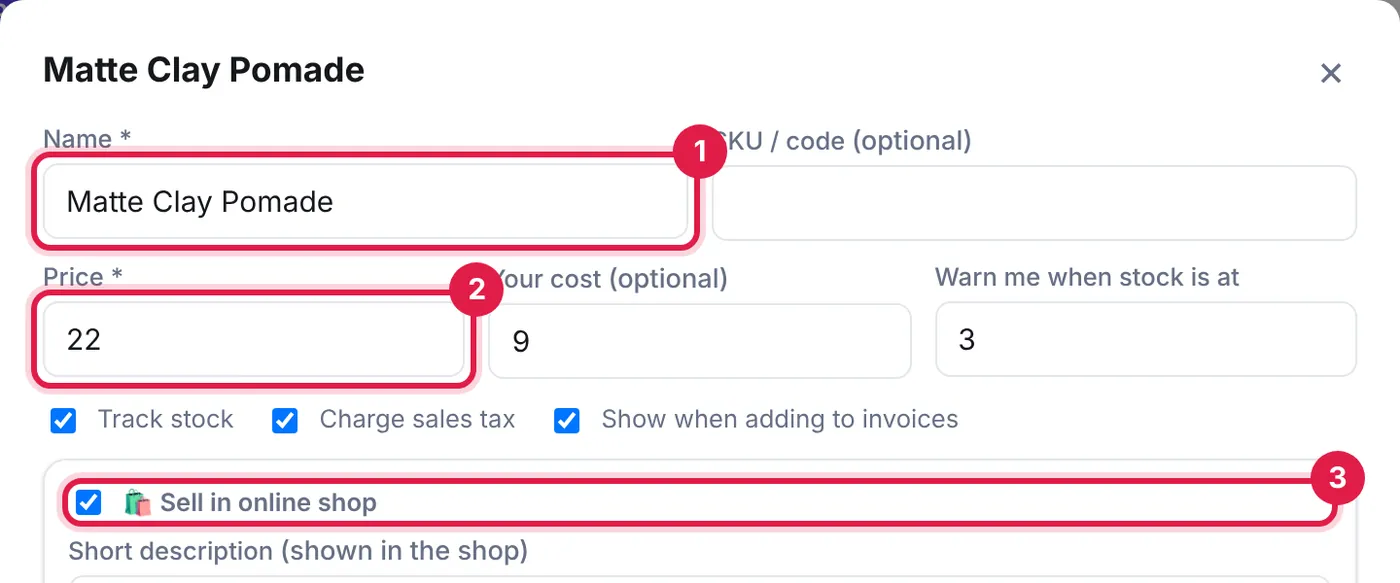
Name, price and how many you have
Add what it costs you if you want profit numbers. Tick Sell in online shop to sell it online. Click Save.
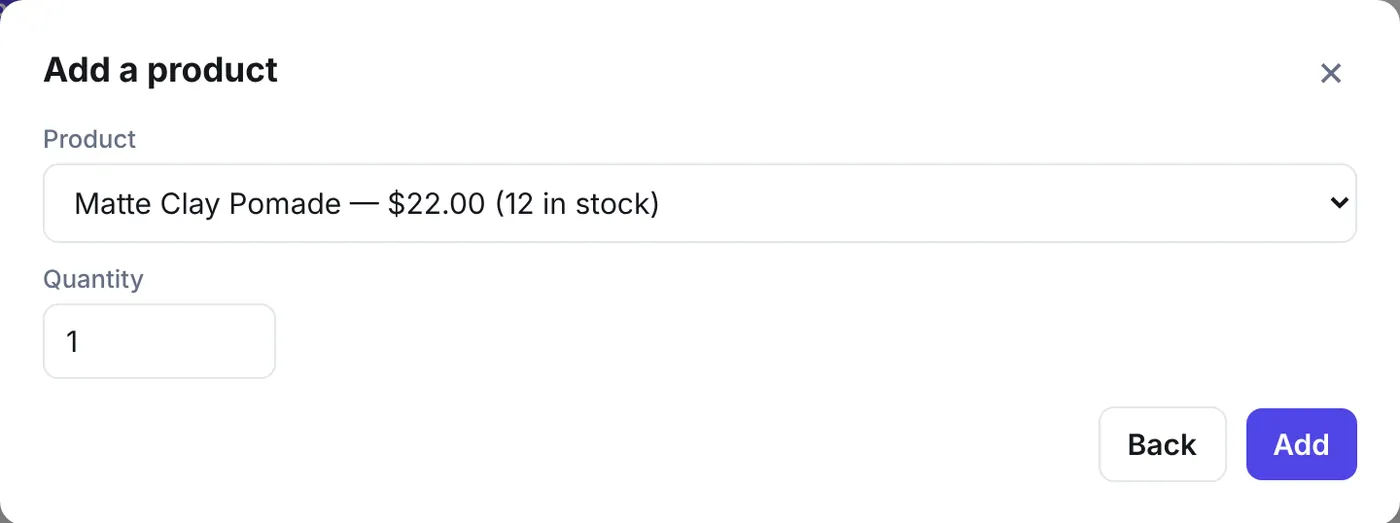
Sell it
Quick sale for a walk-in, or click 🛍️ Product on any invoice.
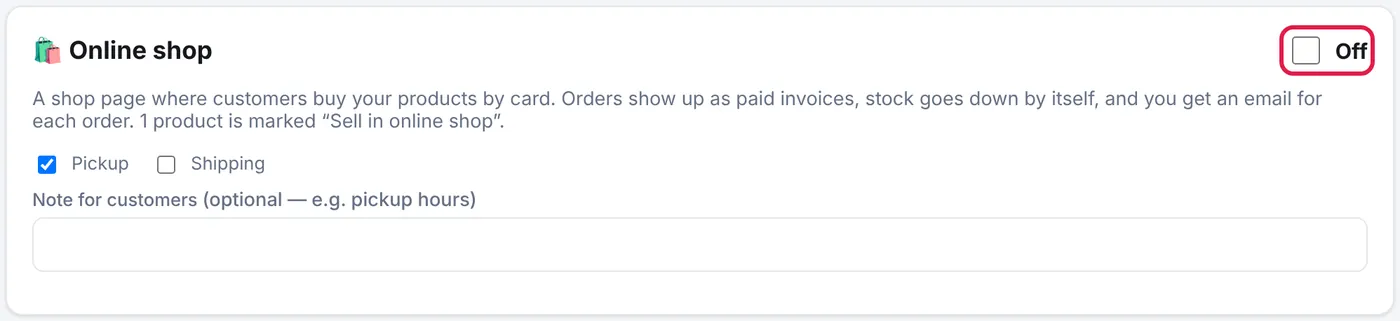
⚠️ Turn on the online shop
On the 🛍️ Online shop card, tick it on and choose Pickup, Shipping or both. Orders show up as paid invoices and you get an email for each one. Needs Stripe.
💡 Good to know
- Set Warn me when stock is at and the Products page shows what's running low.
- Sizes or colors? Add Options on the product, with their own stock counts.
Pictures show the demo shop "Maple Street Barbers" on a computer. On a phone, the same pages are in the bottom bar and under Menu.
Still stuck? Email support@booktend.app · All guides · Privacy · Terms