Connect Stripe to get paid
BookTend uses Stripe for card payments. You connect your own Stripe account, so the money goes to your bank — BookTend never holds it. Have your bank details and ID handy.
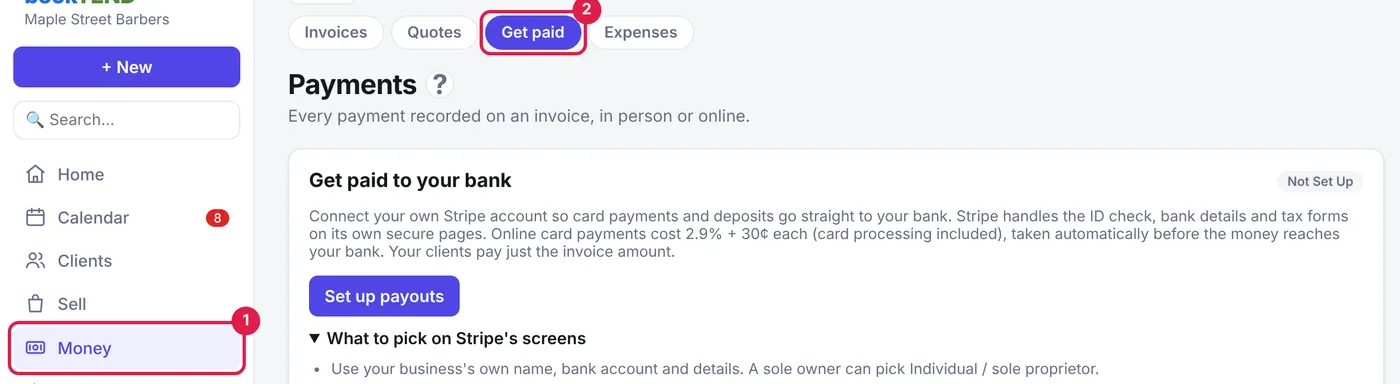
Open Money → Get paid
Click Money, then the Get paid tab.
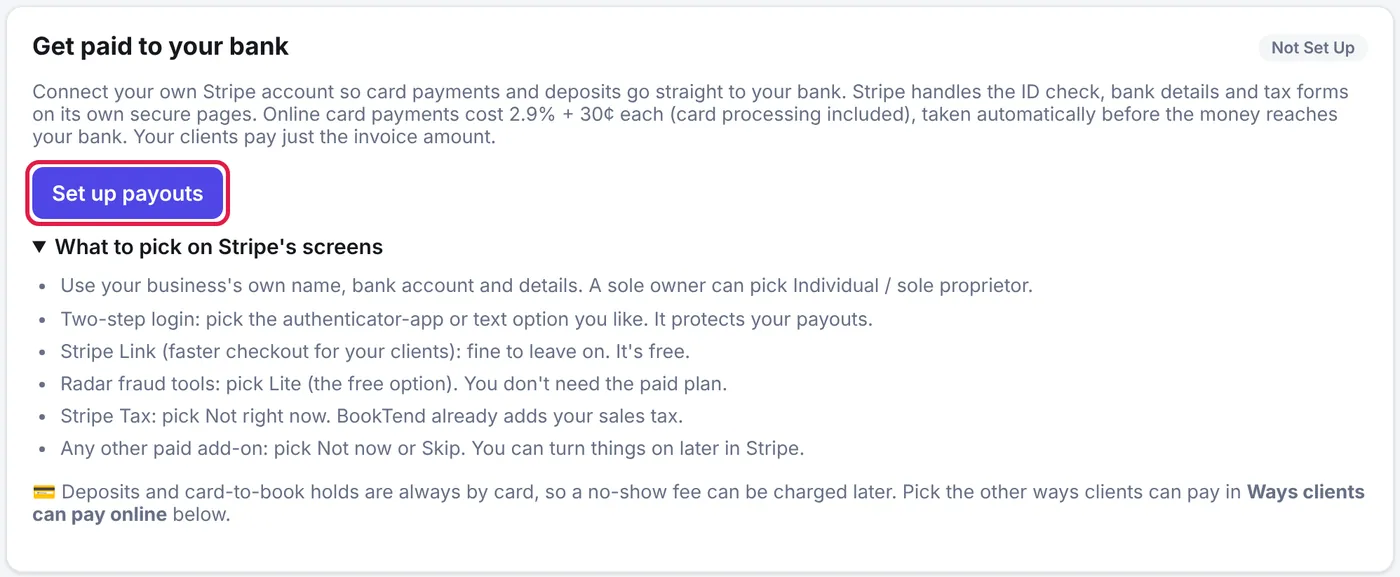
⚠️ Click Set up payouts
Open What to pick on Stripe's screens first — it tells you exactly what to choose, so you don't pay for extras you don't need.
Fill in Stripe's pages
Stripe asks for your business details, your bank account and an ID check, on its own secure pages. A sole owner can pick Individual / sole proprietor.
Come back to BookTend
Once Stripe finishes checking your details, Connect Stripe is ticked off in the Get set up checklist on Home, and you can send pay links, take deposits and sell online.
💡 Good to know
- The card fee is shown on the Get paid page. It's taken out before the money reaches your bank — your clients pay just the bill.
- Card readers for in-person payments are on the same page.
Pictures show the demo shop "Maple Street Barbers" on a computer. On a phone, the same pages are in the bottom bar and under Menu.
Still stuck? Email support@booktend.app · All guides · Privacy · Terms