Let clients book online
Your booking link is a page where clients pick a service and an open time themselves — no back-and-forth texts.
Open Online booking and turn it on
Go to Calendar → Online booking. Make sure the box at the top right says Taking bookings. (First time? Click Create link to make your link.)

Add your services and hours
See Add your services and Set your hours.
⚠️ Copy your link and share it
Click Copy and paste it in your Instagram bio, Google profile, website and texts. Click 📣 How to add a Book button everywhere for exact steps for Instagram, Facebook, Google, TikTok and your website.

Choose: approve each booking, or book them automatically
Scroll to Rules → New requests. I approve each one puts new bookings in Home → Needs attention with Approve / Decline. Book them automatically puts them straight on your calendar.
What your clients see
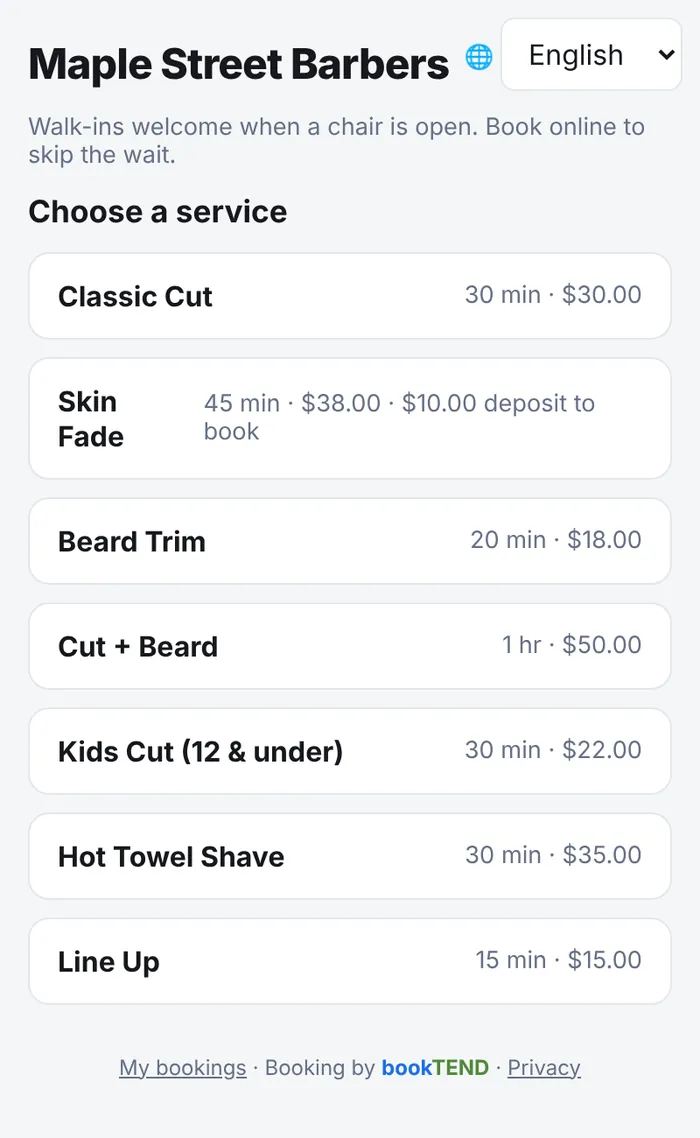
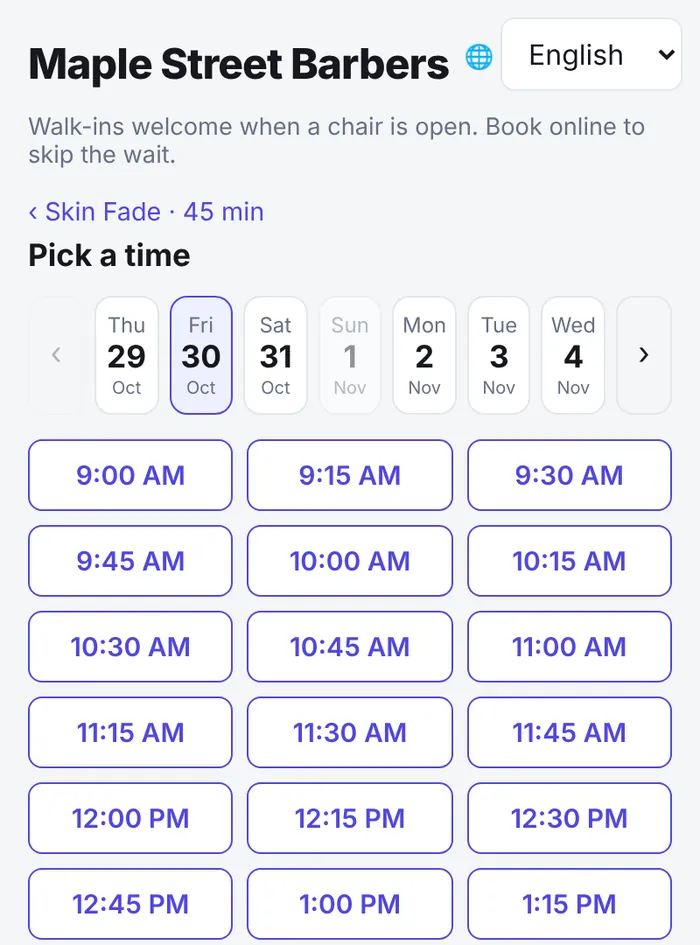
They pick a service, a day and a time, then type their name and email. They get a confirmation email, and the booking shows on your calendar right away.
Pick a time
Only open times show — your hours, minus bookings and time off.
💡 Good to know
- Click Open next to your link to see your page exactly like a client does.
- Also under Rules: how far ahead people can book, a break between bookings, and whether clients can cancel or move online.
Pictures show the demo shop "Maple Street Barbers" on a computer. On a phone, the same pages are in the bottom bar and under Menu.
Still stuck? Email support@booktend.app · All guides · Privacy · Terms