Set your hours and time off
Online booking only offers times inside your hours, and skips any time off.
Set your weekly hours
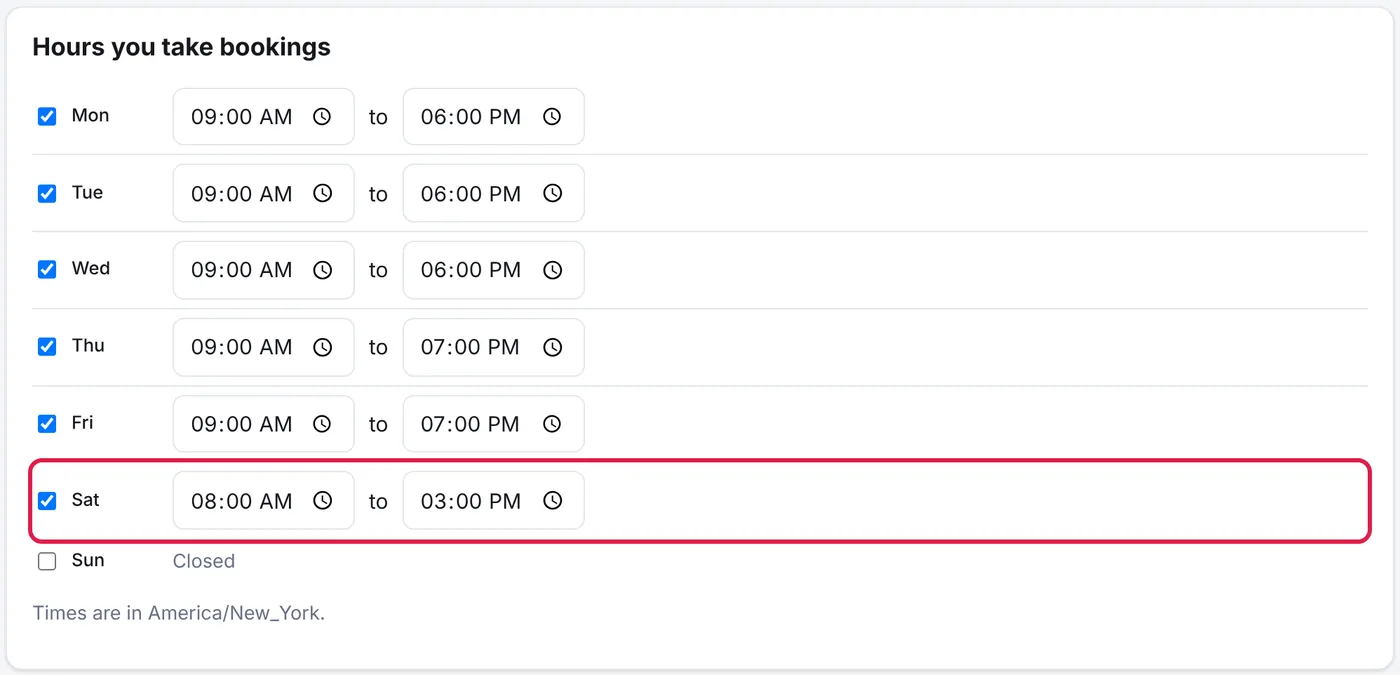
Go to Calendar → Online booking and scroll to Hours you take bookings. Tick the days you work and set the start and end time. Untick a day to close it.
Staff with different hours?
In Team, each person has a box under their name: Works the business hours or Has their own hours. Pick their own hours to set them.
Add a day off or a vacation
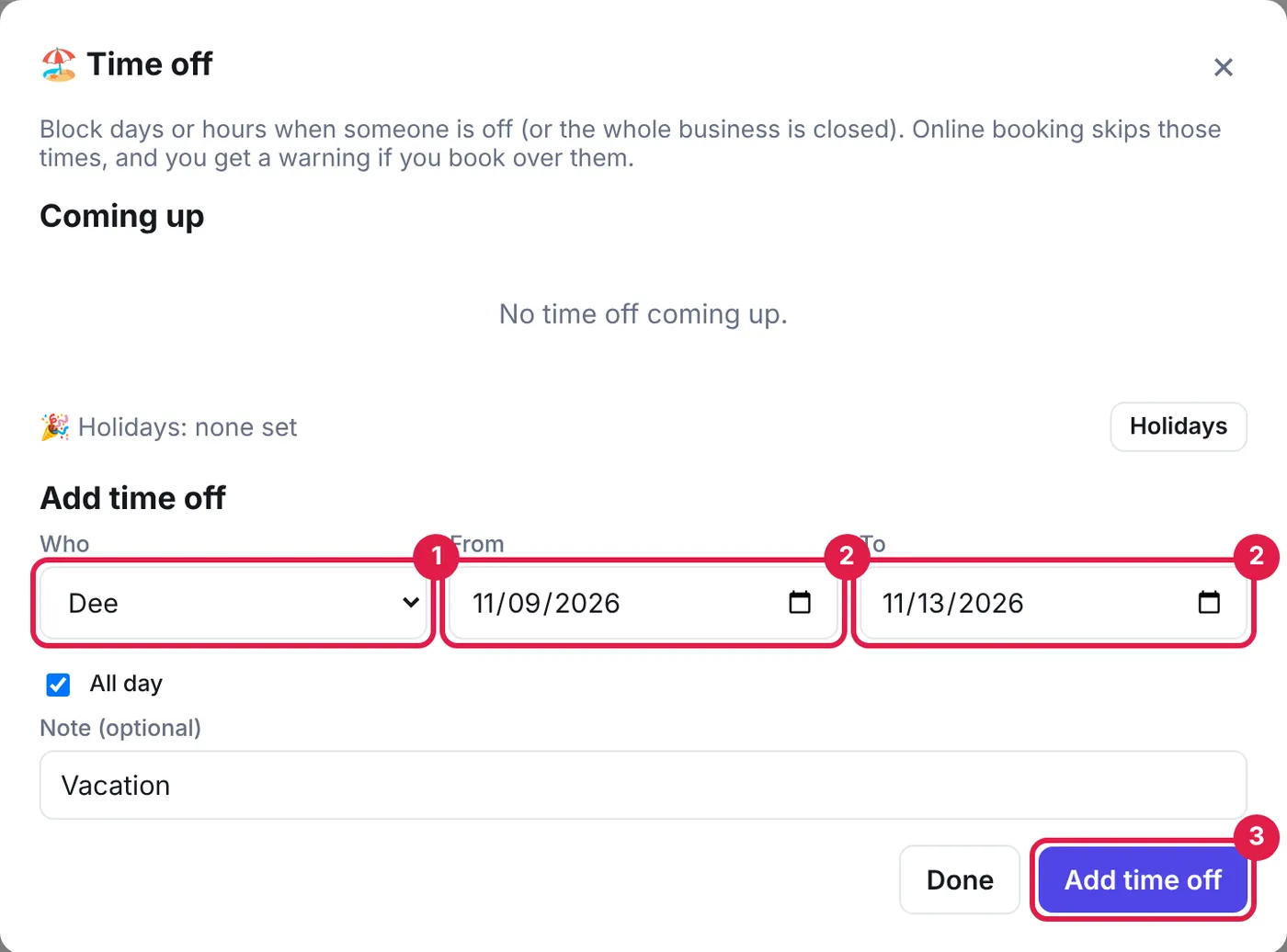
Go to Calendar and click 🏖️ Time off.

⚠️ Pick who, and the dates
Pick the person — or Everyone (business closed). Pick the From and To dates (even months ahead). Untick All day to block just some hours. Click Add time off.
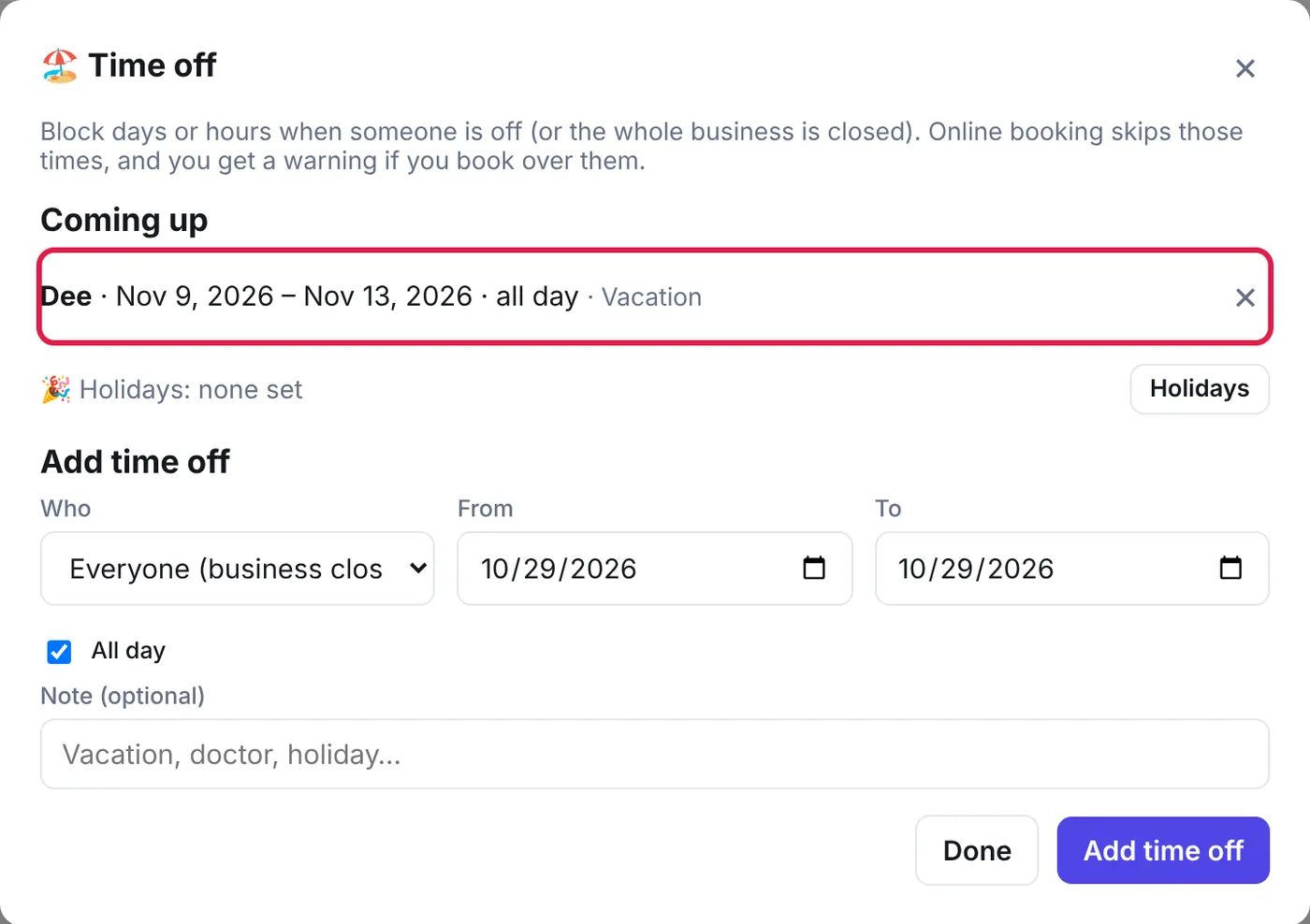
Done — it shows under Coming up
Online booking won't offer those times, and you get a warning if you book over them. Click the × to remove it.
💡 Good to know
- Closing for holidays every year? Click Holidays in the same window.
- Staff can ask for time off themselves — you approve it.
Pictures show the demo shop "Maple Street Barbers" on a computer. On a phone, the same pages are in the bottom bar and under Menu.
Still stuck? Email support@booktend.app · All guides · Privacy · Terms