Sell packages like "5 sessions"
A package is paid up front — like 5 cuts for $135. BookTend keeps count of what's left.
1
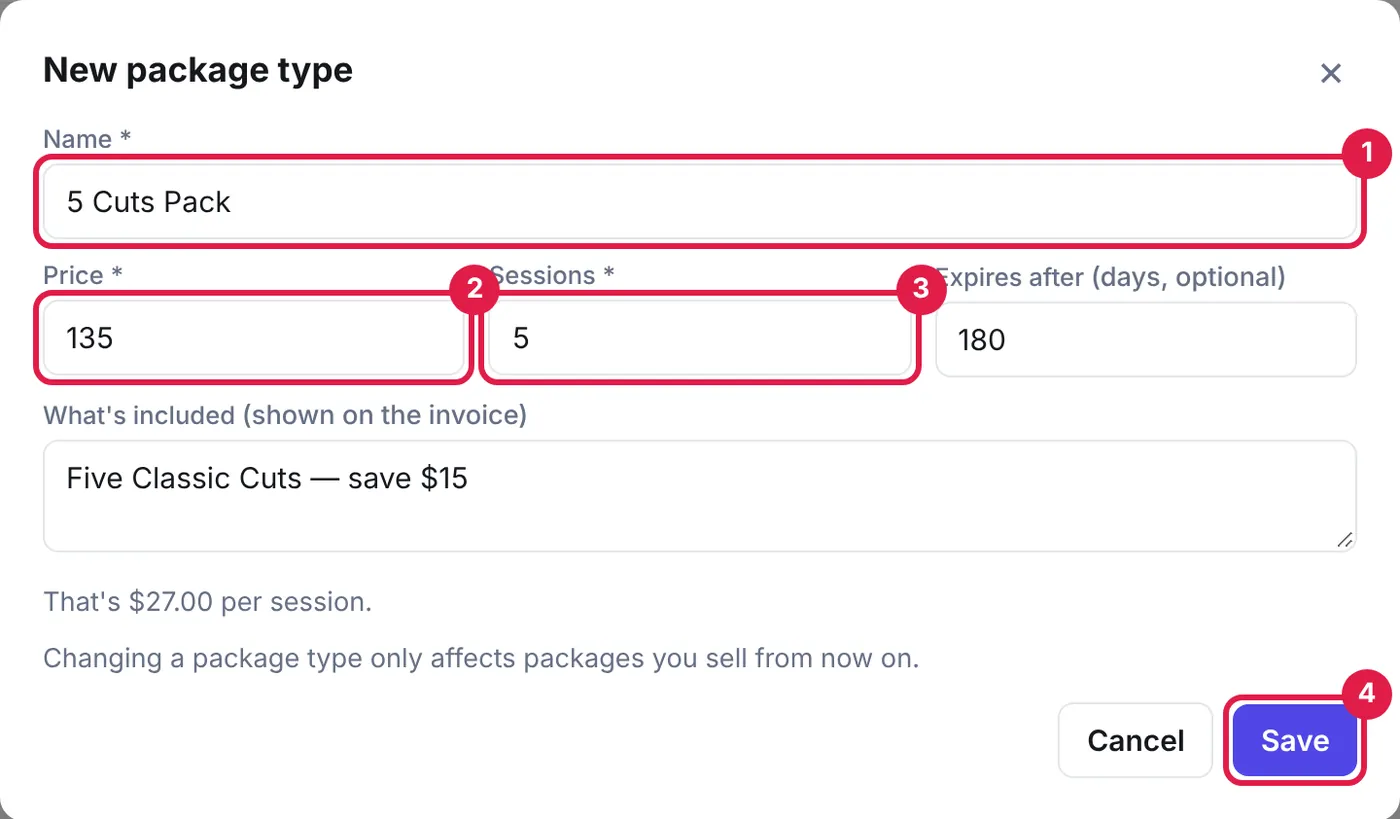
Click + New package type
In Sell → Packages. Name it, set the price and the number of sessions (and when it expires, if it does). Click Save.
2
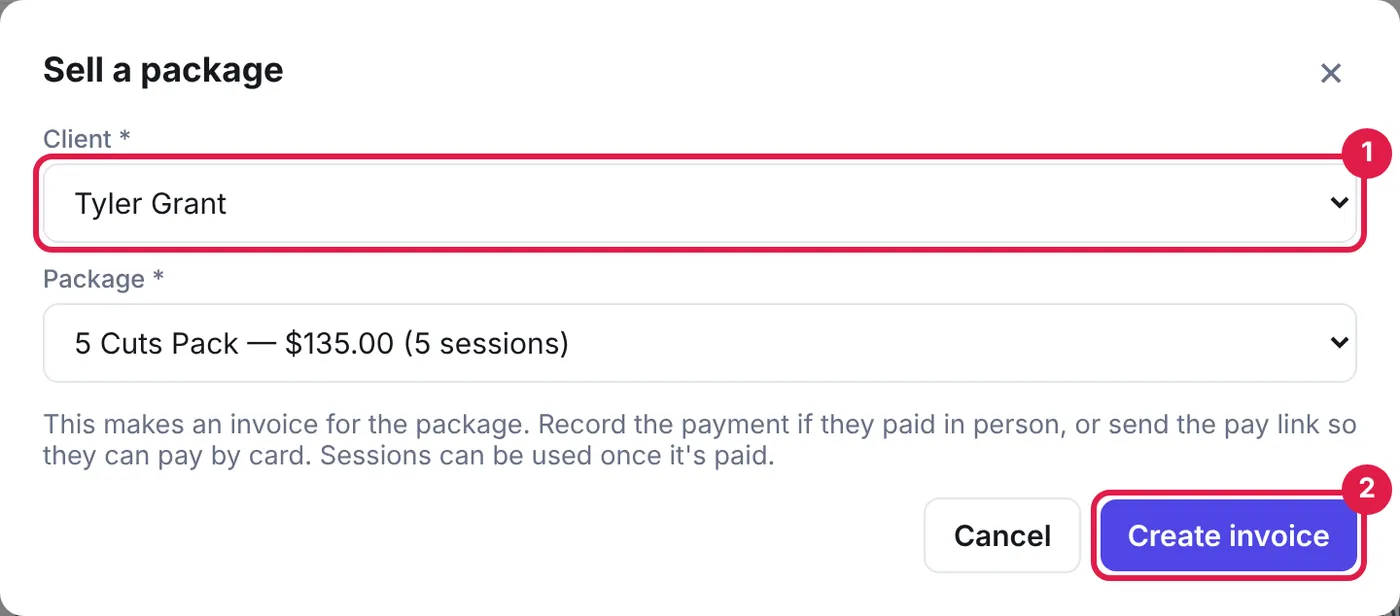
Click + Sell a package and pick the client
Click Create invoice, then take the payment (Record payment or a pay link). Sessions can be used once it's paid.
3
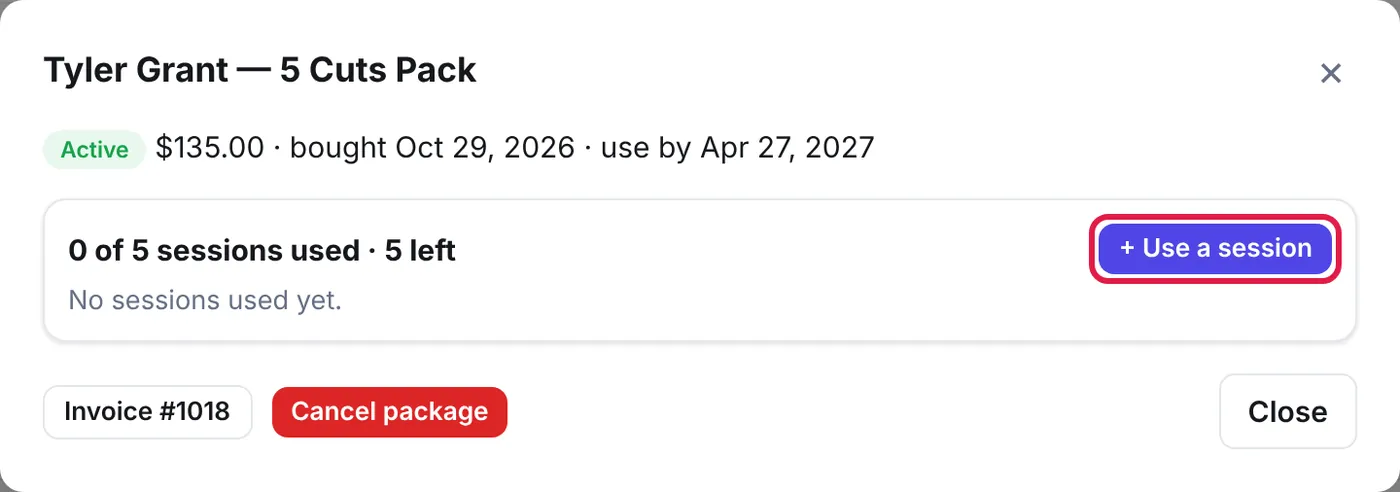
⚠️ At each visit: open the package and click + Use a session
Click the package under Sold packages.
4
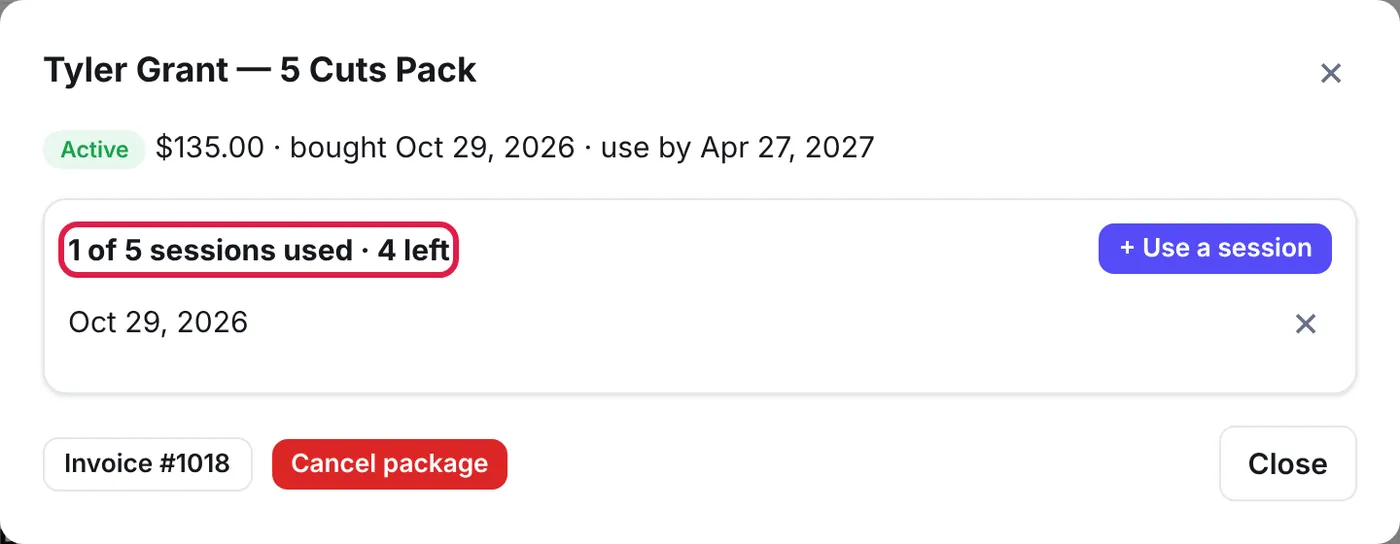
You always see what's left
💡 Good to know
- Packages work for classes too — use a session when the client checks in.
Pictures show the demo shop "Maple Street Barbers" on a computer. On a phone, the same pages are in the bottom bar and under Menu.
Still stuck? Email support@booktend.app · All guides · Privacy · Terms