Set up memberships (monthly plans)
A membership is a plan like "2 cuts a month for $60." It charges the client's card on its own every week, month or year. Needs Stripe connected.
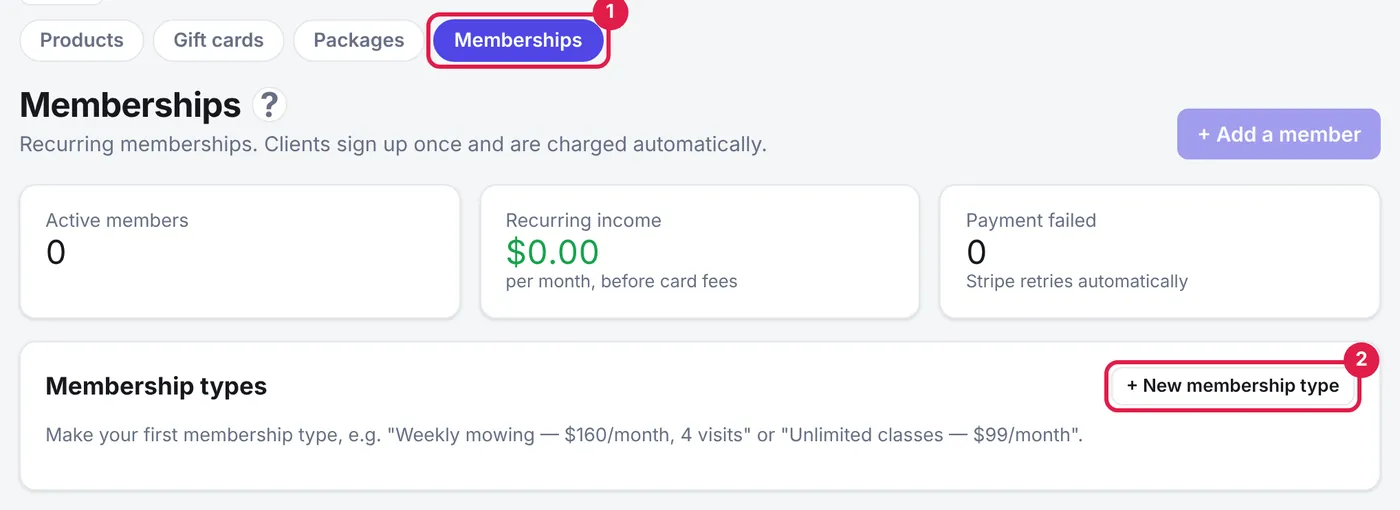
Click + New membership type
In Sell → Memberships.
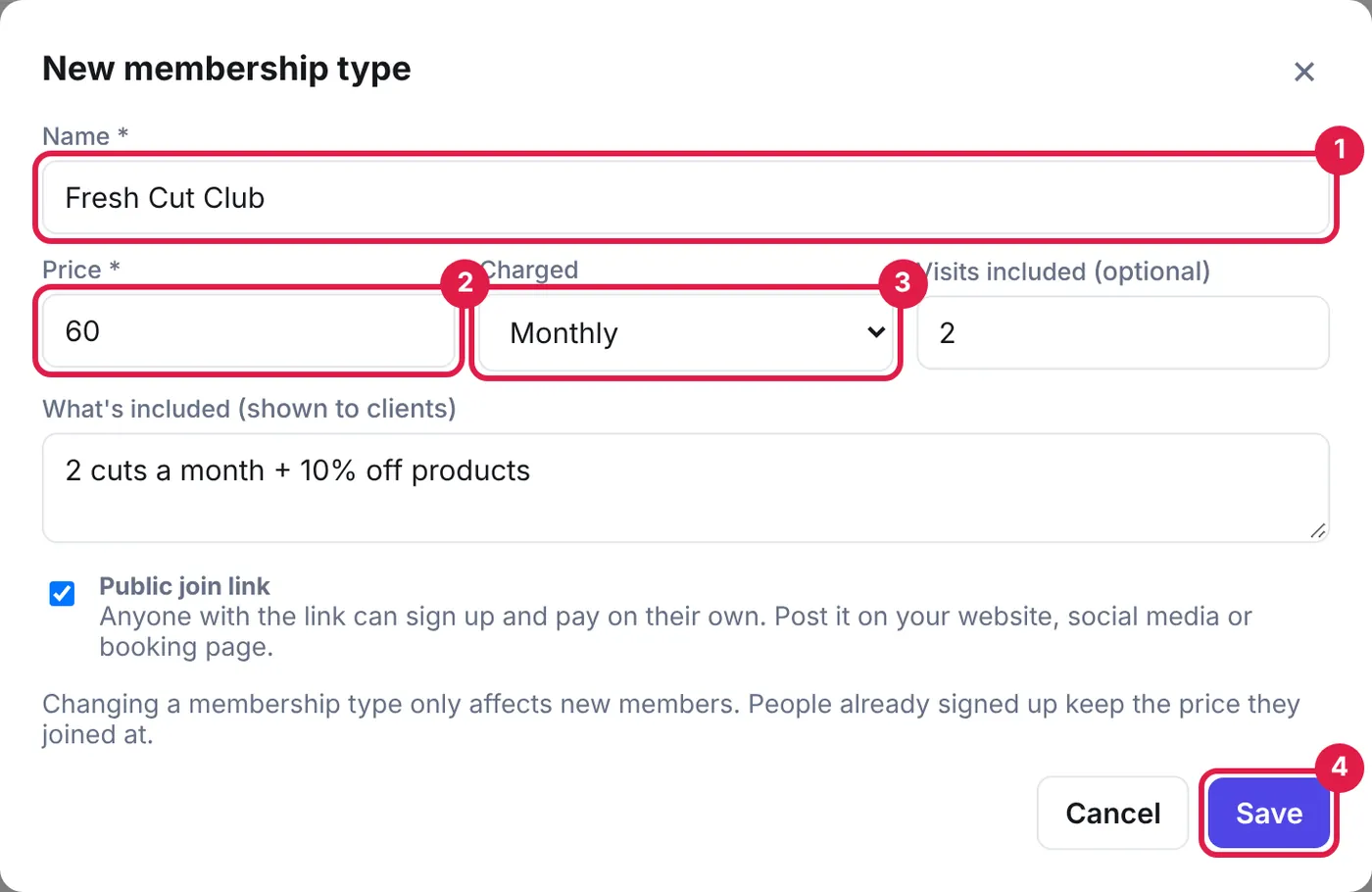
⚠️ Name it, set the price and how often
Add how many visits it includes and what's included. Leave Public join link on so people can sign up themselves. Click Save.
Share the Join link
Click Join link and post it on your website, social media or booking page. People sign up and pay on their own.

Or sign up a client yourself
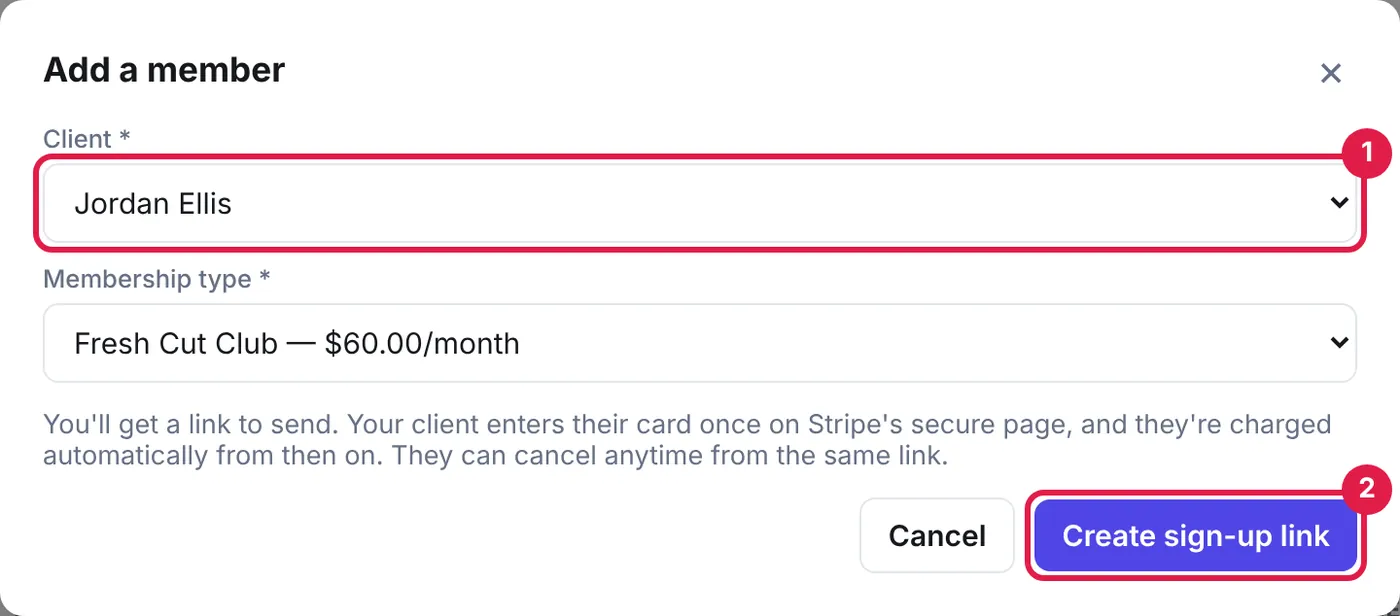
Click + Add a member, pick the client and click Create sign-up link. Send them the link — they enter their card once on Stripe's secure page.
Manage members
Open a member to log visits, pause billing or cancel. Failed payments show at the top — Stripe tries again on its own.
💡 Good to know
- Changing a membership type only affects new members. People already signed up keep their price.
- Moving members from another app? Clients → ⬆️ Import → 🔁 Memberships, then email everyone their sign-up link at once.
Pictures show the demo shop "Maple Street Barbers" on a computer. On a phone, the same pages are in the bottom bar and under Menu.
Still stuck? Email support@booktend.app · All guides · Privacy · Terms