Sell gift cards
A gift card is money paid now and used later. What's left stays on the card for next time.
1
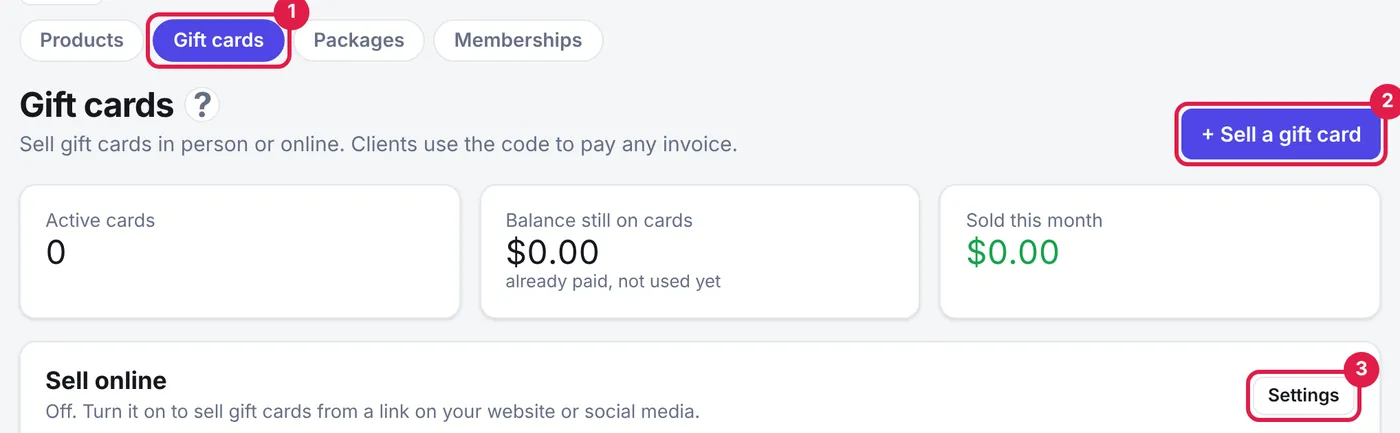
Click + Sell a gift card
In Sell → Gift cards. Settings on the same page turns on selling them online.
2
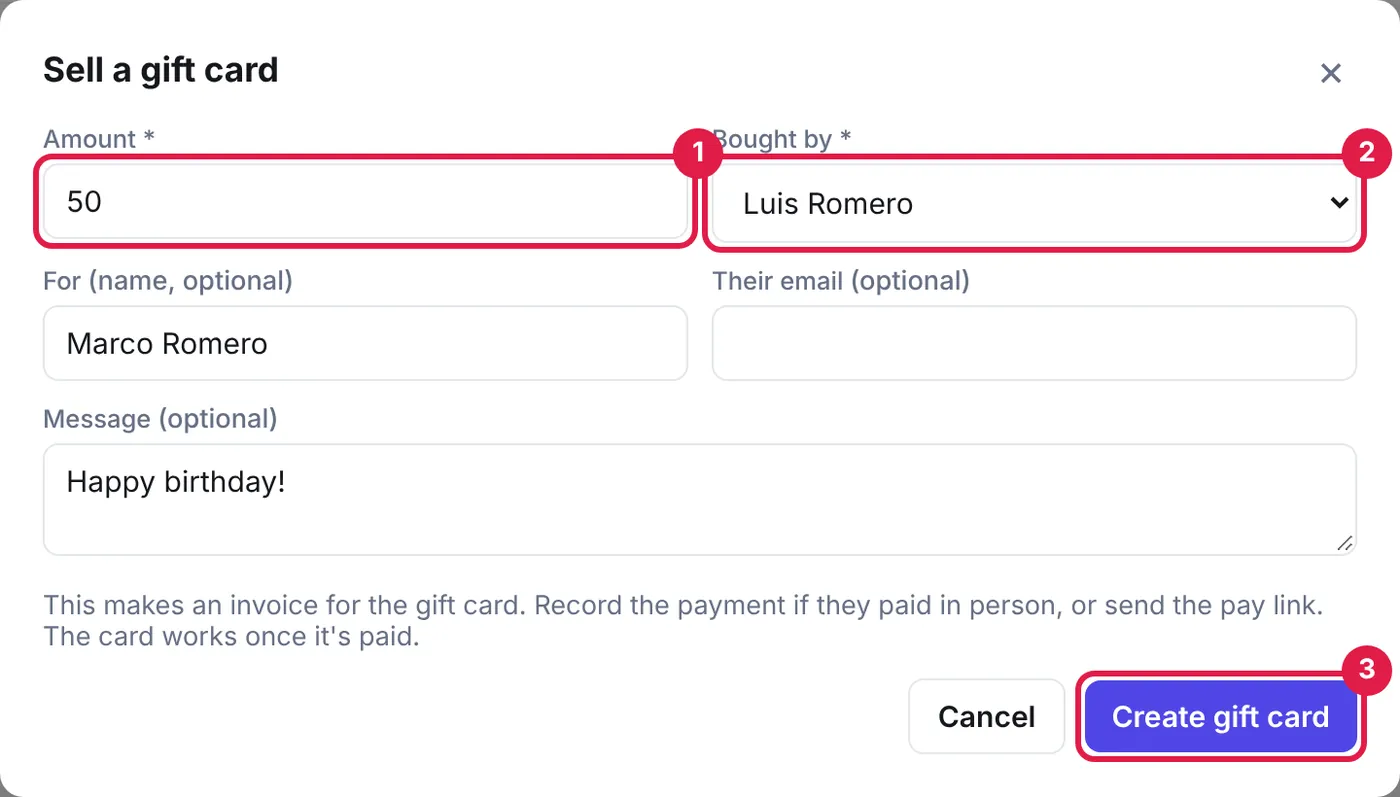
Type the amount and who bought it
Add who it's for and a message if you like. Click Create gift card.
3
Take the payment
BookTend makes an invoice for the gift card. Click Record payment if they paid in person, or send the pay link. The card works once it's paid.
4
The card is ready — give them the code
Paid cards show under Cards with their code and balance.

5
To use one: open the invoice and click 🎁 Gift card

6
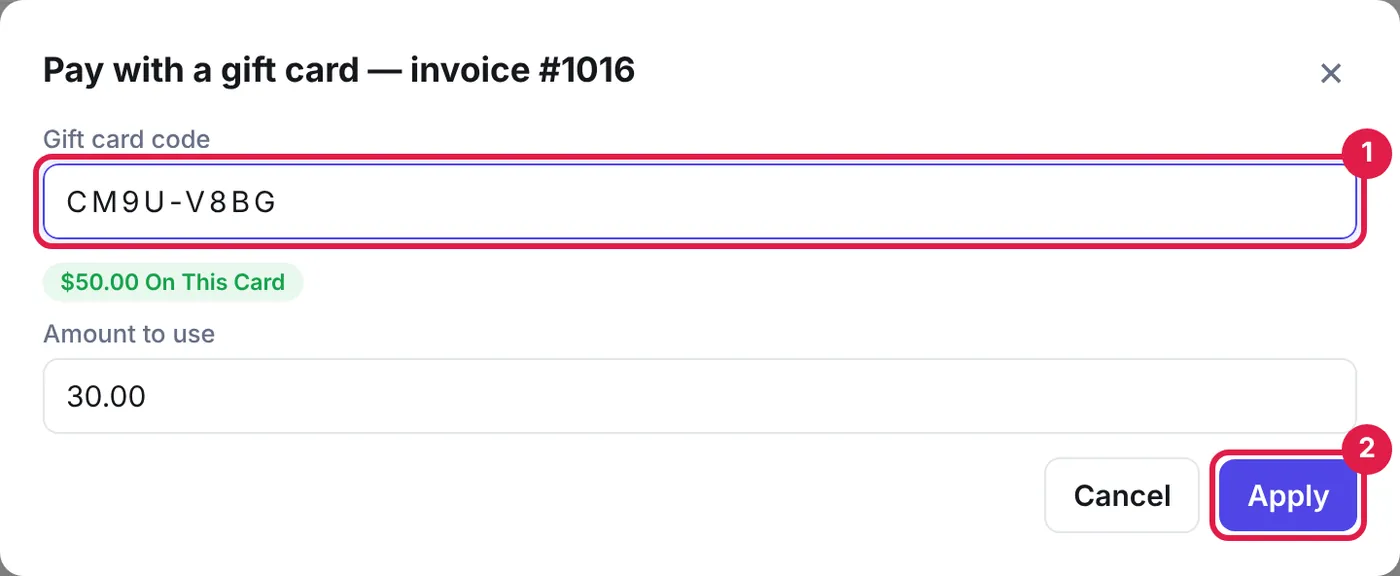
Type the code and click Apply
The invoice is paid from the card. What's left stays on it.
💡 Good to know
- Sell online: Settings → tick Sell gift cards online, pick suggested amounts, Save. People buy by card and get the code by email. Needs Stripe.
- Gift cards sold are kept separate from your sales in the Year-End Report.
Pictures show the demo shop "Maple Street Barbers" on a computer. On a phone, the same pages are in the bottom bar and under Menu.
Still stuck? Email support@booktend.app · All guides · Privacy · Terms