Take a cash payment
Recording a payment doesn't charge anyone. It keeps your records, tips and reports right.
1
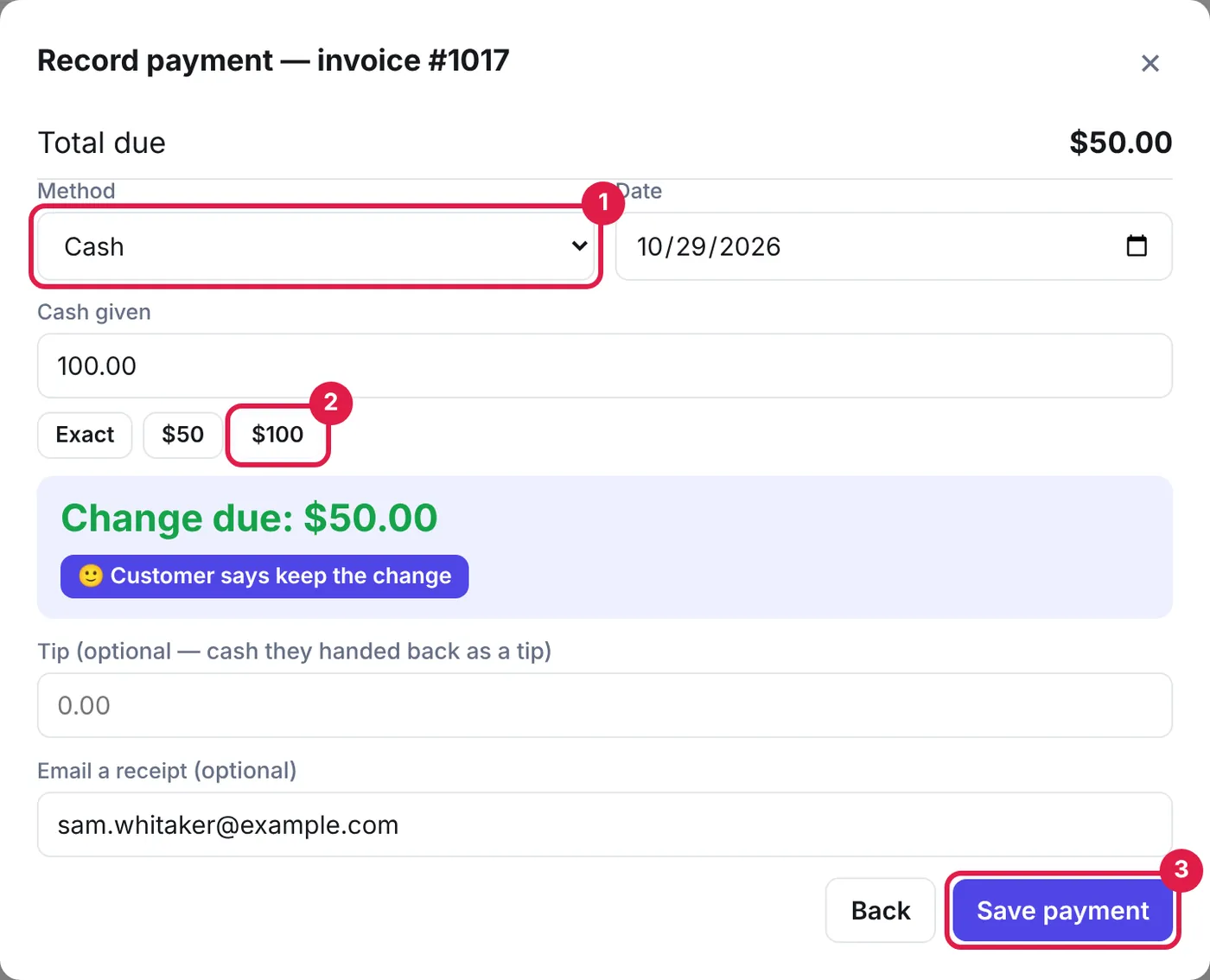
Open the invoice and click Record payment
In Money → Invoices, click the invoice.

2
Pick the method, then tap what they handed you
Pick Cash (or Venmo, Cash App, Zelle, Check…). Tap Exact, $50 or $100 — or type the amount. BookTend shows the change due.
3
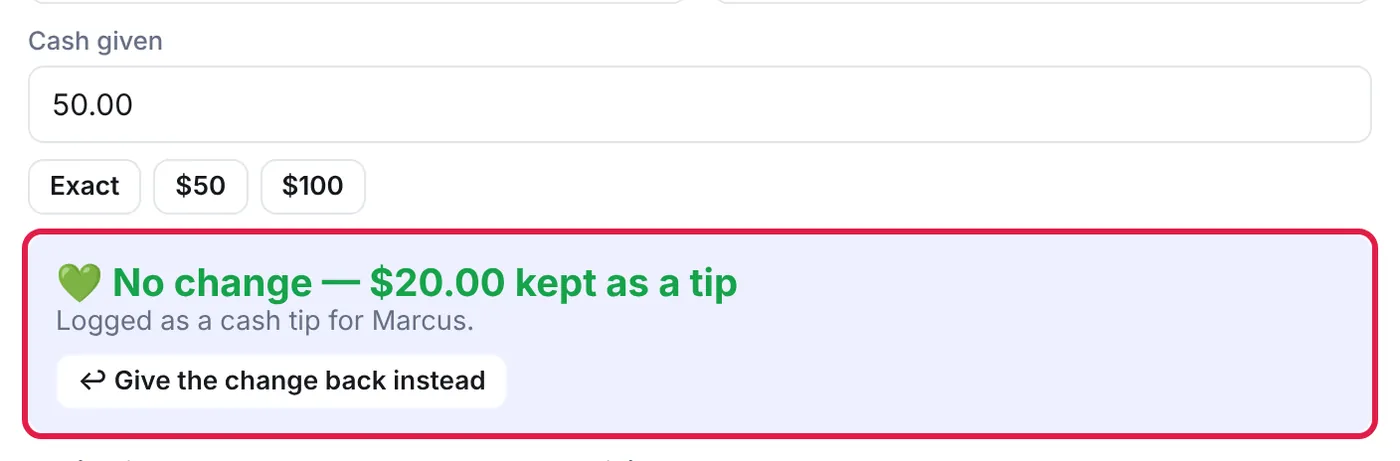
Customer says keep the change?
Tap 🙂 Customer says keep the change. It's saved as a cash tip for whoever did the work.
4
Click Save payment
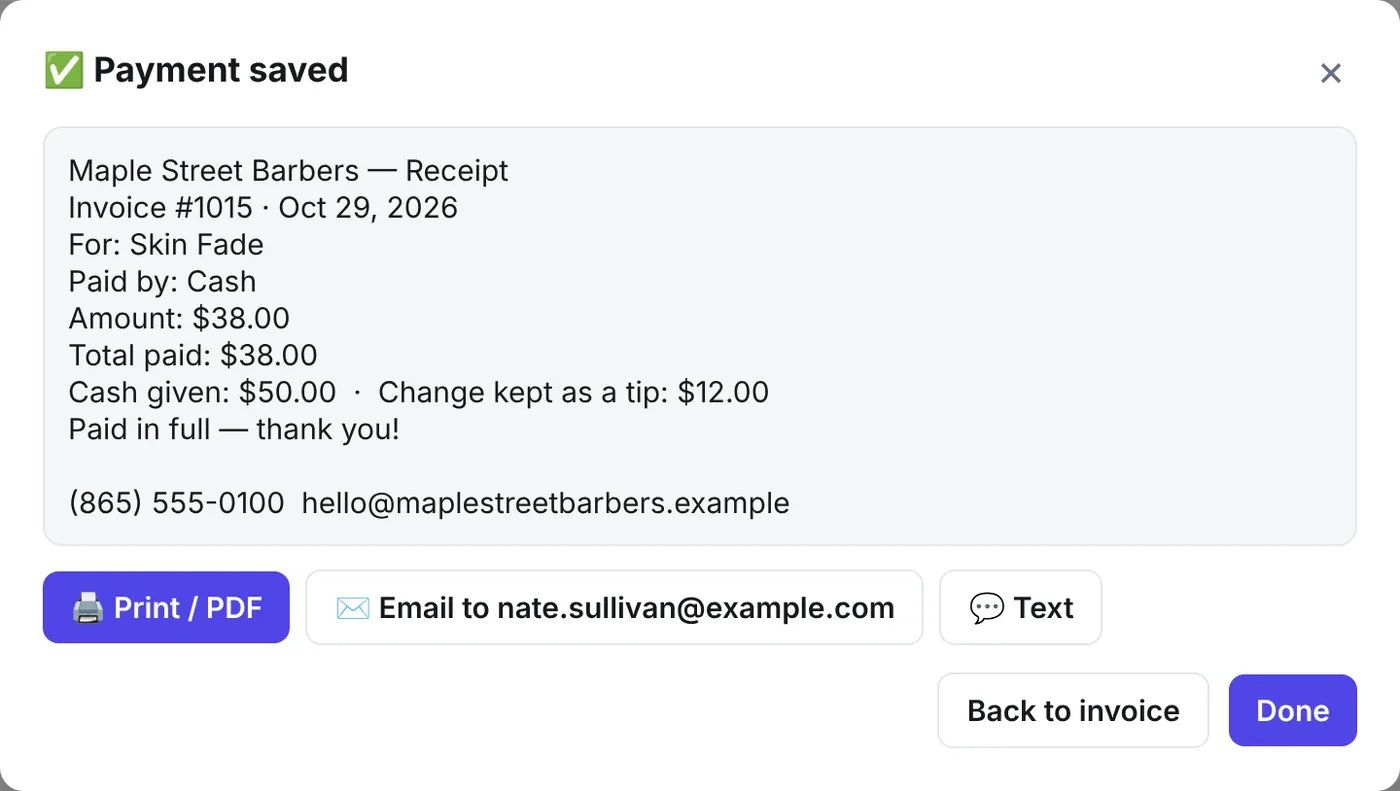
You get a receipt you can print, email or text.
💡 Good to know
- Not enough cash? The button says Save partial payment and the rest stays owed.
- At the end of the day, use 💵 Close out today on Home to count your drawer.
Pictures show the demo shop "Maple Street Barbers" on a computer. On a phone, the same pages are in the bottom bar and under Menu.
Still stuck? Email support@booktend.app · All guides · Privacy · Terms