Send an invoice and get paid
Clients can pay by card from any phone or computer and add a tip. Paid invoices are locked so your records stay right.
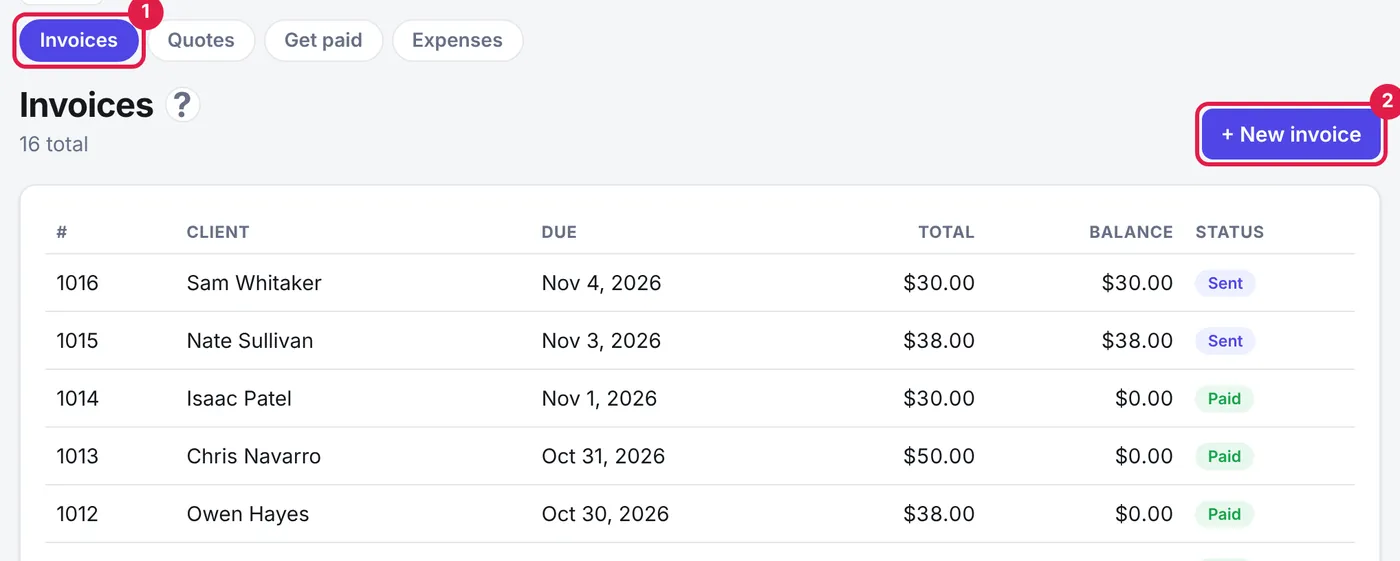
Click + New invoice
In Money → Invoices. (Or open an appointment and click Create invoice — it fills everything in.)
Pick the client
Same as booking: type their name, click them, then click 🧾 New invoice.
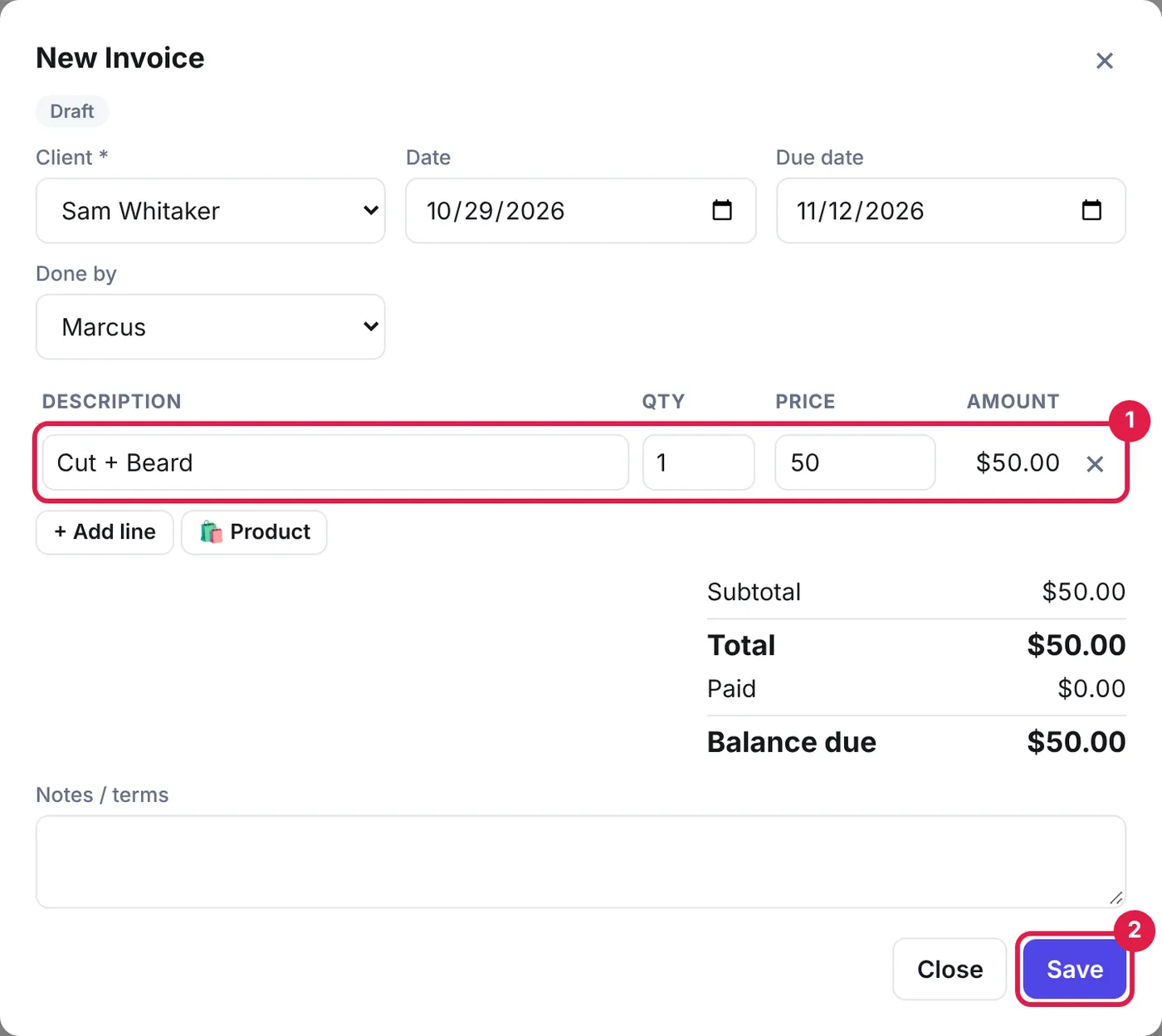
Add what you did, then Save
Type a description, quantity and price. + Add line adds more; 🛍️ Product adds something you sell.
Open the invoice and click 💳 Pay online link
Click the invoice in the list. Paid in person instead? Click Record payment (see Take a cash payment).

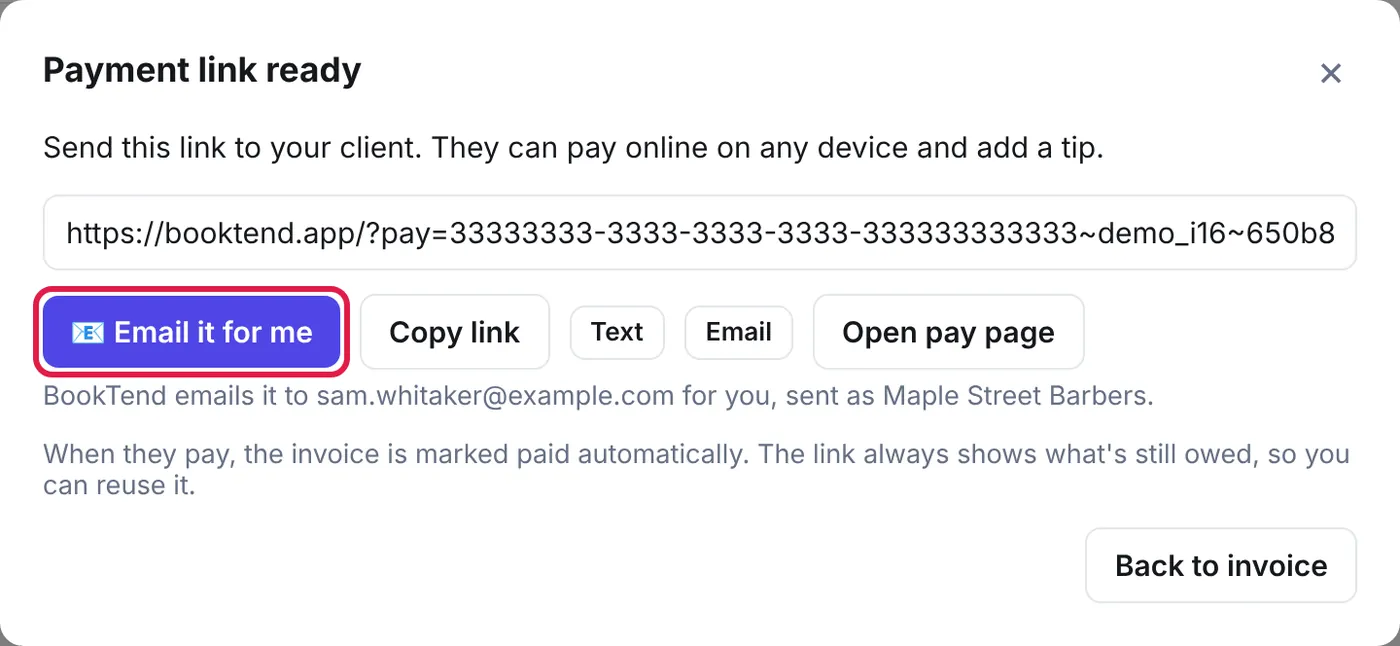
⚠️ Click 📧 Email it for me
BookTend emails the client a pay link from your business name. Or copy the link and text it. When they pay, the invoice is marked paid on its own.
💡 Good to know
- Pay links need Stripe connected — see Connect Stripe.
- Splitting a bill between people? Use ➗ Split payment on the invoice.
Pictures show the demo shop "Maple Street Barbers" on a computer. On a phone, the same pages are in the bottom bar and under Menu.
Still stuck? Email support@booktend.app · All guides · Privacy · Terms