Before & after photos
Great for before-and-afters, reference pictures and proof of work.
1
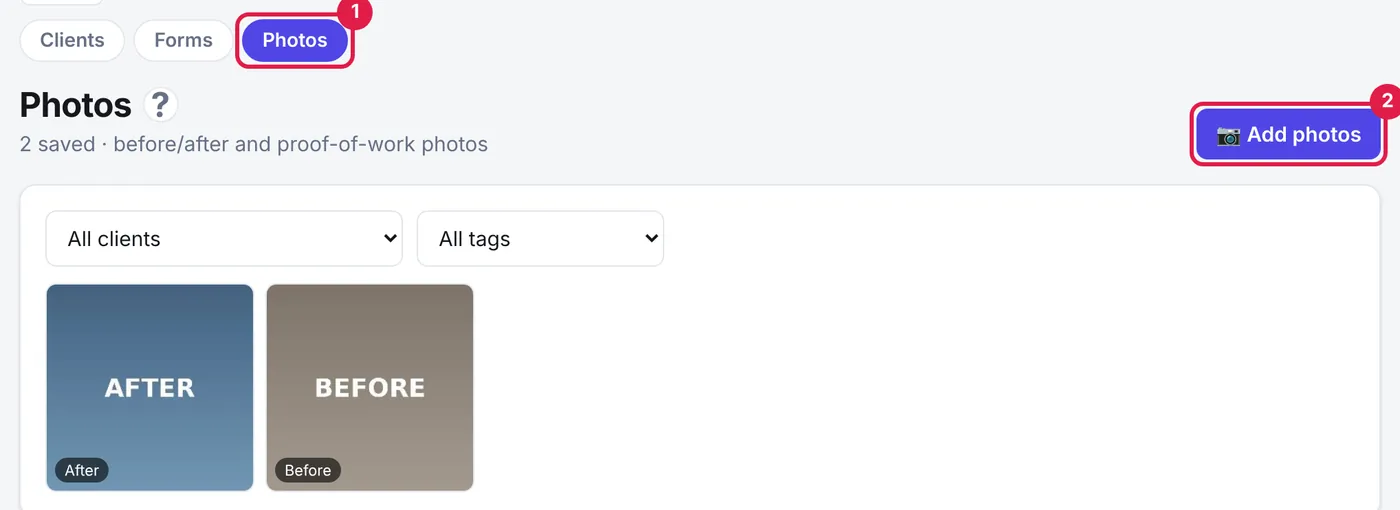
Open Clients → Photos and click 📷 Add photos
Pick photos from your phone or computer. (Or open an appointment and click 📷 Photos.)
2
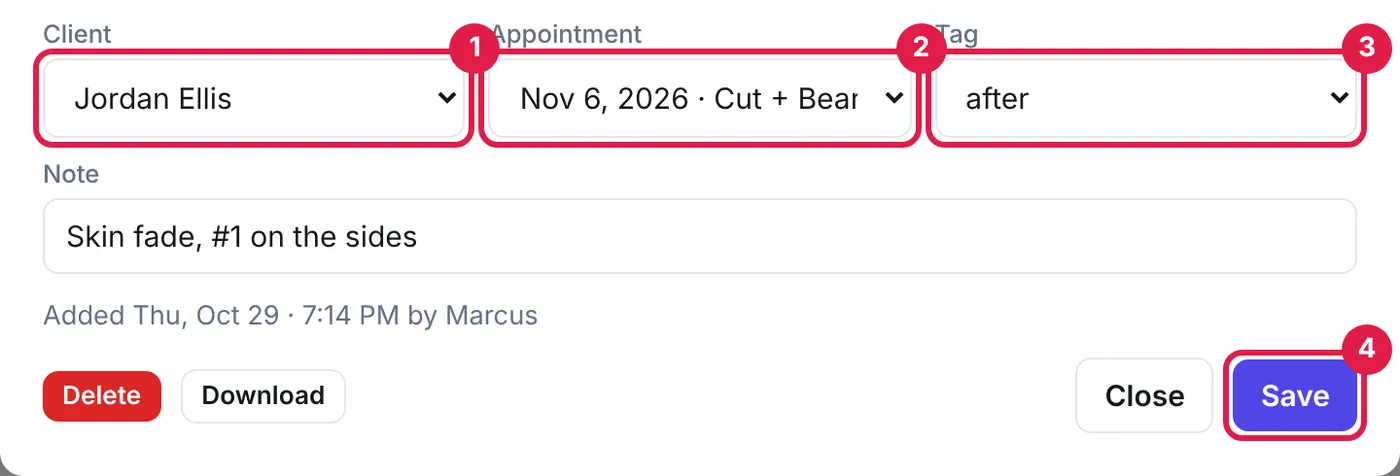
⚠️ Click a photo to file it
Pick the client, the appointment and a tag (before, after, proof…), add a note, and click Save.
💡 Good to know
- Photos show on the client's page under Forms & photos.
- Use the client and tag boxes at the top to find photos fast.
Pictures show the demo shop "Maple Street Barbers" on a computer. On a phone, the same pages are in the bottom bar and under Menu.
Still stuck? Email support@booktend.app · All guides · Privacy · Terms