Run classes & group sessions
For workshops, group lessons or anything with more than one person at a time.
1
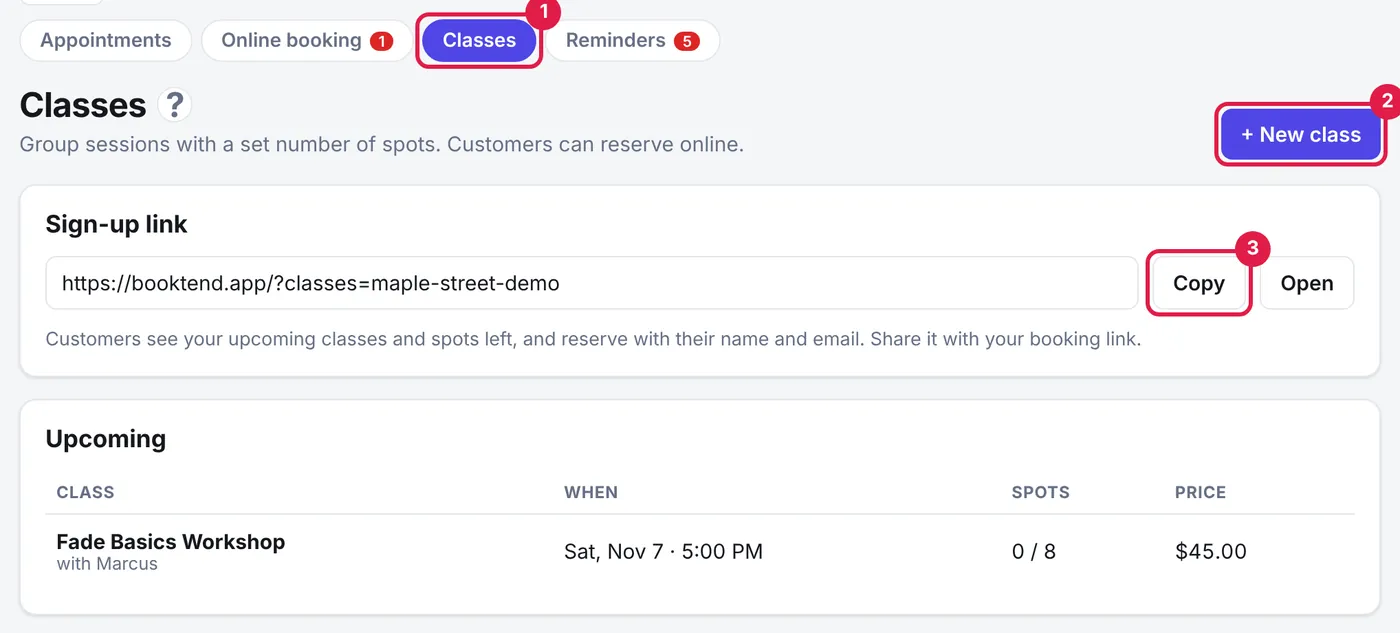
Open Calendar → Classes and click + New class
Share the Sign-up link (Copy) so clients can reserve a spot.
2
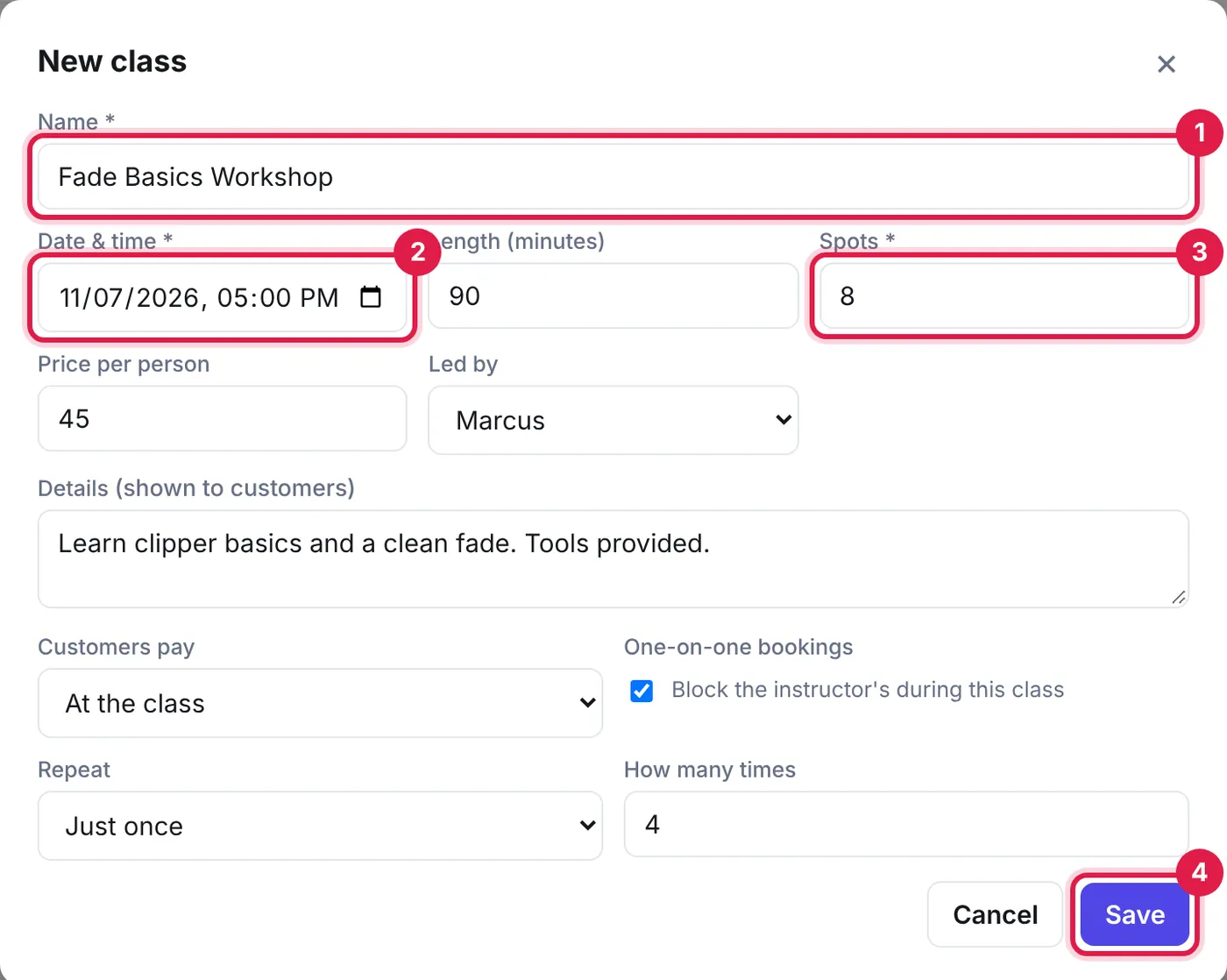
⚠️ Name, date, spots — then Save
Set the price, who leads it, and whether clients pay at the class or online when they sign up. Use Repeat for a weekly class.
3
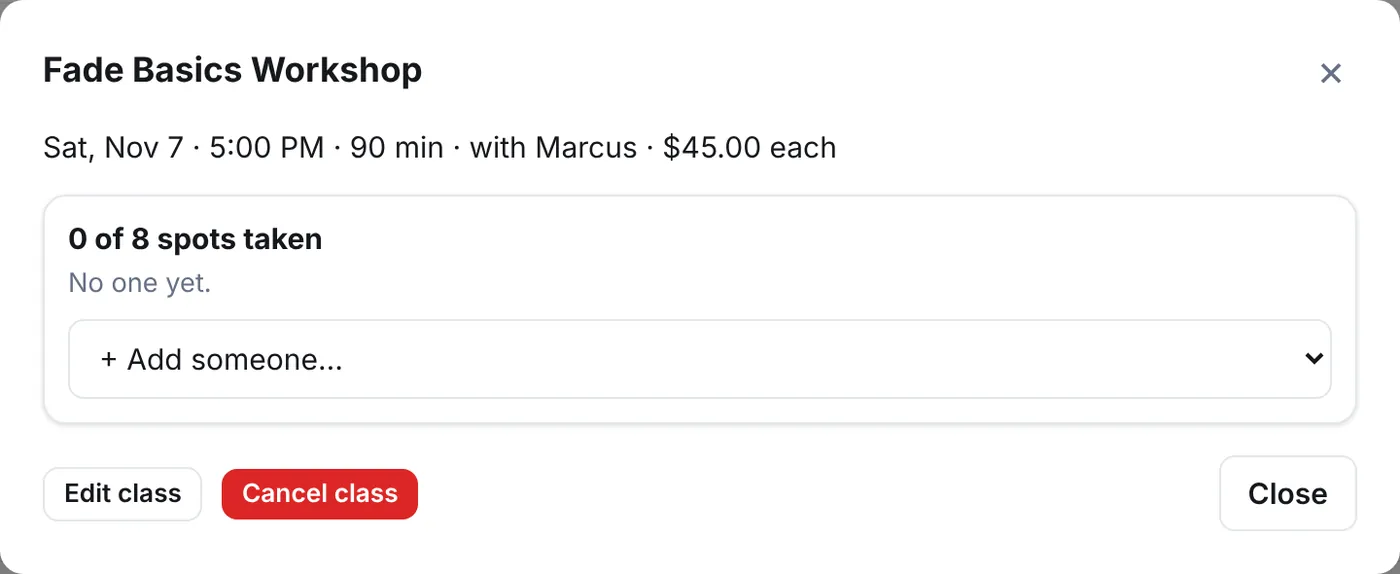
Open a class to see who's coming
Add someone yourself with + Add someone…. Edit or cancel the class here too.
💡 Good to know
- Selling class packs? Make a package like "10 classes" — see Packages.
Pictures show the demo shop "Maple Street Barbers" on a computer. On a phone, the same pages are in the bottom bar and under Menu.
Still stuck? Email support@booktend.app · All guides · Privacy · Terms