Get waivers and forms signed
BookTend comes with plain-English starting forms. Signed copies can't be changed.
1
Open Clients → Forms → Templates

2
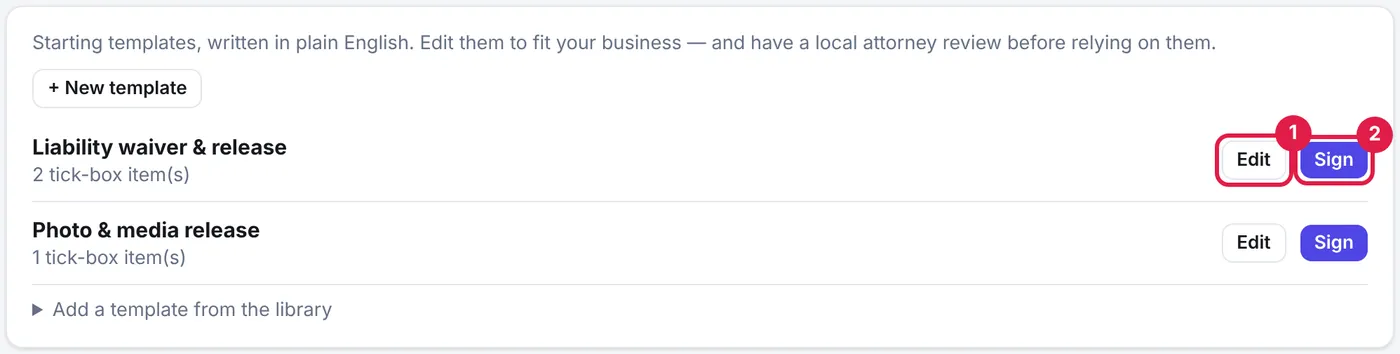
Edit a form to fit your business
Click Edit on a template, or + New template. More are in Add a template from the library.
3
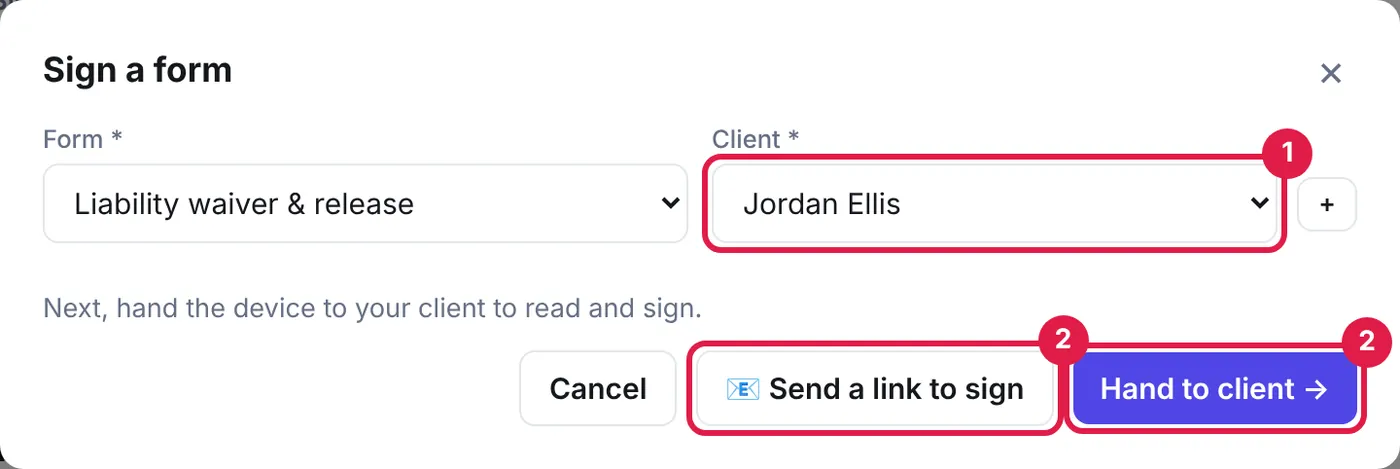
To sign now: click Sign, pick the client
Then Hand to client → to sign on your phone or tablet, or 📧 Send a link to sign to email it.
4
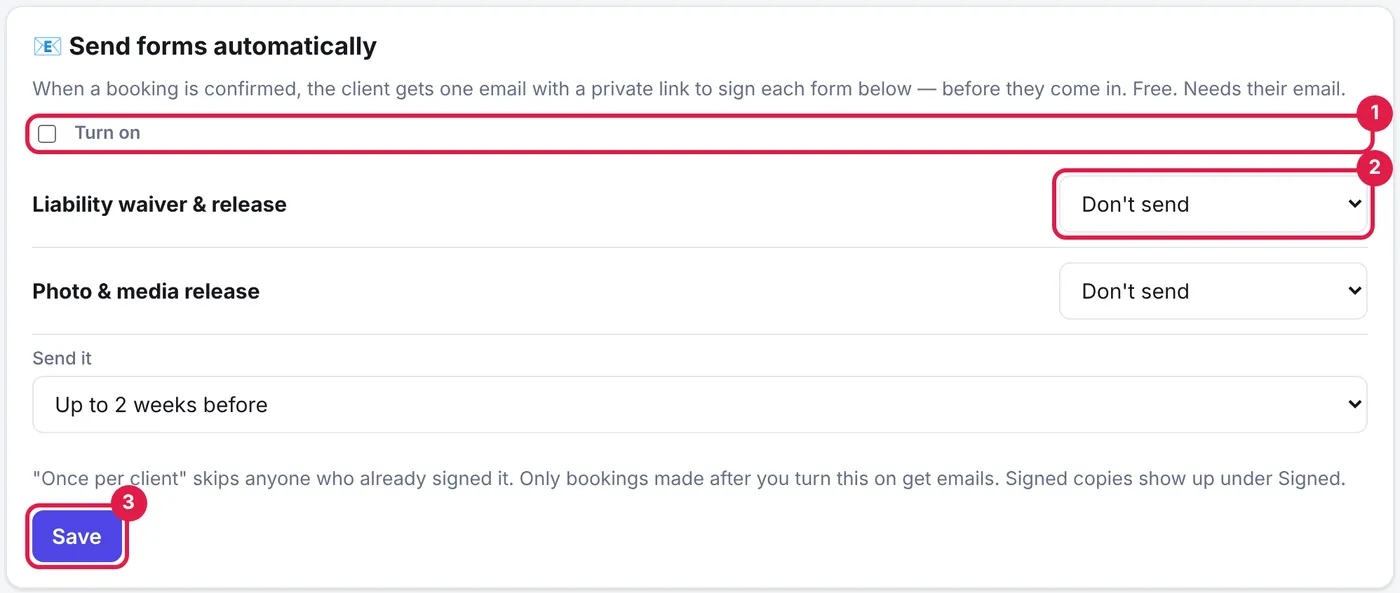
⚠️ Or send forms automatically
Tick Turn on, pick Once per client or Every visit for each form, pick when to send, and click Save. Clients get one email with a link to sign before they come in.
💡 Good to know
- Please have a local attorney look over your waiver before relying on it.
- Signed forms show on the client's page and under Signed.
Pictures show the demo shop "Maple Street Barbers" on a computer. On a phone, the same pages are in the bottom bar and under Menu.
Still stuck? Email support@booktend.app · All guides · Privacy · Terms