Automatic reminders & emails
BookTend emails your clients (it doesn't send text messages). Emails show your business name, and replies go to your business email.
1
Open Settings → Booking & client emails
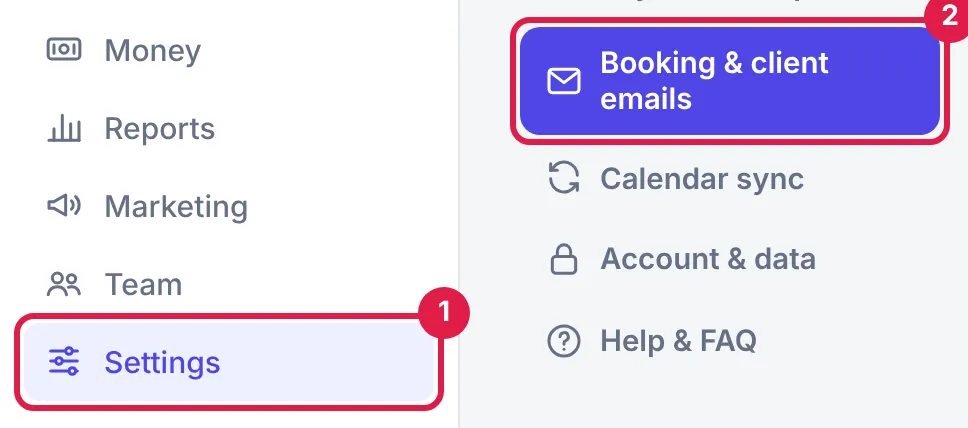
2
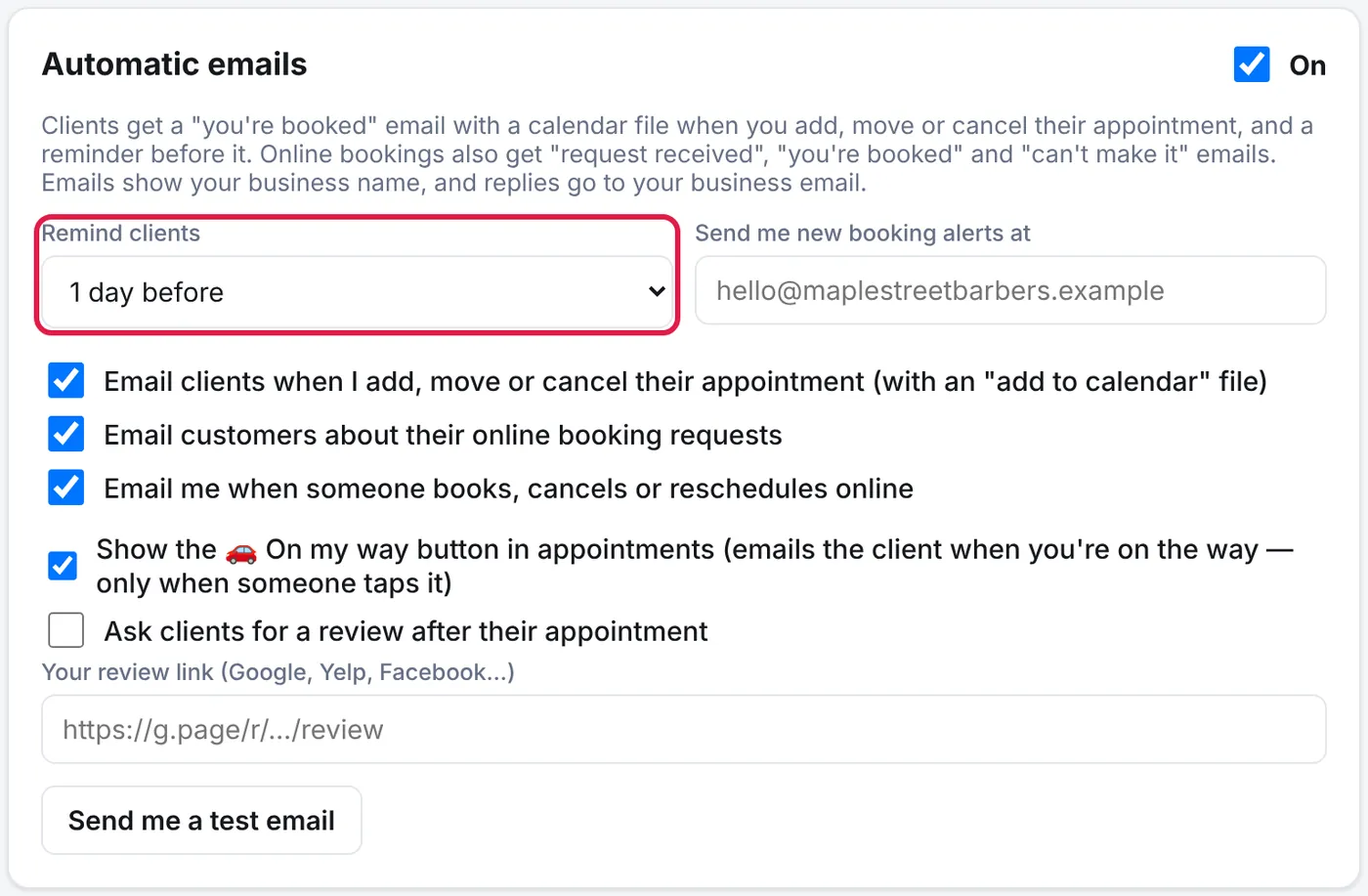
Make sure Automatic emails is On, and pick when to remind
Pick how long before the appointment the reminder goes out. Tick or untick each kind of email. Click Send me a test email to see what clients get.
💡 Good to know
- Want more reviews? Tick Ask clients for a review after their appointment and paste your Google or Yelp review link.
- Clients can get their emails in Spanish — pick Emails in when you add or edit the client.
Pictures show the demo shop "Maple Street Barbers" on a computer. On a phone, the same pages are in the bottom bar and under Menu.
Still stuck? Email support@booktend.app · All guides · Privacy · Terms