Take deposits and stop no-shows
Deposits and card holds need Stripe connected first — see Connect Stripe.
Open the Rules on Online booking
Go to Calendar → Online booking and scroll to Rules.
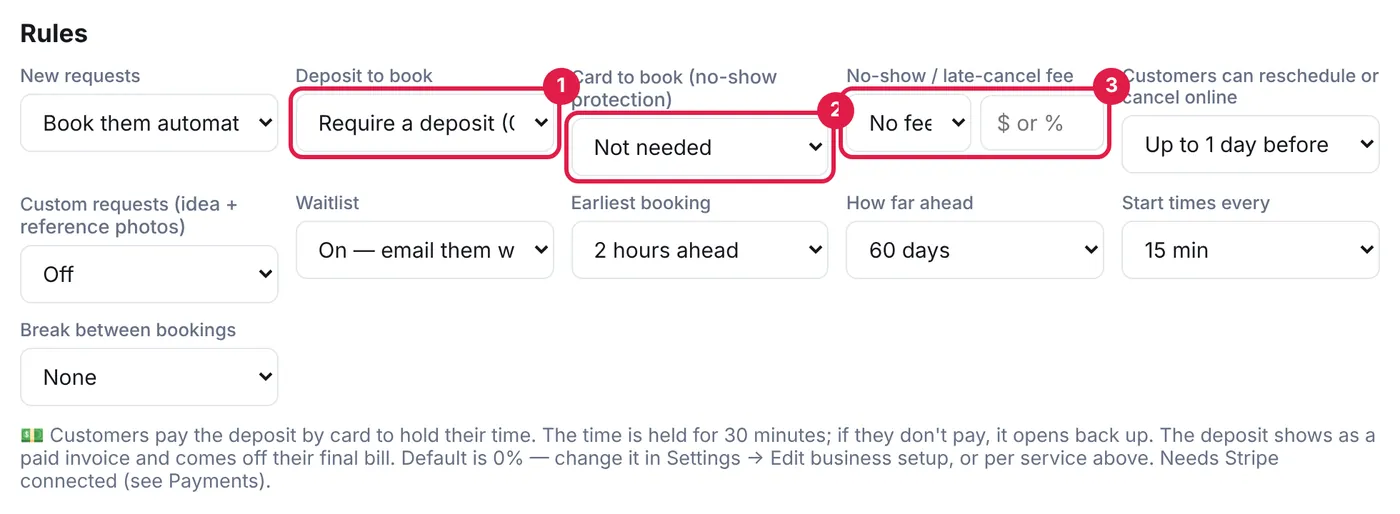
⚠️ Pick a deposit, a card hold and a no-show fee
1. Deposit to book: clients pay part now. 2. Card to book: they save a card but pay nothing now. 3. No-show / late-cancel fee: a $ or % you can charge to that saved card.
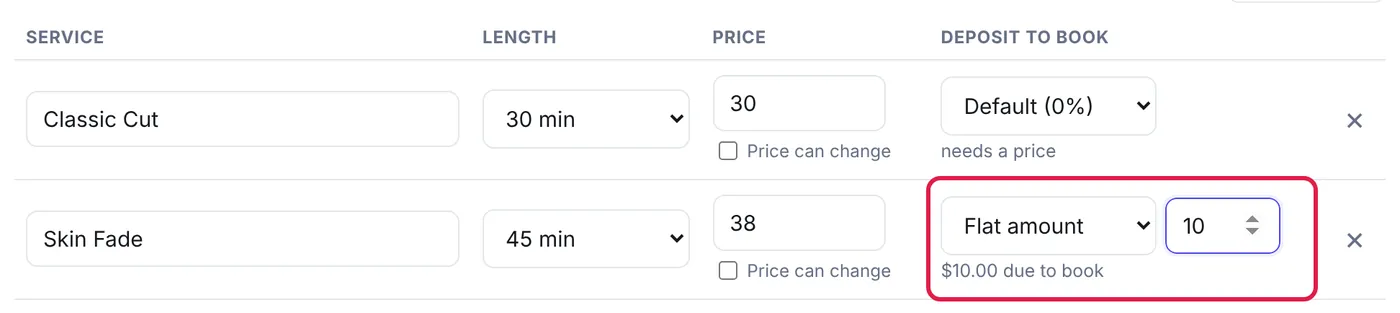
Set the amount for each service
In the services list, the Deposit to book column lets you pick a % or a flat amount per service — or leave it on your default.
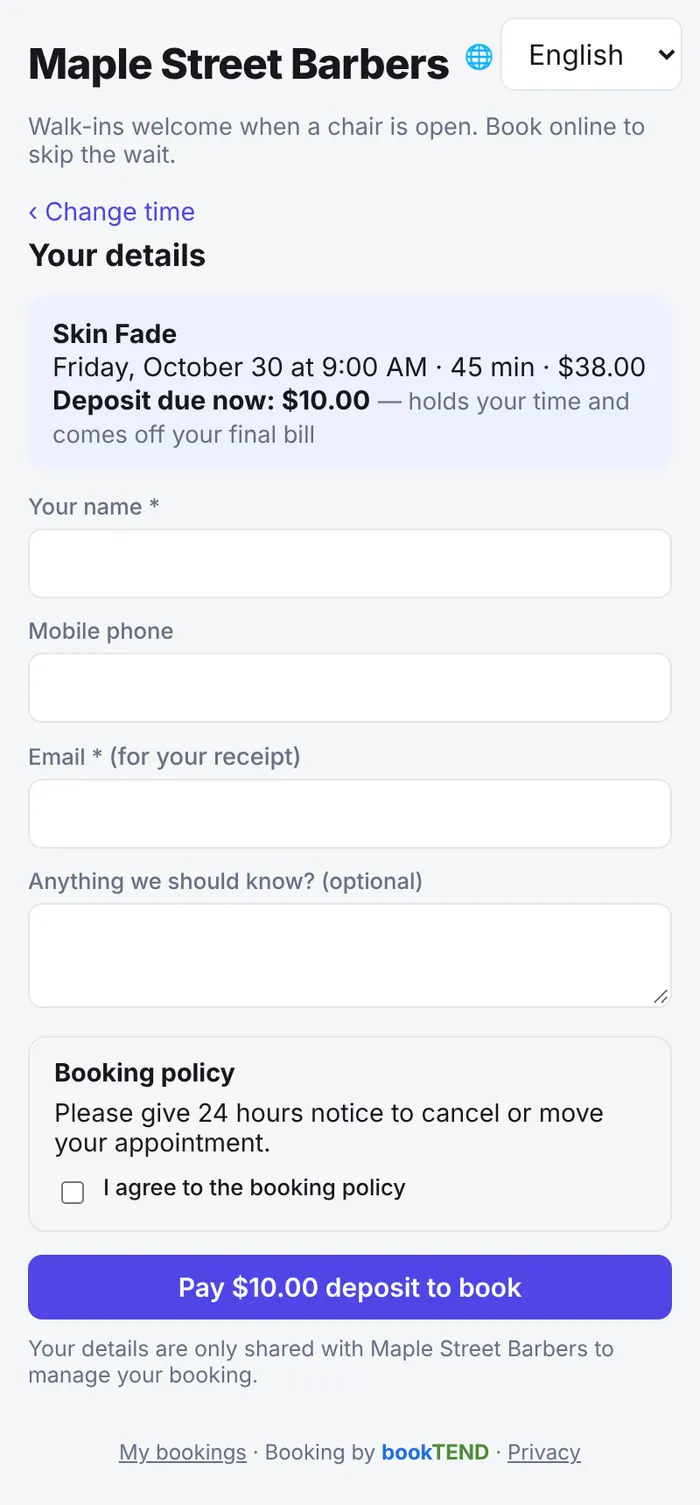
What clients see
They see the deposit and agree to your policy before they pay. Their time is held for 30 minutes while they pay. The deposit comes off their final bill.
💡 Good to know
- Write your cancel rules in Booking policy customers must agree to on the same page.
- Someone didn't show? Open the appointment and charge the fee to their saved card.
Pictures show the demo shop "Maple Street Barbers" on a computer. On a phone, the same pages are in the bottom bar and under Menu.
Still stuck? Email support@booktend.app · All guides · Privacy · Terms