Add another location
Just one shop? Skip this. Each location after the first adds to your plan price (shown on the card).
1
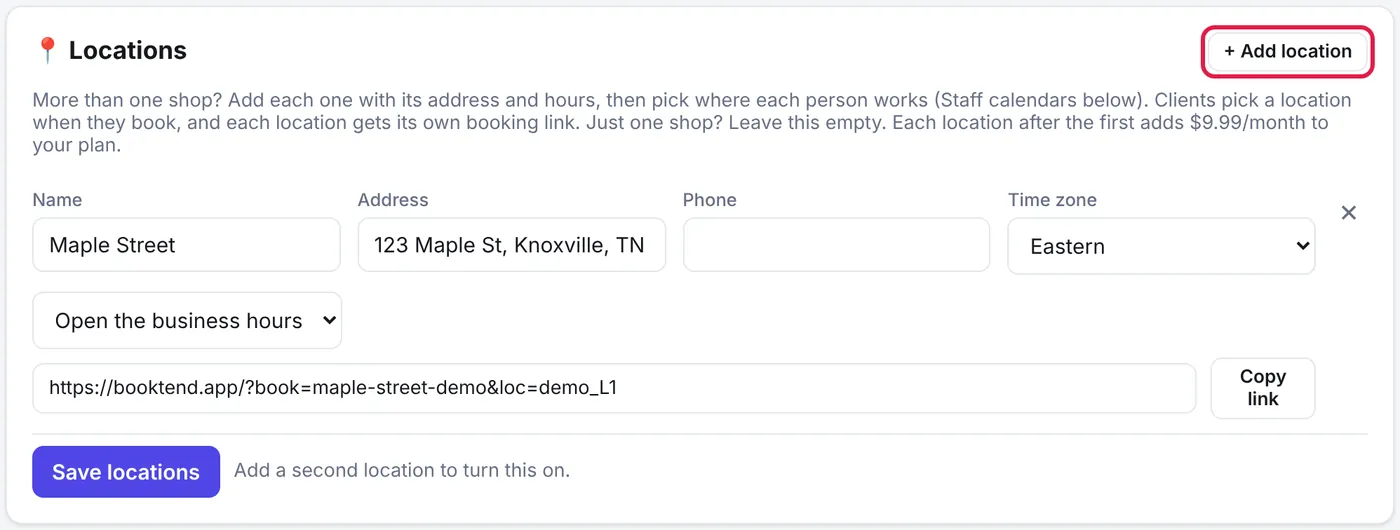
Open Team and find 📍 Locations
Click + Add location.
2
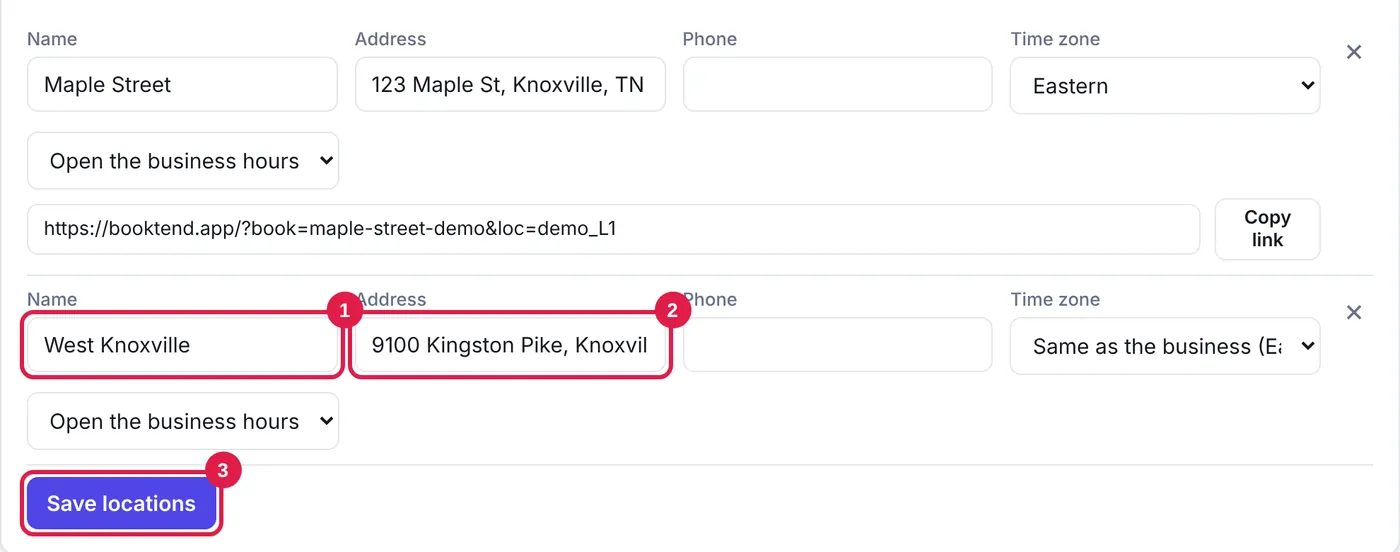
⚠️ Name, address, hours — then Save locations
Pick its time zone if it's in a different one, and Has its own hours if they're different.
3
Pick where each person works
In Staff calendars on the same page. Clients pick a location when they book, and each location has its own booking link (Copy link).
💡 Good to know
- Reports, Profit and the Leaderboard can show each location on its own.
Pictures show the demo shop "Maple Street Barbers" on a computer. On a phone, the same pages are in the bottom bar and under Menu.
Still stuck? Email support@booktend.app · All guides · Privacy · Terms