Staff pay, time clock & tip pools
BookTend works out what each person earned from their appointments, sales and hours. It's an estimate to help you run payroll, not a paycheck.
Open Team → Staff pay and pick the period
⬇ CSV downloads it for your payroll.

⚠️ Set each person's pay
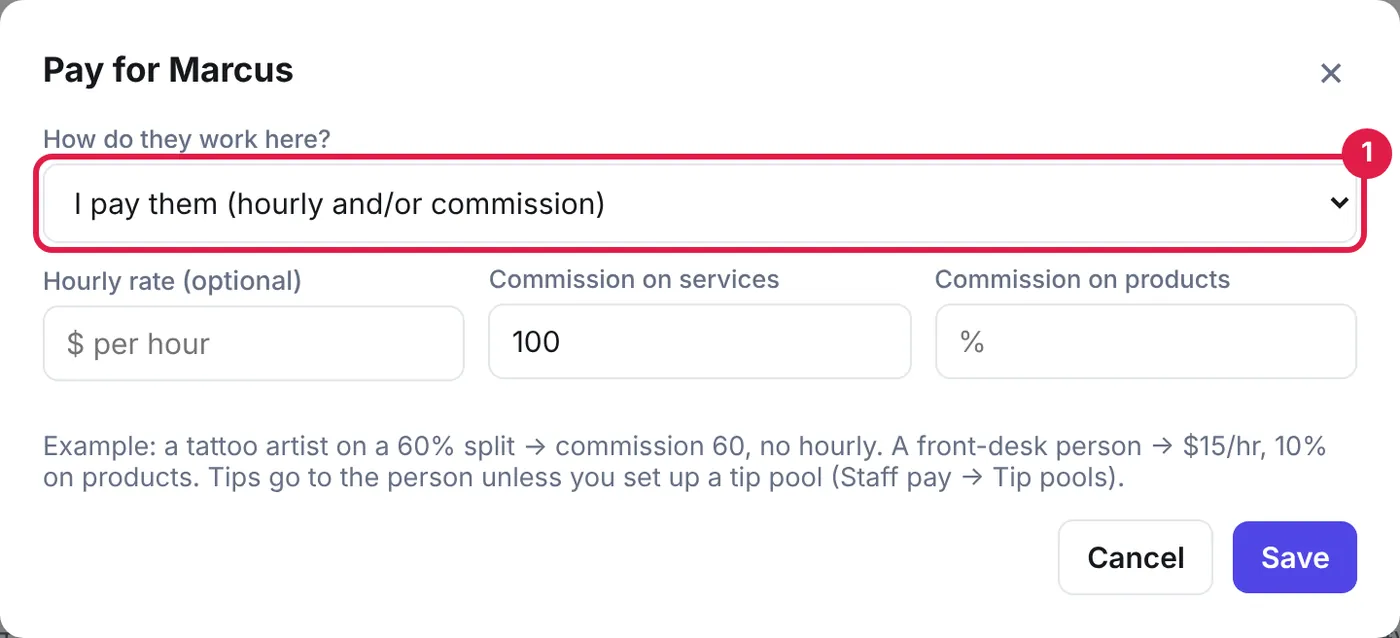
Click a name in the pay table. Pick I pay them (hourly and/or commission) or They rent a booth.
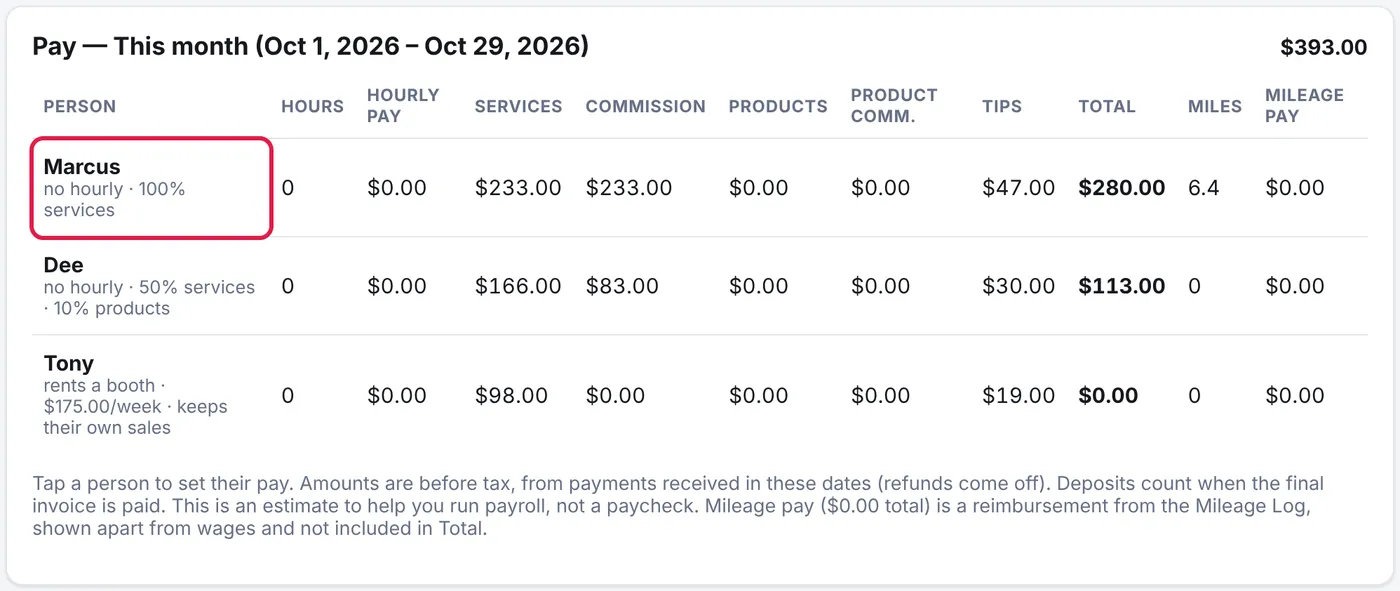
Read the pay table
Hours, services, commission, products, tips and mileage for each person.
Time clock
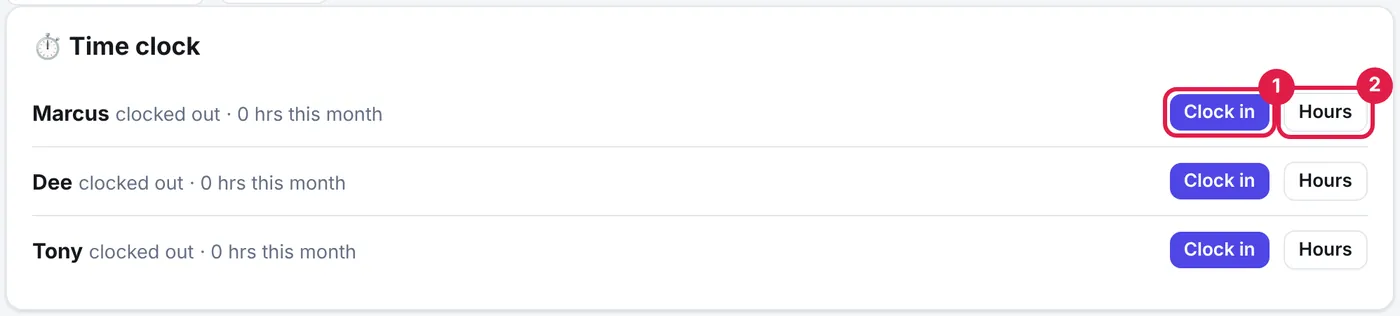
Staff click Clock in and Clock out. Fix hours with Hours.
Booth rent
Booth renters show what they owe. Click Record payment when they pay.

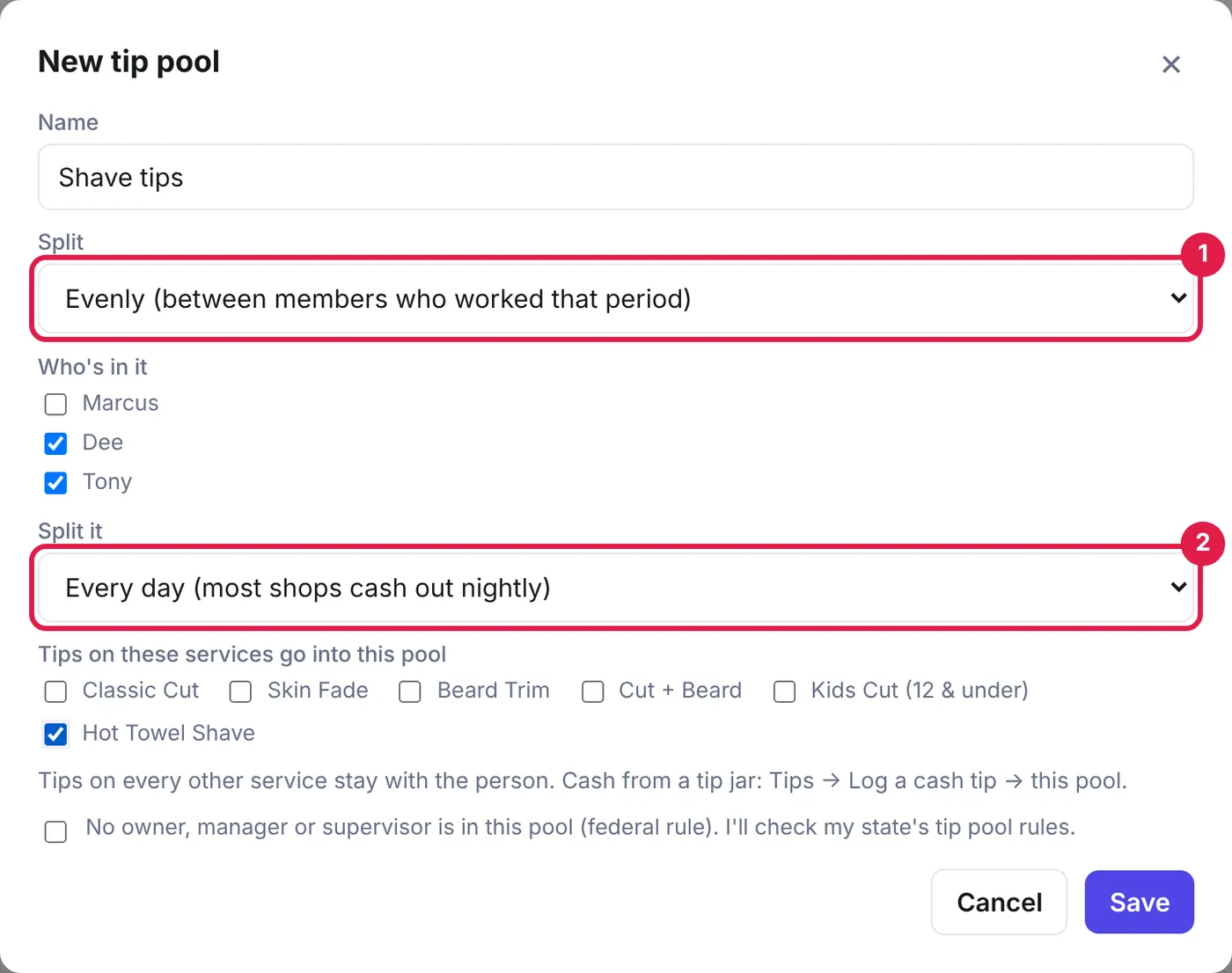
Share tips: + New tip pool
Tips go to the person who did the service unless you make a pool. Pick who's in it, how to split (evenly, by hours or by %), how often, and which services' tips go in.
💡 Good to know
- Owners and managers can't be in a tip pool (federal rule), and tip pool rules differ by state.
Pictures show the demo shop "Maple Street Barbers" on a computer. On a phone, the same pages are in the bottom bar and under Menu.
Still stuck? Email support@booktend.app · All guides · Privacy · Terms