Add staff and give them a login
Two parts: a staff calendar lets clients book that person. A login lets them open BookTend on their own phone and see only what you allow.
1
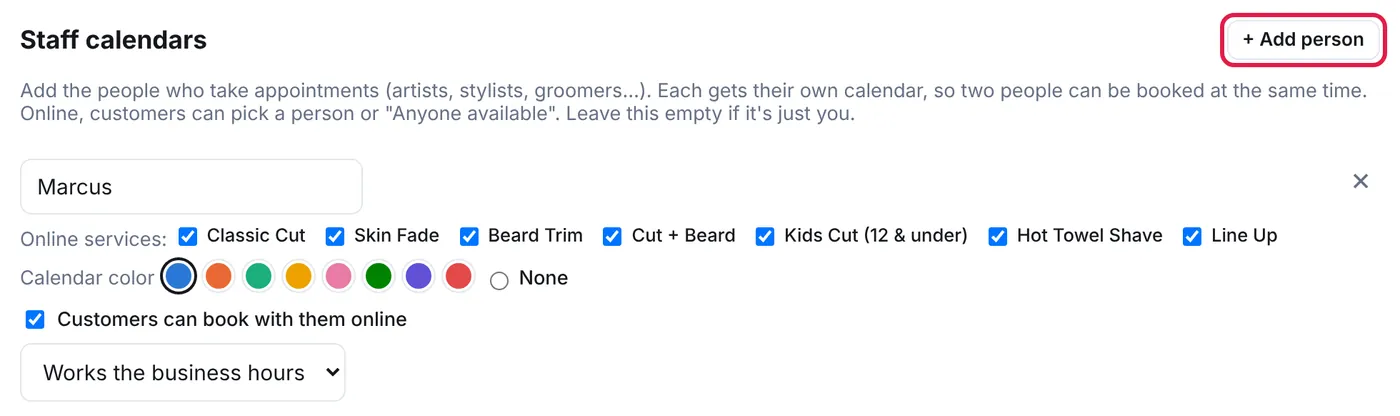
Click + Add person
Go to Team and find Staff calendars.
2
Type their name, then Save staff
Tick the services they do, pick a calendar color, and choose business hours or their own hours. Click Save staff under the list.

3
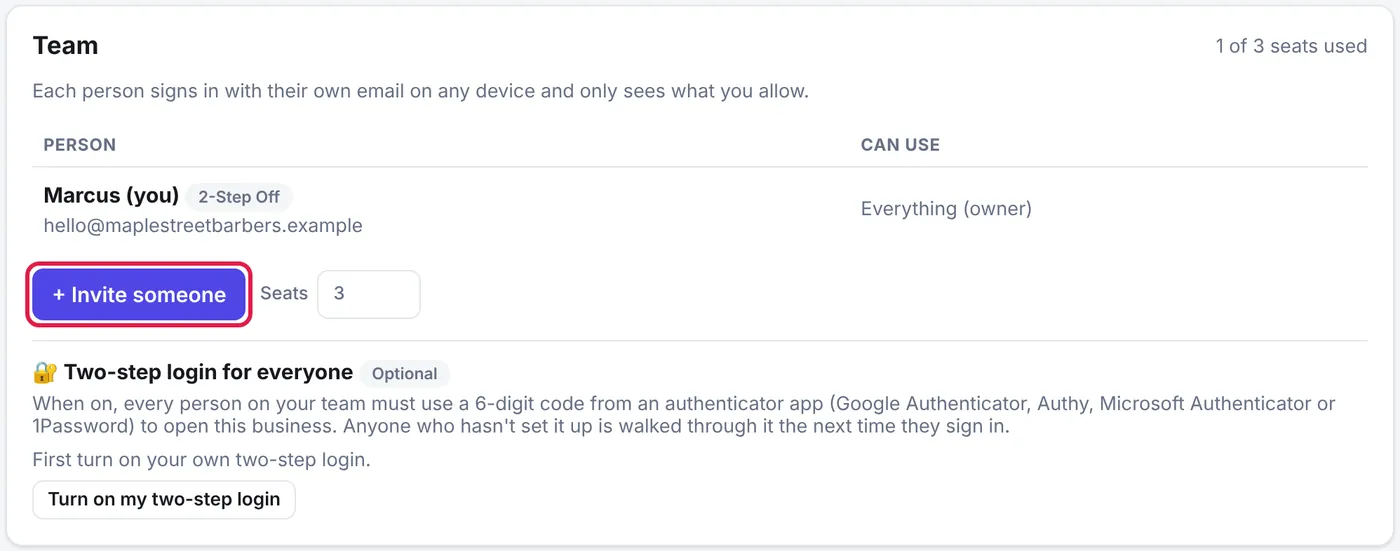
Want them to have a login? Click + Invite someone
On the Team card on the same page.
4
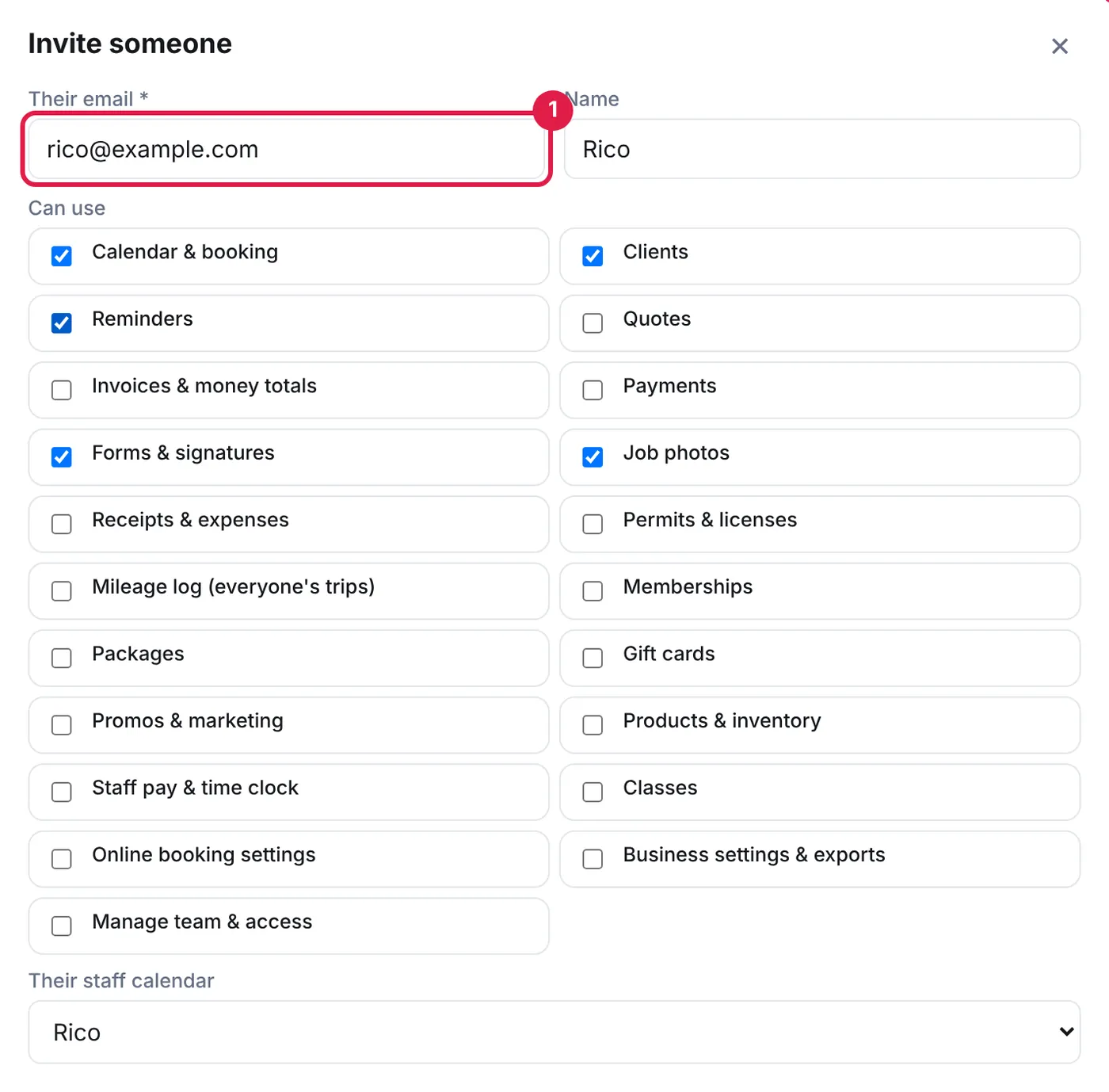
⚠️ Type their email and pick what they can use
Tick only what they need. Pick Their staff calendar so they see their own bookings.
5
Click Send invite
They get an email, open the link and sign in with a link sent to their email — no password needed.

💡 Good to know
- Staff can't see money totals, change prices after sending, or delete records unless you allow it. Anything unusual shows in Home → 🛡️ Safety.
- You can change what someone can use any time in Team.
Pictures show the demo shop "Maple Street Barbers" on a computer. On a phone, the same pages are in the bottom bar and under Menu.
Still stuck? Email support@booktend.app · All guides · Privacy · Terms