See every payment in and expense out
Looking for one payment, or want everything for a month in one list? Use Money in & out.
1
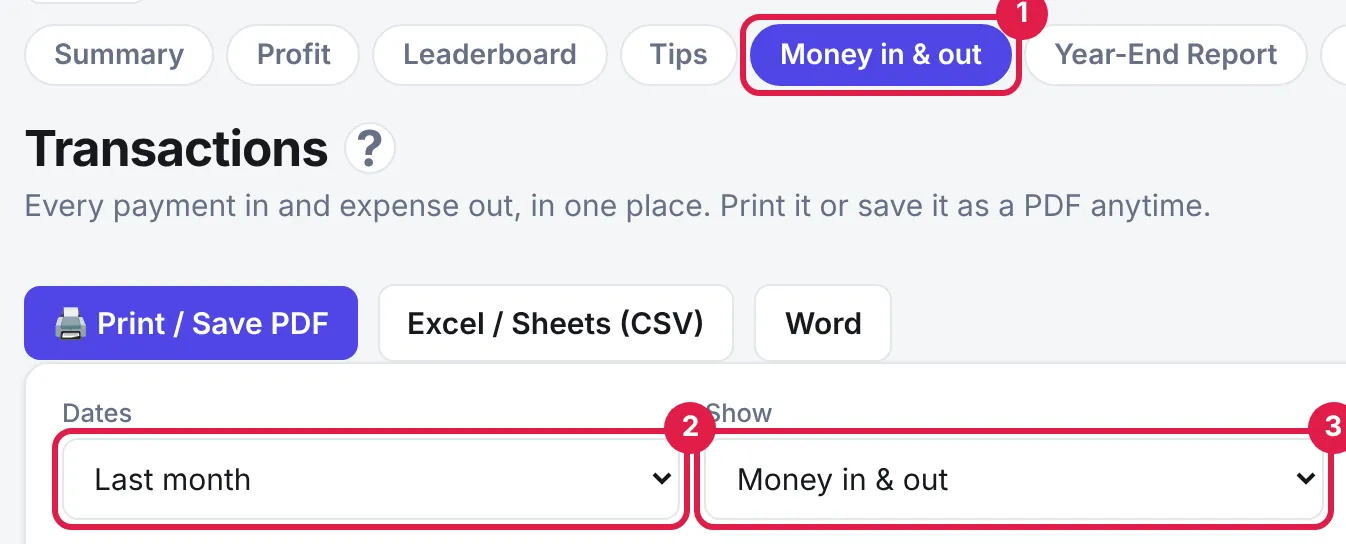
Open Reports → Money in & out
1 The tab · 2 Pick the dates · 3 Show money in, money out or both.
2
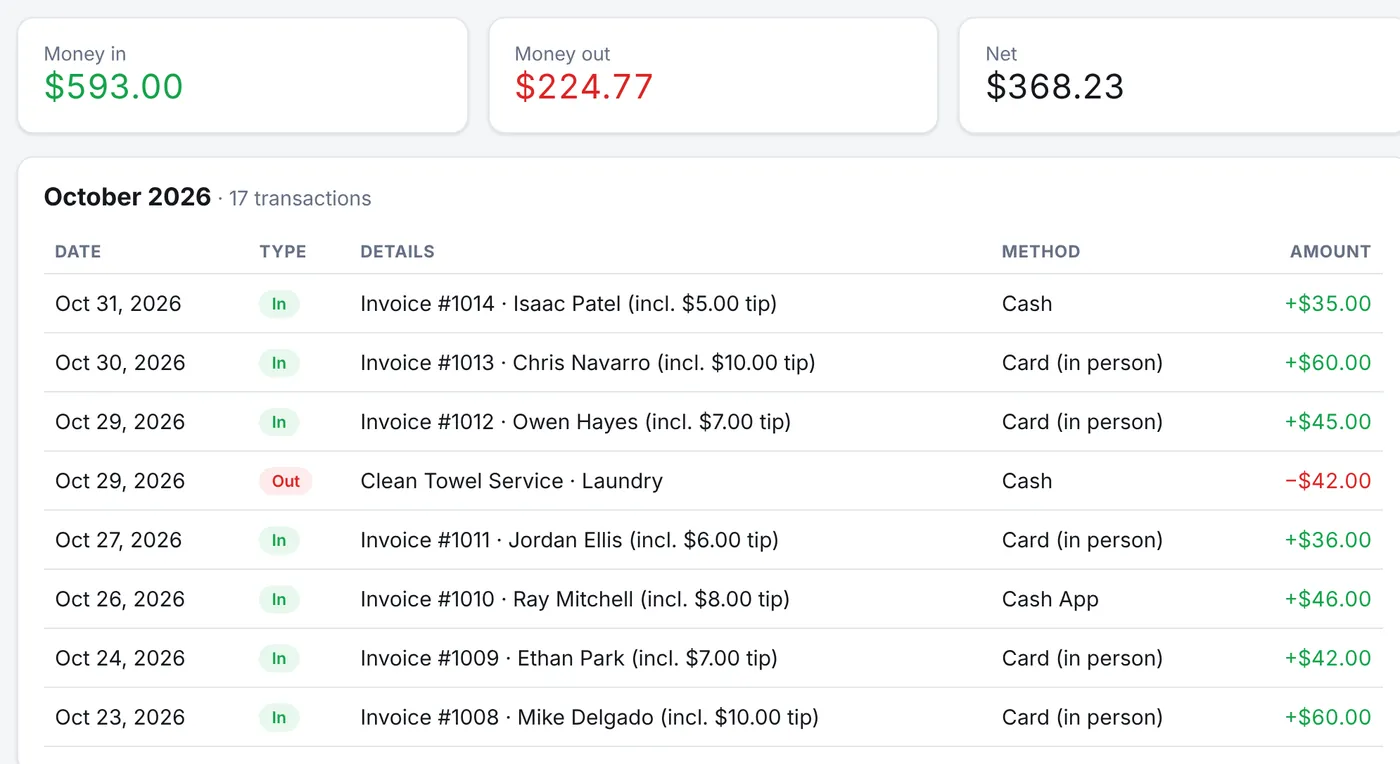
Read the list
Totals at the top, then every payment (with tips) and every expense with how it was paid.
3
Print it or save it
Print / Save PDF, Excel / Sheets (CSV) or Word.

💡 Good to know
- For taxes, use the Year-End Report — it splits Stripe, imported and cash payments so you can match each one.
Pictures show the demo shop "Maple Street Barbers" on a computer. On a phone, the same pages are in the bottom bar and under Menu.
Still stuck? Email support@booktend.app · All guides · Privacy · Terms