Put BookTend on your phone
BookTend opens like a regular app from your home screen — full screen, one tap.
1
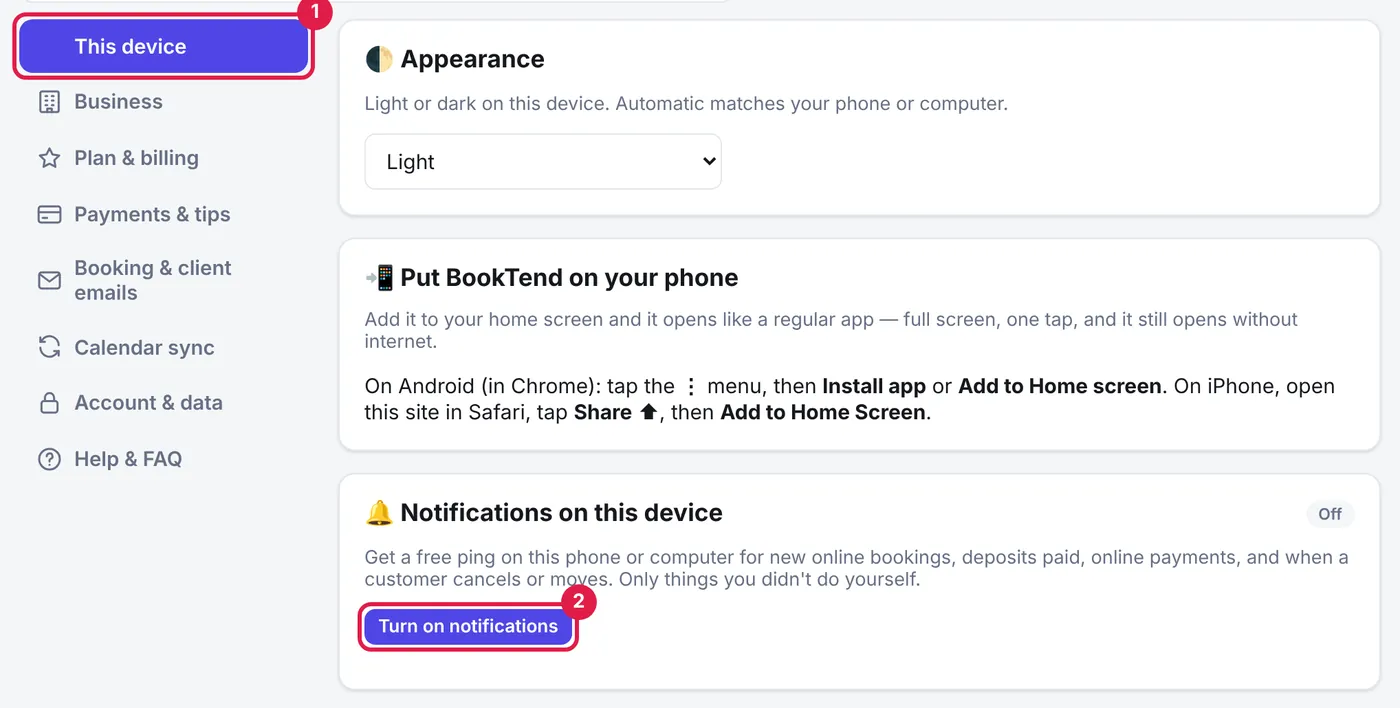
Open Settings → This device
Follow the steps on Put BookTend on your phone. iPhone: open booktend.app in Safari, tap Share, then Add to Home Screen. Android: in Chrome, tap the ⋮ menu, then Install app.
2
⚠️ Turn on notifications
Click Turn on notifications and allow them. You get a free alert for new online bookings, deposits, payments and cancellations.
💡 Good to know
- Turn on notifications on each phone or computer you use.
Pictures show the demo shop "Maple Street Barbers" on a computer. On a phone, the same pages are in the bottom bar and under Menu.
Still stuck? Email support@booktend.app · All guides · Privacy · Terms