Who can see and change what
Each person on your team only sees what you allow. Change it any time in Team → Edit next to their name.
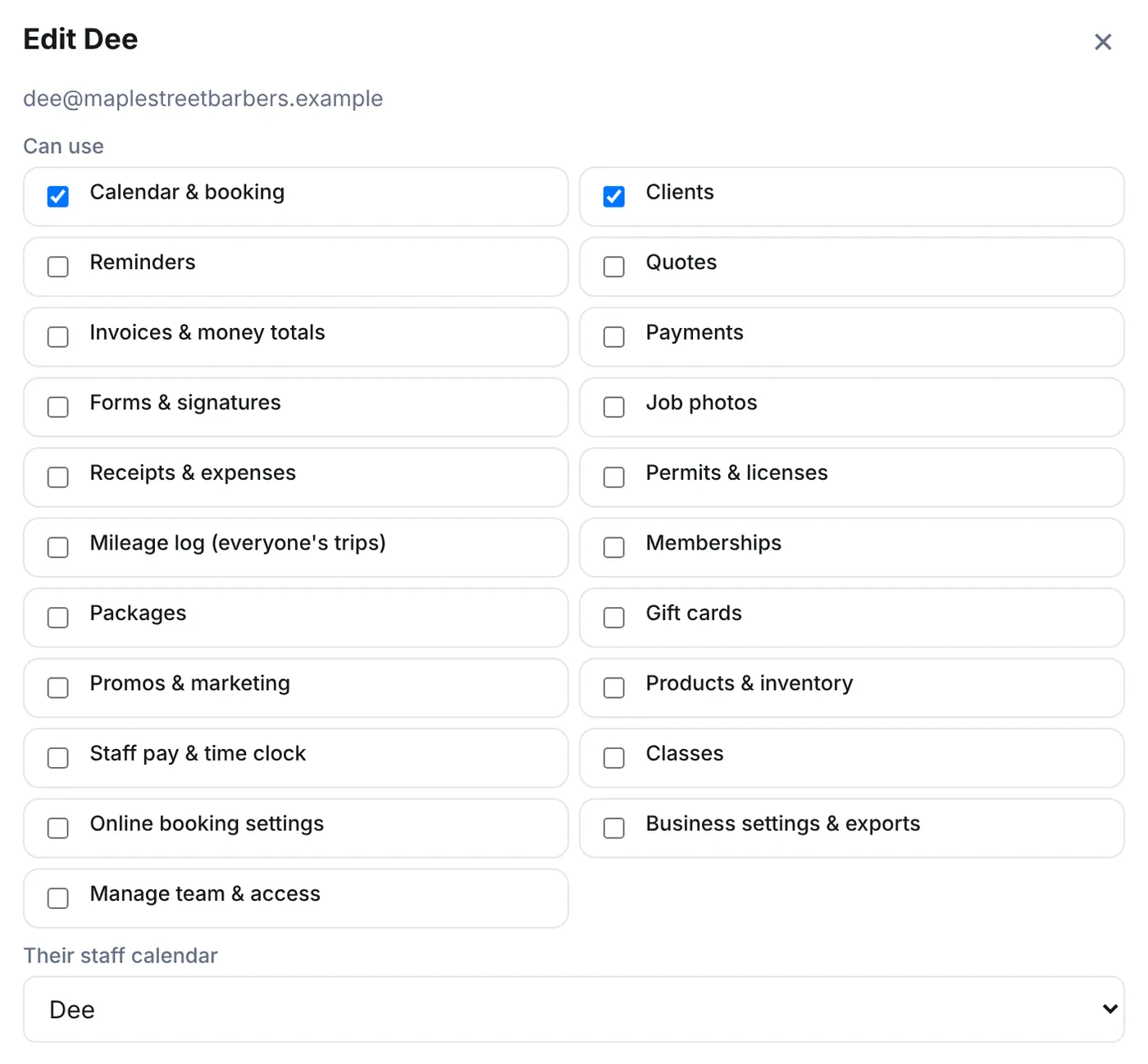
Pick what they can use
Tick each part of BookTend they need. Link them to Their staff calendar so they see their own bookings, and pick whether they only see their own appointments.
Who sees the numbers
Sales, refunds and tips are private to you. Under 📊 Leaderboard & tips, pick Only their own numbers, Everyone's numbers, or (with more than one location) some locations.

⚠️ 🛡️ Safety: quotes, invoices and deleting
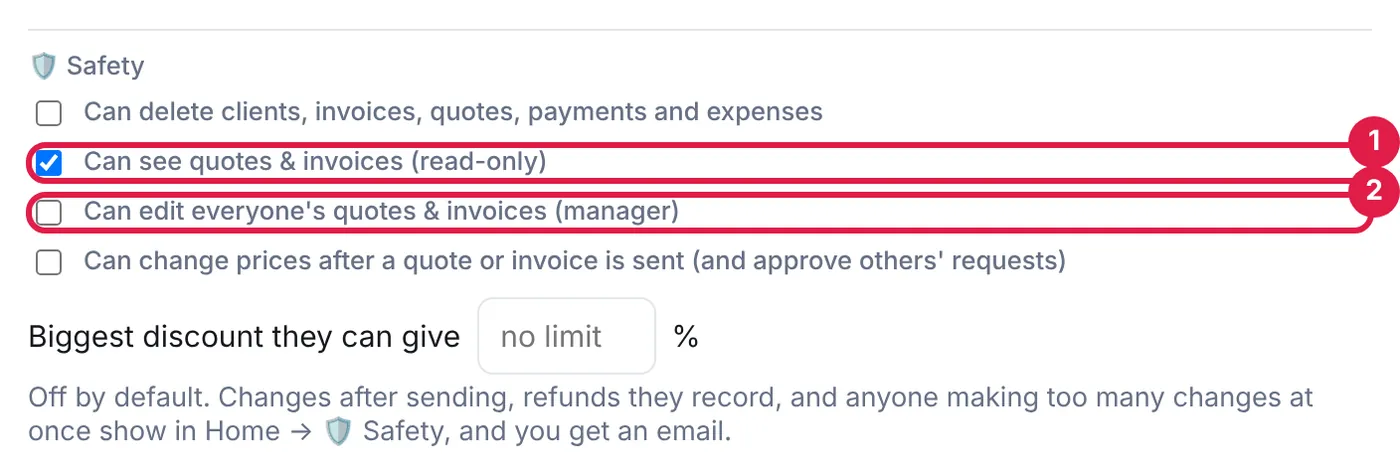
Everyone can see quotes and invoices read-only, so anyone can answer a client. 1 Untick to hide them. 2 Tick to let a manager edit everyone's. Staff can't delete records or change prices after something is sent unless you tick it here. You can also cap the discount they can give.
Click Save
Changes after sending, refunds they record, and anyone making too many changes at once show on Home → 🛡️ Safety, and you get an email.
💡 Good to know
- The person who wrote a quote or invoice can always edit it until it's sent. After that, they tap Request a change.
- Want everyone to use a code to sign in? See Turn on two-step login.
Pictures show the demo shop "Maple Street Barbers" on a computer. On a phone, the same pages are in the bottom bar and under Menu.
Still stuck? Email support@booktend.app · All guides · Privacy · Terms