Turn on two-step login
With two-step login, signing in also asks for a code from a free app on your phone — so a stolen password isn't enough.
1
Get a free authenticator app
Google Authenticator, Microsoft Authenticator, Authy or 1Password.
2
Open Settings → Account & data → Turn on two-step login
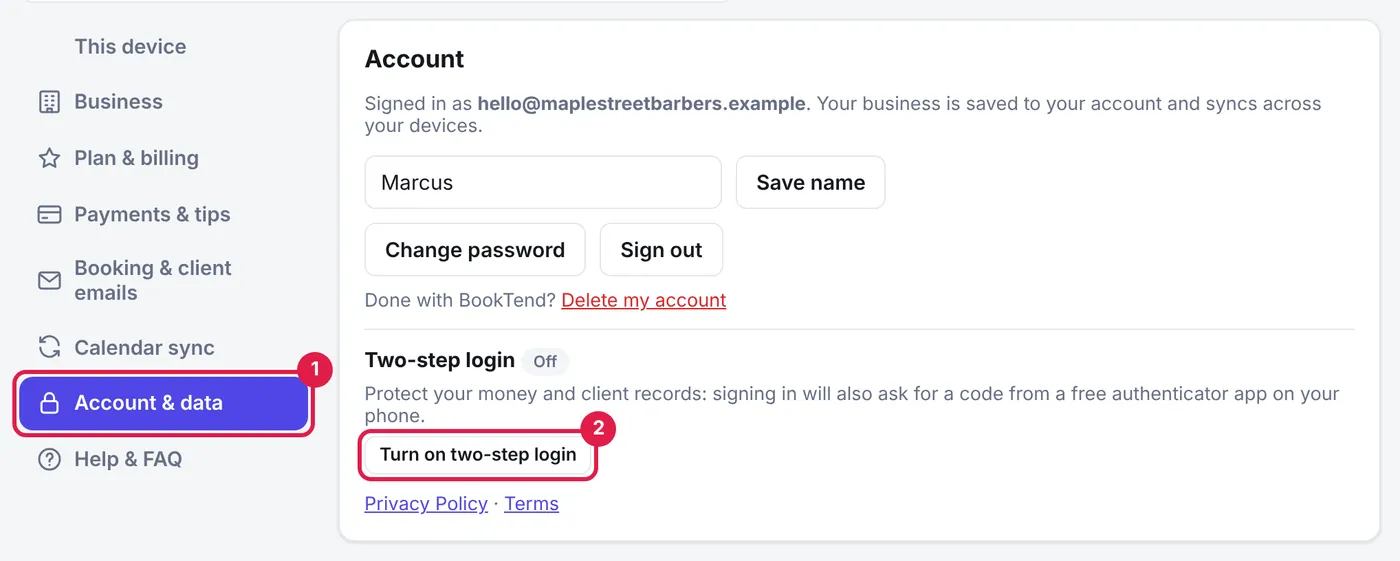
3
⚠️ Scan the code, type the 6-digit code, click Turn on
Scan the square code with the app. It shows a 6-digit code — type it in BookTend.
💡 Good to know
- Make your whole team use it: Team → Two-step login for everyone (turn on your own first).
Pictures show the demo shop "Maple Street Barbers" on a computer. On a phone, the same pages are in the bottom bar and under Menu.
Still stuck? Email support@booktend.app · All guides · Privacy · Terms